Transforming outdated smartphones into valuable components of a smart home system is a burgeoning trend. This approach offers a compelling blend of practicality and environmental responsibility, enabling individuals to repurpose their existing devices while creating a more intelligent and efficient living space.
From controlling smart home devices to monitoring various home conditions, the potential applications are extensive. This guide provides a comprehensive overview of the process, from identifying suitable smartphones to troubleshooting common issues, equipping you with the knowledge to seamlessly integrate your old devices into your smart home ecosystem.
Introduction to Repurposing Old Smartphones
The growing popularity of smart home technologies has created a surge in demand for connected devices. This trend has also led to a significant increase in the number of older, unused smartphones gathering dust in drawers and closets. Fortunately, these devices hold considerable potential for repurposing into valuable components within a smart home system. This approach offers not only cost savings but also environmental advantages.Repurposing old smartphones for smart home applications is a practical and environmentally conscious solution.
Individuals can avoid the disposal of perfectly functional devices while simultaneously contributing to a more sustainable lifestyle. The cost-effectiveness of using readily available resources is undeniable. By reusing existing smartphones, we can reduce electronic waste and the environmental impact associated with manufacturing new devices. This practice aligns with the principles of resourcefulness and conservation, making it an attractive option for environmentally conscious consumers.
Potential Uses of Old Smartphones in Smart Homes
Old smartphones, while no longer used for their primary function, can be effectively transformed into valuable components for smart home systems. These devices can be adapted to monitor environmental conditions, control lighting, and automate other aspects of a smart home. Their versatility and readily available processing power make them highly adaptable to various applications.
Types of Smartphones and Their Potential Uses
Repurposing old smartphones hinges on understanding their diverse capabilities. Different models, with varying specifications, can be deployed for specific functions within a smart home setup.
| Smartphone Type | Potential Smart Home Uses |
|---|---|
| Older smartphones with limited processing power | Basic sensors, automation for simple tasks, such as controlling lights or adjusting thermostats based on pre-programmed schedules, or as a simple security camera. |
| Mid-range smartphones with moderate processing power | More complex tasks, such as controlling multiple appliances, monitoring environmental conditions (temperature, humidity, light), and supporting basic security systems. |
| High-end smartphones with advanced features | Sophisticated smart home management, video surveillance with advanced features, remote control for multiple devices, and complex automation scenarios. |
Identifying Suitable Smartphones for Repurposing
Repurposing old smartphones into smart home devices offers a cost-effective and environmentally friendly solution. However, not all smartphones are equally suitable for this task. Careful consideration of the device’s capabilities and compatibility is essential for successful repurposing.Choosing the right smartphone hinges on evaluating its hardware and software aspects. A well-suited device will have the necessary processing power, memory, and connectivity features to perform the desired smart home functions.
Operating system compatibility is equally crucial, as certain projects might require specific software or APIs.
Key Characteristics of Suitable Smartphones
Selecting an appropriate smartphone for repurposing involves examining several crucial characteristics. These characteristics dictate the range of smart home applications the device can effectively support. The smartphone’s processing power, memory, and connectivity are key elements to assess.
- Processing Power (CPU and GPU): A smartphone with a more powerful processor (CPU and GPU) will be better equipped to handle complex tasks. This is particularly important for projects involving heavy computations or real-time processing. For example, a device with a powerful processor can smoothly run a smart home security system with multiple cameras and sensors, while a weaker processor might struggle with such demands.
- RAM (Random Access Memory): Sufficient RAM is vital for multitasking and running multiple applications simultaneously. Smart home systems often require interacting with various sensors and actuators, and adequate RAM allows for this. A smartphone with insufficient RAM might experience performance issues or even crashes when managing multiple smart home devices.
- Connectivity: The smartphone’s connectivity capabilities, such as Wi-Fi, Bluetooth, and cellular data, are essential for communication with other smart home devices. A device with robust connectivity ensures reliable communication and control over various smart home components.
Criteria for Selecting Smartphones Based on Hardware Capabilities
Evaluating the hardware capabilities of a smartphone is crucial for determining its suitability for various smart home applications. Different applications demand different levels of processing power, memory, and connectivity.
- Processor Type: The type of processor (e.g., Qualcomm Snapdragon, Apple A-series) influences the smartphone’s performance. Modern processors with advanced architectures often provide better support for computationally intensive tasks.
- RAM Capacity: Adequate RAM is necessary for handling multiple applications and data streams. Insufficient RAM can lead to performance slowdowns and system instability.
- Storage Space: Sufficient storage space is essential for storing application data and configurations. A device with limited storage might not be able to support complex smart home systems.
- Connectivity: Wi-Fi, Bluetooth, and cellular data capabilities are vital for connecting to other smart home devices. Reliable connectivity is critical for seamless communication and control.
Operating System Compatibility
Ensuring compatibility between the smartphone’s operating system and the chosen smart home project is paramount. Different smart home systems might have specific software requirements or API integrations that need to be met. Compatibility checks are crucial to avoid incompatibility issues.
- Operating System Support: The operating system must support the required APIs or libraries for the smart home project. Compatibility issues can cause significant problems in the functionality of the system.
- Application Compatibility: The smartphone must support the specific applications or software used for the chosen smart home project. Compatibility issues can lead to system failures or errors.
Example Table: Suitable Smartphones for Smart Home Applications
The following table provides examples of smartphone models, their processor types, and suitable smart home applications. This table illustrates how different hardware capabilities can influence the types of smart home projects the device can effectively support.
| Smartphone Model | Processor Type | Suitable Smart Home Applications |
|---|---|---|
| Samsung Galaxy S21 | Qualcomm Snapdragon 888 | Smart lighting control, smart security systems, home automation |
| iPhone 13 | Apple A15 Bionic | Home automation, smart home appliances, smart security |
| Google Pixel 6 | Google Tensor | Smart home monitoring, smart home assistants, home automation |
Repurposing Smartphones for Home Automation
Transforming your old smartphones into control centers for your smart home offers a cost-effective and customizable approach to automation. This method leverages readily available technology to enhance convenience and security, while minimizing environmental impact by reducing e-waste. This section details the process of using repurposed smartphones to manage various smart home devices.Repurposing older smartphones provides a practical and budget-friendly solution for establishing a home automation system.
By installing specific applications and configuring the devices, users can gain remote control over various aspects of their home, such as lighting, security, and appliances. This allows for personalized control, enhancing both convenience and energy efficiency.
Utilizing Smartphones as Control Centers
Old smartphones can serve as central hubs for managing diverse smart home devices. These devices often communicate wirelessly, facilitating easy integration with a repurposed smartphone platform. This centralized control simplifies management and monitoring of multiple smart devices.
Examples of Controllable Smart Home Devices
A variety of smart home devices can be controlled by repurposed smartphones. Common examples include smart lighting systems, security cameras, thermostats, and even smart appliances like refrigerators and ovens. The selection of compatible devices will depend on the specific smartphone model and available applications.
Setting Up a Basic Home Automation System
Establishing a basic home automation system using a repurposed smartphone involves several steps. Firstly, select a smartphone with sufficient processing power and storage for the intended applications. Secondly, download the necessary applications for controlling the specific smart devices. Thirdly, connect the smartphone to the home’s Wi-Fi network to establish a reliable connection for device communication.
Installing and Configuring Applications
Installing and configuring the required applications is a crucial step in the process. Users need to ensure that the chosen applications are compatible with the smartphone model and the specific smart devices being controlled. Thorough instructions provided by the application developers are essential to navigate the configuration process successfully. Users should carefully follow the application’s setup procedures to avoid any errors.
Integrating into a Smart Lighting System (Step-by-Step)
This section Artikels the integration process for a smart lighting system:
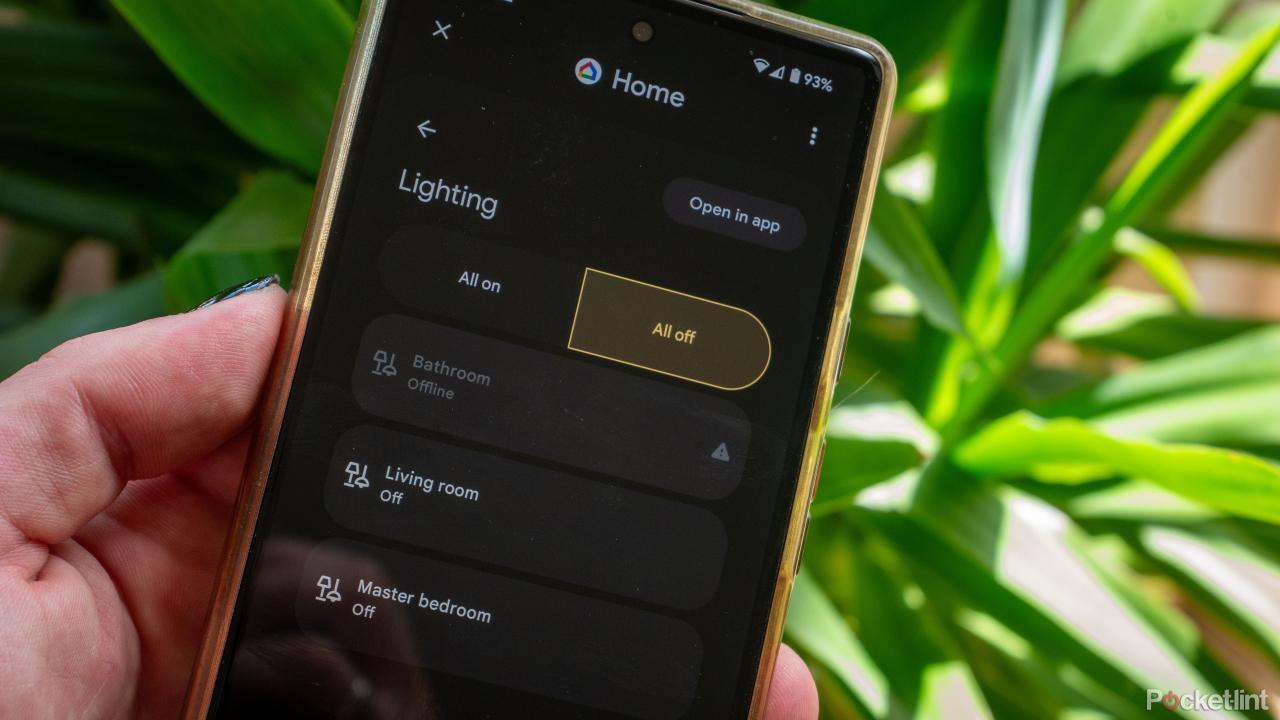
- Download and Install: Download and install the compatible smart lighting application on the repurposed smartphone.
- Device Pairing: Pair the smart lighting devices with the application using the instructions provided in the application’s user guide.
- Set Up Schedules: Configure schedules for automatic lighting activation and deactivation based on desired timings and preferences.
- Remote Control: Test the remote control functionality to ensure the smartphone can successfully turn lights on and off from a distance.
- Advanced Configurations: Utilize the application’s advanced settings to adjust brightness, color temperatures, and other relevant parameters as desired.
Repurposing as a Security Camera Hub
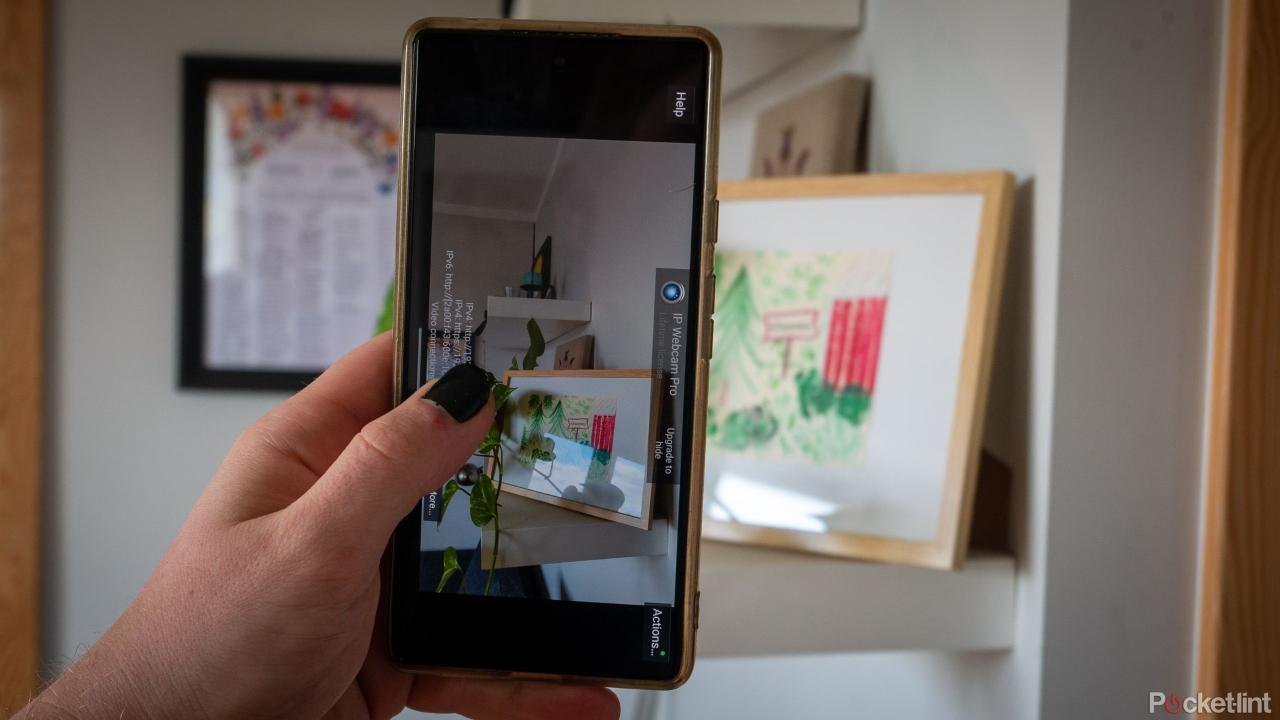
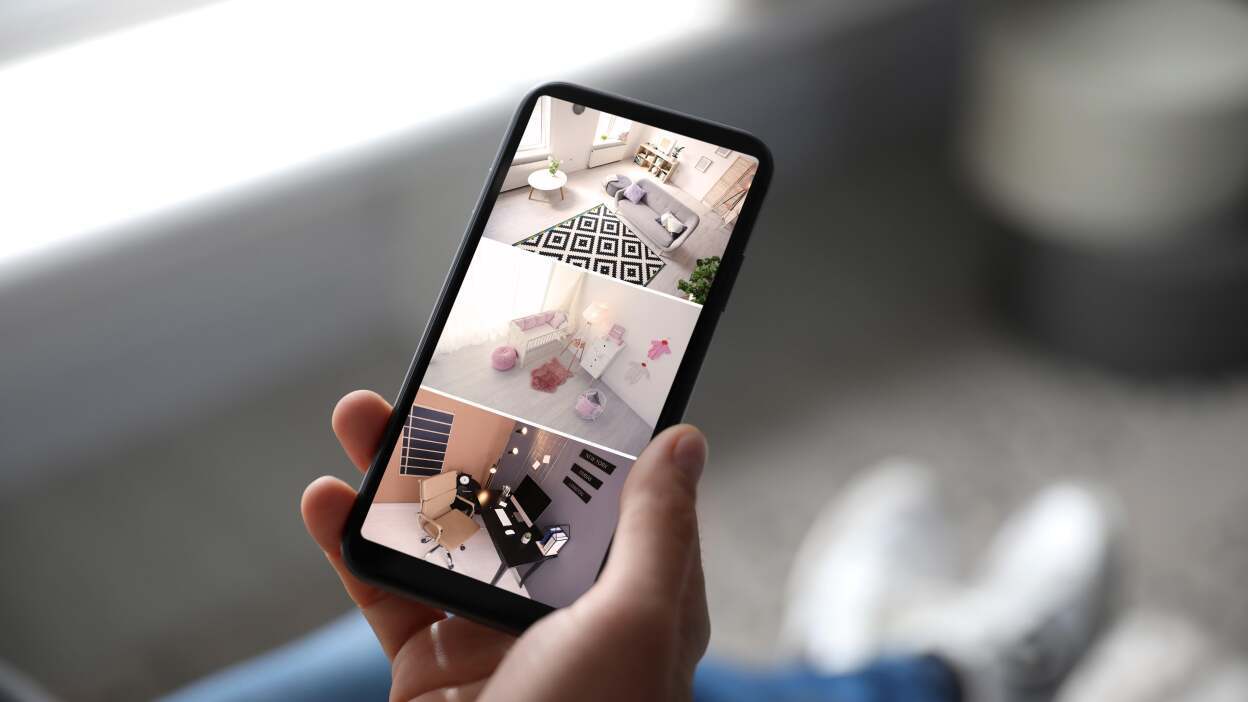
A repurposed smartphone can be a central hub for managing multiple security cameras. This allows for comprehensive monitoring and recording of the home’s perimeter. This approach leverages the smartphone’s camera capabilities and the flexibility of mobile applications for security purposes.
Repurposing Smartphones for Home Entertainment
Repurposing old smartphones for home entertainment opens up a world of possibilities, transforming them from obsolete devices to versatile tools for media consumption and display. These repurposed devices can enhance your home’s entertainment ecosystem, providing unique and personalized experiences. From media players to digital picture frames, the options are vast and offer considerable value in terms of both functionality and cost-effectiveness.Leveraging the processing power and connectivity of smartphones, you can easily create customized entertainment hubs tailored to your specific needs.
These devices can be configured for various tasks, from displaying multimedia content to acting as interactive home displays. This section will detail the steps involved in transforming old smartphones into sophisticated entertainment tools.
Converting an Old Smartphone into a Smart Home Media Player
This involves using the smartphone’s built-in media player and potentially third-party apps to stream various content. Connecting the device to your home network and selecting the desired media sources (like local files, cloud storage, or streaming services) are key steps. The device’s screen can then display the selected content. This approach often requires minimal setup and can integrate seamlessly with existing home entertainment infrastructure.
Repurposing Smartphones as Smart Displays for Entertainment
Smartphones can be transformed into interactive smart displays for entertainment. This involves configuring the device to act as a secondary screen for controlling smart home devices or displaying information relevant to the user’s preferences, like weather forecasts or news updates. These configurations often utilize smartphone-specific apps or APIs, allowing for tailored functionality. The display can then be used for playing games, browsing the internet, or displaying any content that can be streamed or downloaded.
Using Old Smartphones as Digital Picture Frames
Transforming a smartphone into a digital picture frame is a straightforward process. You can download and install dedicated applications that allow for easy slideshow creation, photo management, and customization. The user can then select photos or videos from local storage, cloud accounts, or other sources, which are displayed in a slideshow format. The device’s display is optimized for image viewing, providing a beautiful and personalized way to showcase memories.
Using an Old Smartphone as a Home Security System
While not a primary function, repurposing a smartphone as part of a home security system is possible. This involves installing security apps and using the device’s camera and sensors to monitor specific areas of the house. These apps provide alerts in case of motion or other potential threats. This setup often requires additional hardware like motion detectors or cameras to function effectively.
Integrating Repurposed Smartphones into Home Audio Systems
Integrating repurposed smartphones into home audio systems is possible. This can involve using the smartphone as a music player or a control center for other audio equipment. By using suitable applications, users can access music libraries, stream audio content, and control volume levels remotely. This configuration often requires Bluetooth or Wi-Fi connectivity for seamless integration.
Table: Repurposing Smartphones for Home Entertainment
| Smartphone Use | Project Steps | Tools Required | Potential Issues |
|---|---|---|---|
| Smart Home Media Player | Connect to network, select media sources, configure display. | Smartphone, Wi-Fi/Ethernet, media files. | Incompatible media formats, network connectivity problems. |
| Smart Display | Install apps, configure display settings, connect to smart home devices. | Smartphone, compatible apps, smart home devices. | App incompatibility, limited display resolution. |
| Digital Picture Frame | Install dedicated app, select photos/videos, customize slideshow. | Smartphone, photo library, dedicated app. | Storage space limitations, app crashes. |
| Home Security System (Partial) | Install security app, connect external sensors/cameras. | Smartphone, security app, external sensors/cameras. | Limited sensor range, false alarms, app compatibility issues. |
| Home Audio System | Install audio app, connect to speakers, configure audio settings. | Smartphone, audio app, speakers (Bluetooth/Wi-Fi). | Sound quality limitations, Bluetooth connectivity issues. |
Repurposing Smartphones for Home Monitoring
Repurposing old smartphones can significantly enhance home monitoring capabilities, transforming them into versatile sensors for various aspects of household management. This approach leverages readily available technology to provide cost-effective and user-friendly solutions for monitoring critical home conditions, saving time and energy.
Monitoring Temperature and Humidity Levels
Using a smartphone as a temperature and humidity sensor is a straightforward process. Numerous free applications are available for downloading that provide real-time readings and logging capabilities. These apps often integrate with cloud services for data storage and remote access, enabling monitoring from anywhere. By pairing the smartphone with a suitable weather sensor, detailed readings can be gathered and displayed.
Monitoring Energy Consumption
Repurposing a smartphone for energy monitoring involves connecting it to smart plugs or energy-monitoring devices. These devices measure energy consumption of connected appliances, and the data is often transmitted to the smartphone app. The app provides visual representations of energy usage, highlighting peak consumption periods and enabling adjustments to energy-saving habits. This approach facilitates understanding energy consumption patterns and identifying areas for improvement.
Monitoring Water Usage
Monitoring water usage with an old smartphone can be accomplished through integration with smart water meters or by employing flow sensors. Data gathered from these devices is transmitted to the smartphone, allowing for real-time tracking of water usage. The smartphone app can provide detailed reports, helping identify leaks or excessive water consumption patterns.
Monitoring Air Quality
Repurposing a smartphone for air quality monitoring requires integration with air quality sensors. These sensors measure key parameters like particulate matter, carbon dioxide, and volatile organic compounds. Data from these sensors is then displayed on the smartphone app, providing a clear picture of the air quality in the home. This allows for proactive measures to improve indoor air quality.
Summary Table
| Sensor Type | Data Display | Smartphone Integration |
|---|---|---|
| Temperature & Humidity Sensor | Real-time temperature and humidity readings, graphs, and historical data logs | Downloadable apps, cloud-based storage, remote access |
| Smart Plugs/Energy Monitoring Devices | Real-time and historical energy consumption graphs, peak usage alerts | Integration with smart plug apps, visual representations of usage patterns |
| Smart Water Meters/Flow Sensors | Real-time and historical water usage graphs, leak detection alerts | Integration with water meter apps, detailed usage reports |
| Air Quality Sensors | Real-time and historical air quality readings, pollutant concentration graphs | Integration with air quality sensor apps, alerts for poor air quality |
Troubleshooting and Maintenance
Repurposing old smartphones for smart home applications can be a rewarding experience, but potential issues and maintenance are crucial for long-term functionality. Proper troubleshooting and consistent maintenance can significantly extend the lifespan of your repurposed devices and prevent frustrating problems. Understanding common pitfalls and implementing preventive measures are essential for success.
Potential Problems During Repurposing
Repurposing smartphones for smart home applications may encounter various issues. Software compatibility problems, hardware limitations, and power management concerns can all arise. Incorrect configurations, connectivity issues, and unexpected device behavior are also possibilities.
Troubleshooting Common Issues
Troubleshooting repurposed smartphones requires a systematic approach. Start by checking basic connections, ensuring all cables and ports are properly connected. Review the device’s configuration settings to verify compatibility with the smart home system. If connectivity issues persist, try different network configurations or troubleshoot Wi-Fi or Bluetooth connectivity problems. If software conflicts arise, update or reinstall the appropriate software.
Importance of Regular Maintenance
Regular maintenance is essential for extending the lifespan of repurposed smartphones. This includes cleaning the device to prevent dust buildup, ensuring sufficient charging and discharging cycles, and regularly checking for software updates. Maintaining a consistent charging schedule, and avoiding extreme temperatures and physical damage, will all contribute to a longer-lasting device.
Maximizing Lifespan of Repurposed Smartphones
Maximizing the lifespan of repurposed smartphones involves proactive measures. Regularly backing up data, keeping the device updated with the latest software, and avoiding excessive physical strain can significantly extend its usability. Ensuring proper storage conditions and avoiding prolonged exposure to extreme temperatures are crucial for preserving the device’s longevity.
Common Pitfalls to Avoid
Common pitfalls during repurposing include neglecting software updates, improper charging practices, and overlooking potential hardware limitations. These factors can lead to reduced performance, device malfunctions, and shortened lifespans. Avoiding these issues through proactive maintenance and understanding the device’s limitations is crucial for success.
Troubleshooting Guide
| Problem | Solution |
|---|---|
| Device won’t connect to the smart home network | Verify network settings, check Wi-Fi/Bluetooth connectivity, restart both the device and the smart home system. Try a different network if possible. |
| Device crashes or freezes frequently | Update device software, check for conflicting applications, and ensure sufficient storage space. |
| Battery drains rapidly | Optimize power settings, close unnecessary applications, and ensure appropriate charging practices are followed. |
| Device malfunctions or experiences errors | Check for updates to the device software, reset the device to factory settings if necessary, and seek support documentation for troubleshooting steps. |
| Incompatible software | Research compatible software solutions and configurations, or consider alternative hardware solutions. |
Advanced Repurposing Techniques
Repurposing old smartphones for smart home applications extends far beyond basic automation. Advanced techniques leverage custom software and programming to unlock a broader range of functionalities, transforming these devices into sophisticated control centers for various home systems. This section delves into these advanced applications, exploring the creation of robust home security systems, the integration with existing smart home ecosystems, and the management of multiple devices from a single repurposed smartphone.Custom software and programming allow for significant enhancements to the capabilities of repurposed smartphones.
By tailoring the software to specific tasks, users can create highly customized solutions for their home automation needs. This includes creating interfaces for controlling multiple devices simultaneously, automating complex sequences of actions, and developing bespoke applications for specialized tasks.
Custom Software and Programming
Custom software and programming are key to maximizing the potential of repurposed smartphones. Dedicated programming languages, such as Python or JavaScript, coupled with appropriate libraries, enable developers to craft applications tailored to specific needs. These applications can control multiple devices, automate tasks, and provide a customized user interface for seamless integration into a smart home environment. For instance, a Python script can monitor temperature sensors and adjust thermostat settings automatically.
A JavaScript application can create a user-friendly interface for controlling lighting, security systems, and other devices.
Home Security System
Repurposed smartphones can be instrumental in creating a robust home security system. Utilizing readily available open-source security applications and integrating them with existing security hardware allows for remote monitoring, alerts, and control. This can include features like motion detection, video recording, and automated responses to security breaches. For example, a smartphone-based system could send an alert to the user’s phone if motion is detected in a specific area of the house, and trigger an alarm system or record video footage.
The repurposed device can serve as a central hub for receiving alerts and controlling various security components.
Integration with Other Smart Home Devices
Seamless integration with existing smart home devices is crucial for a smooth user experience. Utilizing APIs and protocols like MQTT or Zigbee enables the repurposed smartphone to communicate and control other smart devices within the network. This allows for the creation of complex automation rules and chains of events, for example, adjusting the lighting based on the presence of motion sensors or changing the temperature based on the detected weather forecast.
This integration ensures a unified and responsive smart home environment.
Controlling Multiple Smart Devices
Managing multiple smart devices from a single repurposed smartphone is achievable with well-designed applications. Sophisticated applications can use a hierarchical structure to group devices and create customized control panels. This approach can provide an intuitive interface for users to monitor and control multiple smart home devices simultaneously. For example, a user could group all lighting devices into a single category, allowing for easy control of all lights from one screen.
Advanced Repurposing Techniques: Summary Table
| Repurposing Method | Complexity | Required Tools | Expected Results |
|---|---|---|---|
| Creating custom applications for controlling lighting | Medium | Programming language (Python, JavaScript), libraries, APIs | Enhanced control and automation of lighting systems, potentially including specific schedules and responses to environmental conditions |
| Building a home security system using repurposed smartphones | High | Security hardware, open-source security applications, programming knowledge (optional) | Robust home security with remote monitoring, alerts, and automated responses to security breaches |
| Integrating with existing smart home devices | Medium | APIs, communication protocols (MQTT, Zigbee), device documentation | Seamless integration of the repurposed smartphone into the existing smart home network, allowing for complex automation and control |
| Controlling multiple smart devices from a single smartphone | High | Programming language, device integration libraries, user interface design tools | A centralized and intuitive interface for controlling multiple smart devices, allowing for streamlined management of various home systems |
Environmental Impact of Repurposing
Repurposing old smartphones for smart home applications offers significant environmental advantages over purchasing new devices. This approach reduces electronic waste, conserves resources, and minimizes the carbon footprint associated with manufacturing. By extending the lifespan of existing technology, we contribute to a more sustainable future.The environmental impact of repurposing old smartphones is far less significant than the impact of producing new ones.
Manufacturing new devices necessitates extracting raw materials, which often involves environmentally damaging processes. Transporting these materials and the finished products also contributes to greenhouse gas emissions. Repurposing existing devices avoids these detrimental steps, thus reducing the overall environmental burden.
Environmental Benefits of Repurposing
Repurposing old smartphones significantly lessens the strain on natural resources. By reusing existing devices, we avoid the need for mining new materials, reducing the demand for rare earth minerals and other critical components. This conservation effort is crucial for preserving biodiversity and mitigating the negative impacts of resource extraction on ecosystems. Furthermore, repurposing minimizes the energy consumption associated with manufacturing new devices.
This reduced energy consumption translates to a lower carbon footprint and a smaller contribution to global warming.
Comparison with Purchasing New Devices
Purchasing a new smartphone involves a cascade of environmental impacts. Manufacturing new devices consumes vast amounts of energy and resources. The production process often involves harmful emissions and the use of hazardous materials. Transporting the devices from manufacturing facilities to retail outlets further adds to the carbon footprint. In contrast, repurposing an old smartphone eliminates these manufacturing and transportation-related impacts, significantly reducing the overall environmental burden.
Importance of Proper Disposal Methods
Proper disposal of old smartphones is crucial to minimize environmental damage. Improper disposal can lead to hazardous materials leaching into the soil and water, contaminating the environment and potentially harming human health. Furthermore, improper disposal can lead to the loss of valuable resources that can be recovered and reused. Recycling facilities play a crucial role in collecting and processing old smartphones to recover valuable components, such as metals, glass, and plastics.
Recycling Old Smartphones for Reuse
Recycling old smartphones involves a multi-step process that focuses on recovering valuable components. This often starts with dismantling the device to separate the various materials. The recovered components, such as gold, silver, copper, and other metals, are then refined and prepared for reuse in new products. Recycling facilities are equipped with specialized equipment and procedures to handle the dismantling and processing of smartphones safely and effectively.
Table: Actions and Environmental Impacts
| Action | Environmental Impact |
|---|---|
| Repurposing an old smartphone | Reduces resource consumption, lowers carbon emissions, and minimizes waste. |
| Purchasing a new smartphone | Increases resource extraction, raises carbon emissions, and generates e-waste. |
| Proper disposal of old smartphones | Reduces environmental contamination and conserves valuable resources. |
| Recycling old smartphones | Recover valuable components for reuse, minimizing the need for new material extraction. |
Final Thoughts
In conclusion, repurposing old smartphones for smart home applications presents a practical and environmentally conscious solution. By following the steps Artikeld in this guide, you can transform your discarded devices into essential components of a sophisticated and personalized smart home. This approach not only saves money but also minimizes electronic waste, contributing to a more sustainable future.