Protecting your privacy in the age of smart devices is crucial. This guide provides a comprehensive overview of how to effectively manage privacy settings on your various smart devices, from smartphones to smart home hubs. Understanding these settings empowers you to control the data collected and used by these interconnected technologies, safeguarding your personal information.
We will explore the fundamental concepts of smart device privacy, detailed steps for accessing and managing specific privacy features, and critical security considerations to mitigate potential risks. The importance of regular reviews and best practices for maintaining a secure digital environment will also be highlighted. This comprehensive approach ensures a deeper understanding of your digital footprint and the measures you can take to maintain control.
Understanding Smart Device Privacy Settings
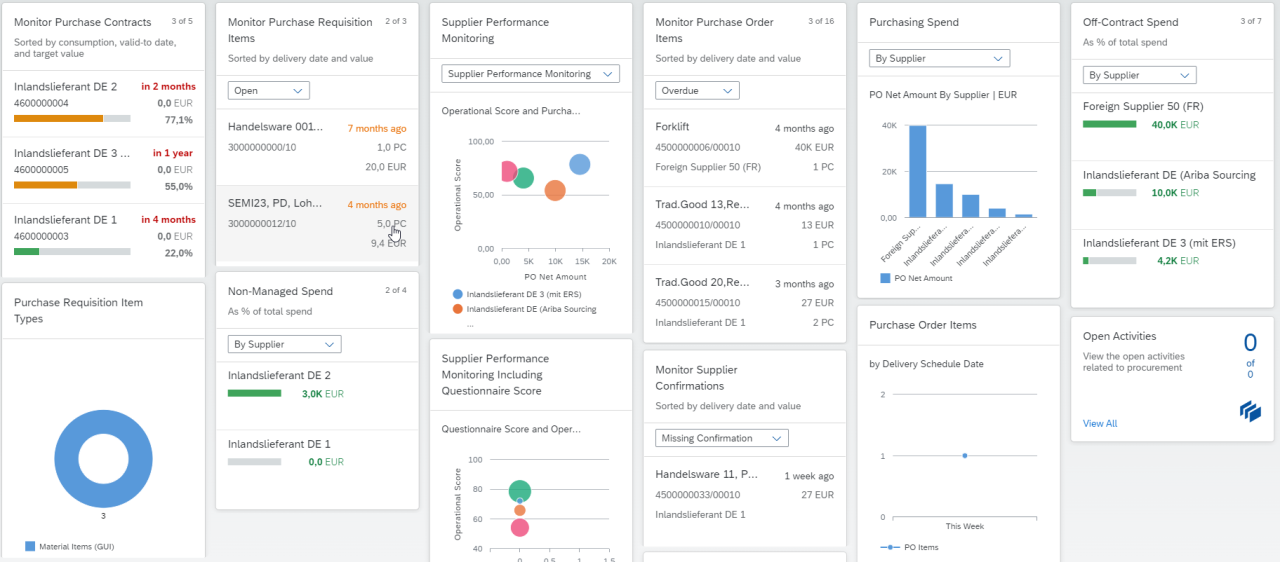
Smart devices, from smartphones to smartwatches and home assistants, are increasingly integrated into our daily lives. This integration, however, necessitates a keen understanding of the privacy implications. Knowing how these devices collect and use your data is crucial for safeguarding your personal information.Privacy settings on smart devices are multifaceted, controlling the types and amounts of personal information these devices gather and share.
Effective management of these settings is paramount to maintaining control over your data and ensuring its responsible use.
Data Collection by Smart Devices
Smart devices collect various types of data to function effectively. This includes location data, activity tracking, usage patterns, and even information about your interactions with the device’s apps. Understanding the scope of this data collection allows users to make informed decisions about their privacy preferences. For example, a fitness tracker might collect data on your steps, heart rate, and sleep patterns, while a smart speaker might log your voice commands and interactions with different apps.
The data collected varies significantly based on the specific device and its intended purpose.
Types of Data Collected
Smart devices collect a diverse range of data, impacting various aspects of your personal life. Location data, for example, is used for navigation, mapping, and location-based services. Activity tracking can include steps, exercise, and sleep patterns. Usage patterns encompass app usage frequency, duration, and interaction details. This data collection is crucial for the device’s operation but also requires careful consideration of its implications for personal privacy.
Understanding these data types is essential for effectively managing your privacy settings.
Importance of Understanding Settings
A critical aspect of safeguarding personal information is understanding the privacy settings on smart devices. These settings allow users to control the collection, use, and sharing of their data. By carefully reviewing and adjusting these settings, individuals can mitigate potential risks and ensure their personal information is handled responsibly. Misunderstanding these settings can lead to unintended data sharing or unauthorized access, highlighting the need for informed choices.
Smart Device Manufacturer Practices
Different manufacturers approach user privacy in various ways. Apple, for instance, emphasizes user control over data collection through granular privacy settings and clear data usage policies. Google, while offering extensive customization options, is often criticized for its comprehensive data collection practices across its various products. Samsung, meanwhile, employs a more balanced approach, offering a range of controls alongside features that leverage collected data for enhanced user experience.
Comparison of Privacy Policies
The following table compares the privacy policies of three popular smart device brands, highlighting key differences in data collection and usage practices.
| Feature | Apple | Samsung | |
|---|---|---|---|
| Data Collection | Focus on user control, granular settings | Extensive data collection across various services | Balanced approach, offering controls alongside features |
| Data Usage | Transparent data usage policies | Data used for targeted advertising and personalized services | Data used for personalized experiences and features |
| User Control | High level of user control over data | User control options, but data collection is extensive | Good user control, with clear policies |
Accessing Privacy Settings

Understanding where your smart device’s privacy settings reside is crucial for controlling data collection and usage. Different devices employ various methods and locations for managing these settings. This section provides a comprehensive guide to accessing these settings across various platforms.Accessing privacy settings on smart devices is a multifaceted process, varying considerably depending on the device’s operating system and manufacturer.
The steps often involve navigating through menus and sub-menus, often within dedicated sections or apps. This guide provides practical examples to simplify the process.
Typical Locations of Privacy Settings
Various smart devices employ different approaches to privacy settings. Smartphones, for instance, usually house privacy controls within the device’s settings app. Smart speakers often require navigating through the manufacturer’s app, while smartwatches often integrate these controls into the device’s settings menu. Smart home hubs usually have dedicated privacy sections within their configuration app.
Accessing Privacy Settings on a Hypothetical Smart Device
Consider a hypothetical smart device, the “HomeConnect Hub.” To access its privacy settings, users typically navigate through the HomeConnect app. The specific steps vary depending on the particular device model, but a common pattern involves opening the app, tapping on the profile icon (or a similar user-specific option), and then selecting the “Privacy Settings” option. Following these steps often presents a menu of options to control data sharing, voice recording, and other relevant privacy parameters.
Step-by-Step Guide for a Smart Home Hub
To access privacy settings on a smart home hub like the “HomeConnect Hub,” follow these steps:
- Open the HomeConnect app on your smartphone or tablet.
- Tap on your profile icon (or a similar user-specific option) in the app.
- Select “Settings” or a similar option from the menu.
- Navigate to the “Privacy” section, which might be listed as “Data & Privacy,” “Security,” or a similar label.
- Within the Privacy section, adjust the relevant controls to manage data sharing, device permissions, and other options as needed.
Finding Privacy Settings on a Smart Thermostat
Privacy settings on a smart thermostat, like the “SmartTemp Pro,” typically reside within the thermostat’s configuration app. The app is usually accessed via the device’s Wi-Fi network, allowing users to adjust settings related to data collection, usage, and sharing with third-party services. The exact location of these settings may vary depending on the manufacturer. For example, on the SmartTemp Pro, the privacy settings are often found under “Device Settings” followed by “Data Privacy” or “Account Preferences.”
Navigation Paths for Different Operating Systems
| Operating System | Typical Navigation Path ||—|—|| iOS | Settings > Privacy > [Specific App/Service] || Android | Settings > Apps & Notifications > [Specific App/Service] > Permissions || Amazon Alexa | Alexa app > Your profile > Settings > Privacy > [Specific Option] || Google Assistant | Google Home app > Your profile > Settings > Privacy > [Specific Option] |
Managing Specific Privacy Features

Understanding the various privacy features available on smart devices is crucial for maintaining control over your personal information. This section delves into the specifics of managing location services, app permissions, data retention, and privacy settings on smart home devices. By carefully configuring these settings, you can significantly reduce the amount of data collected and shared.
Location Services
Location services on smartphones allow apps to access your real-time location. Understanding how to control these services for different applications is essential. Managing location permissions ensures that apps only access location data when necessary, and for the duration required.
- Controlling Location Services for Specific Apps: Most smartphones allow granular control over location services for individual apps. You can typically choose whether an app has access to your location data, and set this permission on a case-by-case basis. For example, you might grant a navigation app location access while denying it to a social media app.
Data Retention
Data retention settings dictate how long your device stores various types of data. Different settings for data retention provide varying degrees of control over the duration of data storage. This aspect is important for both personal and security reasons.
- Comparing Data Retention Options: Data retention options vary considerably. Some devices allow you to specify how long certain data types are retained. For example, you might choose to delete location history after a certain period or clear browsing data automatically after a set time. Other options might involve manually deleting data at specific intervals or on a need-by-need basis.
Understanding these options allows you to tailor data retention to your personal needs and privacy preferences.
App Permissions
App permissions dictate what access an app has to your device’s resources, including data. Managing these permissions is vital to maintain control over what information apps can collect. Incorrect or unnecessary permissions can lead to privacy breaches.
- Managing App Permissions: Most modern operating systems allow you to review and modify the permissions granted to each app. Reviewing and adjusting app permissions on a regular basis is important. This can prevent apps from accessing data they don’t need, reducing potential risks and maintaining your privacy.
Smart Home Device Privacy
Smart home devices often collect data about your environment and activities. Strategically managing the data these devices collect is crucial to preserving your privacy.
- Limiting Data Collection by Smart Home Devices: Smart home devices often have privacy settings that allow you to limit the data they collect and transmit. Reviewing and adjusting these settings for individual devices is important. You might choose to disable certain features, or configure them to share data only with authorized services.
Summary Table of Privacy Features
| Privacy Feature | Description | Management Strategy |
|---|---|---|
| Location Services | Allows apps to access your real-time location. | Grant or deny location access to specific apps. |
| Data Retention | Specifies how long data is stored. | Set time limits for data deletion or automatic clearing. |
| App Permissions | Controls access to device resources by apps. | Review and modify app permissions as needed. |
| Smart Home Devices | Collect data about your environment and activities. | Adjust privacy settings to limit data collection. |
Security Considerations for Smart Devices
Smart devices, while offering convenience, introduce potential security risks if their privacy settings are not properly managed. Understanding these risks and implementing robust security measures is crucial for protecting personal information and preventing unauthorized access. This section explores the security considerations associated with inadequate smart device privacy settings.Poorly configured privacy settings on smart devices can create vulnerabilities, exposing users to various threats.
This includes unauthorized access to sensitive data, potential financial losses, and even identity theft. Proactive security measures are essential to mitigate these risks and safeguard user information.
Potential Security Risks of Poor Privacy Settings
Insufficient attention to privacy settings can lead to a range of security vulnerabilities on smart devices. These vulnerabilities can expose personal data to malicious actors, potentially resulting in significant harm. Risks associated with inadequate privacy configurations can range from minor inconveniences to serious security breaches.
- Unauthorized Access to Data: Weak or default privacy settings can grant unauthorized individuals access to personal information stored on the device, including sensitive data like passwords, financial information, and personal contacts. This unauthorized access can lead to misuse of the data for various malicious purposes.
- Malware Infections: Devices with compromised privacy settings are more susceptible to malware infections. Malware can be used to steal data, control the device remotely, or disrupt its functionality. The compromised device can then be used as a platform for further malicious activities.
- Identity Theft: The theft of personal information from a compromised device can facilitate identity theft. Malicious actors can use this information to open fraudulent accounts, make unauthorized purchases, or access other sensitive accounts in the victim’s name.
- Data Breaches: Data breaches, where large amounts of sensitive data are stolen, can have severe consequences for individuals. This can result in financial losses, reputational damage, and significant emotional distress.
Common Threats and Vulnerabilities
Smart devices, often connected to networks, are exposed to a range of threats. Knowing these threats can help in understanding how vulnerabilities arise.
- Phishing Attacks: Phishing attacks, where malicious actors attempt to trick users into revealing sensitive information, can target smart devices through fraudulent websites or apps. Compromised devices can be used to spread phishing attacks further.
- Man-in-the-Middle Attacks: Man-in-the-middle attacks intercept communication between the device and the network. These attacks can allow attackers to steal data or inject malicious code.
- Denial-of-Service Attacks: These attacks flood the device or network with requests, disrupting its functionality and potentially causing service outages. This can be used to gain unauthorized access or cause inconvenience.
Examples of Compromised Privacy Settings
Compromised privacy settings on smart devices can have significant consequences. For instance, an unencrypted Wi-Fi connection can expose sensitive data to nearby individuals. Similarly, allowing access to location services without restrictions could reveal personal whereabouts, potentially increasing the risk of stalking or harassment.
- Example 1: A smart home device with weak privacy settings can be accessed remotely by an attacker, potentially allowing them to control the device and potentially gain access to the user’s home network.
- Example 2: A smart watch with insufficient privacy controls might allow an attacker to track the user’s location, enabling them to monitor their movements and potentially steal personal items.
Data Breaches and Their Impact
A data breach occurs when sensitive information is stolen or compromised. These breaches can have a devastating impact on users, leading to financial losses, identity theft, and reputational damage.
Data breaches can severely impact individuals and organizations, leading to financial losses, legal liabilities, and reputational damage.
Security Measures to Protect Smart Device Privacy
Implementing the following security measures can significantly reduce the risks associated with smart device privacy.
| Security Measure | Description |
|---|---|
| Strong Passwords | Using complex, unique passwords for each smart device account. |
| Two-Factor Authentication | Adding an extra layer of security by requiring a second verification method. |
| Regular Software Updates | Keeping device software up-to-date with the latest security patches. |
| Secure Wi-Fi Networks | Using strong encryption protocols for Wi-Fi connections. |
| Regular Privacy Setting Review | Actively reviewing and updating privacy settings to ensure they align with security needs. |
Significance of Regular Review and Updates
Regularly reviewing and updating privacy settings is crucial for maintaining security. Changes in settings, vulnerabilities, and threats necessitate constant vigilance to prevent security breaches. Staying informed and proactive in managing privacy settings ensures continued protection.
Data Security Best Practices
Protecting the privacy of your smart devices requires a proactive approach to data security. Implementing robust security measures can significantly reduce the risk of unauthorized access and misuse of personal information. This section Artikels essential best practices for safeguarding your smart device data.Effective data security is a multifaceted endeavor that involves a combination of technical precautions and responsible user habits.
By understanding and applying these practices, you can significantly enhance the security of your smart devices and the personal information they hold.
Strong Passwords and Multi-Factor Authentication
Strong passwords and multi-factor authentication are crucial for safeguarding your smart device accounts. Weak passwords can easily be cracked, exposing your data to potential threats. Implementing multi-factor authentication adds an extra layer of security, requiring more than just a password to access your accounts. This significantly reduces the risk of unauthorized access, even if a password is compromised.
Use of VPNs
Virtual Private Networks (VPNs) create an encrypted connection between your device and the internet. This encrypted tunnel masks your IP address, making it harder for others to track your online activity and access your data. Using a VPN when accessing sensitive information on your smart device can provide an extra layer of protection, particularly when using public Wi-Fi networks.
Regular Software Updates
Regularly updating the software on your smart devices is essential for maintaining security. Software updates often include critical security patches that address vulnerabilities exploited by hackers. Failure to update your devices leaves them vulnerable to known exploits, significantly increasing the risk of compromise.
Spotting and Reporting Suspicious Activities
Being vigilant about suspicious activities is crucial. Unusual activity, such as unexplained data usage or unauthorized access attempts, should be investigated and reported promptly. Recognizing and promptly reporting these anomalies can prevent potential damage and ensure the swift resolution of security incidents.
Table of Best Practices for Smart Device Security
| Best Practice | Explanation |
|---|---|
| Strong Passwords and Multi-Factor Authentication | Use complex, unique passwords for each account. Enable multi-factor authentication whenever possible. |
| Use of VPNs | Employ a VPN when connecting to public Wi-Fi networks or accessing sensitive data to encrypt your connection. |
| Regular Software Updates | Keep your smart device software up-to-date to benefit from security patches and bug fixes. |
| Spotting and Reporting Suspicious Activities | Monitor your device for unusual activity and report any suspicious behavior to the appropriate authorities. |
Troubleshooting Privacy Settings Issues
Troubleshooting privacy settings on smart devices can sometimes be challenging. This section provides guidance on common problems, resolution methods, and how to effectively seek assistance when needed. Understanding these issues is crucial for maintaining control over your personal data.Often, seemingly minor issues with privacy settings can escalate into more significant problems if left unaddressed. This section will explore practical solutions to common problems and ensure that users have the knowledge to navigate and resolve privacy-related issues on their smart devices.
Common Privacy Setting Problems
Troubleshooting privacy settings begins with identifying the specific problem. Some common issues include difficulty accessing privacy settings, unresponsive settings menus, or unexpected changes to privacy preferences. Inconsistent or conflicting settings across connected apps and services also present challenges. These issues can stem from software glitches, configuration errors, or even security breaches.
Resolving Inaccessible or Unresponsive Settings
Sometimes, privacy settings might be inaccessible or unresponsive. Several methods can resolve this. First, ensure your device is up-to-date with the latest software version. Outdated software can sometimes cause compatibility issues with privacy settings. Restarting the device is another effective approach.
This can refresh the system and clear temporary glitches. If the problem persists, a factory reset might be necessary as a last resort. However, this will erase all data on the device.
Contacting Customer Support
Finding the appropriate customer support channels for your specific smart device brand is essential. Many manufacturers provide dedicated support websites or apps with FAQs, troubleshooting guides, and contact information. Finding this information on the manufacturer’s official website or app is the most reliable method.
Addressing Conflicts with Connected Apps
Conflicts with connected apps or services are common. For example, an app might have conflicting privacy settings that prevent a desired feature from working or require specific permissions. Review the privacy policies of each connected app and ensure that the permissions granted align with your desired privacy level. Disconnect and reconnect the app or service to check for potential resolution.
If the issue persists, contact the app developer for further assistance.
Resetting Privacy Settings to Defaults
Occasionally, resetting privacy settings to their default values can resolve issues. However, this action will revert your customized settings. Check your device’s manual or the manufacturer’s website for specific instructions on how to reset your privacy settings.
Table of Common Privacy Settings Issues and Solutions
| Privacy Settings Issue | Possible Solutions |
|---|---|
| Inaccessible settings menu | Check for software updates, restart the device, or factory reset (as a last resort). |
| Unresponsive settings | Restart the device, clear cache, and check for software updates. |
| Conflicting settings with connected apps | Review app privacy policies, disconnect and reconnect the app, and contact the app developer. |
| Unexpected changes to privacy preferences | Check for software updates, review the settings for any recent changes, and consider resetting settings to defaults. |
| Privacy settings not working as expected | Ensure device software is up to date, restart the device, and check for conflicts with connected apps. Contact customer support if needed. |
Epilogue

In conclusion, effectively managing privacy settings on your smart devices is a proactive approach to protecting your personal information. By understanding the data collected, accessing settings, managing features, and prioritizing security best practices, you can confidently navigate the interconnected digital world. Regularly reviewing and updating your privacy settings, combined with strong security habits, is paramount to safeguarding your data and maintaining your digital well-being.