Aging gracefully shouldn’t mean sacrificing independence. Smart home technology offers exciting opportunities to enhance the lives of elderly individuals by creating safer, more comfortable, and convenient living environments. This guide delves into the practical applications of smart home design, offering a comprehensive overview of how to make your home more accessible and supportive for seniors.
From improving mobility and navigation to simplifying everyday tasks and ensuring safety and security, this guide explores the various ways smart technology can empower seniors to maintain their independence and quality of life. We’ll examine different types of smart home technologies, their accessibility features, and how they can be tailored to meet individual needs.
Introduction to Accessible Smart Home Design for Seniors
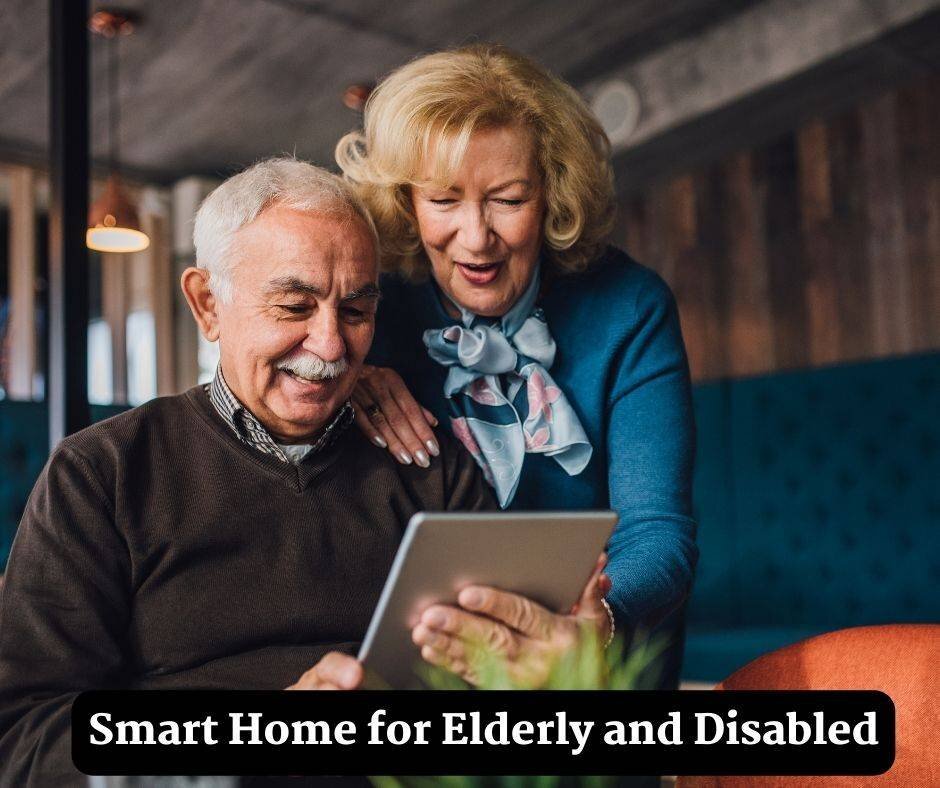
Creating a smart home environment that is both technologically advanced and easily navigable for elderly individuals offers significant benefits. A well-designed smart home can enhance independence, safety, and overall quality of life for seniors. By incorporating user-friendly technologies and prioritizing accessibility, we can empower seniors to maintain their autonomy and dignity while enjoying the convenience of modern living.Smart home technologies, when thoughtfully integrated, can significantly improve daily living for seniors.
For example, automated lighting systems can ensure adequate illumination for tasks like reading or bathing, while smart thermostats can maintain a comfortable temperature, reducing the risk of thermal discomfort. These seemingly small advancements can greatly contribute to a more comfortable and safe living environment. The principles of user-centered design are paramount in this context. Understanding the specific needs and limitations of elderly individuals is crucial in designing a smart home that is truly accessible and beneficial.
User-Centered Design Principles in Accessible Smart Home Design
User-centered design in smart home design for seniors prioritizes the ease of use and adaptability of technology. This includes considerations for different levels of cognitive function, physical abilities, and visual or auditory impairments. Clear, intuitive interfaces, large font sizes, and multiple input methods (such as voice commands, touchscreens, and physical buttons) are essential. The goal is to create a system that is not only technologically advanced but also accessible and manageable for individuals with varying needs.
Types of Smart Home Technologies and Accessibility Features
Smart home technologies offer a wide array of opportunities to enhance accessibility for seniors. The following table highlights some key technologies and potential accessibility features.
| Technology | Accessibility Feature | Description | Example |
|---|---|---|---|
| Smart Lighting | Adjustable Brightness, Color Temperature | Easy-to-use controls for different moods or tasks, accommodating various visual needs and preferences. | Dimmable LED lights controlled by voice or app, allowing for personalized settings like warm lighting for relaxation or bright lighting for tasks. |
| Smart Locks | Remote Access, Keyless Entry | Enabling caregivers or family members to grant temporary access, providing peace of mind and security without the need for physical keys. | Fingerprint or passcode lock systems, allowing for secure access while minimizing reliance on traditional keys and offering the ability to monitor who enters the home. |
| Smart Thermostats | Temperature Adjustment, Alerts | Maintaining a comfortable temperature, reducing the risk of thermal discomfort, and providing notifications for temperature fluctuations. | Smart thermostats that automatically adjust temperature based on occupancy and external factors, sending alerts for unusually high or low temperatures. |
Enhancing Mobility and Navigation
Creating a smart home environment that supports the independence and well-being of elderly individuals requires careful consideration of their mobility needs. Smart technology can play a vital role in assisting with daily tasks and promoting safety, enabling seniors to maintain a high quality of life within their own homes. This section will explore various smart home devices that enhance mobility and navigation, ensuring a safe and comfortable living space.
Smart Devices for Enhanced Mobility
Smart home devices offer a wide range of options to aid seniors in maintaining mobility and navigating their homes safely. These devices range from simple sensors to more complex systems, catering to diverse needs and preferences. Understanding the capabilities and limitations of each device is crucial in selecting the right tools for individual needs.
- Smart Mobility Aids: Mobility aids like smart wheelchairs and walkers can provide assistance with navigation and maneuvering. These devices often incorporate sensors and GPS tracking to monitor movement and provide alerts in case of falls or unusual activity. Some models can even be integrated with smart home systems, allowing for automated adjustments or alerts based on predefined conditions.
- Smart Lighting Systems: Well-lit environments are crucial for safe navigation. Smart lighting systems, controlled via mobile apps or voice commands, can automatically adjust brightness based on time of day or presence, eliminating the risk of tripping in dimly lit areas. Systems can also be configured to illuminate specific pathways or areas, promoting ease of movement.
- Smart Elevators and Lifts: For seniors who rely on elevators or lifts, smart technology can enhance their accessibility and safety. Smart elevators can automatically adjust speed or provide voice prompts to assist elderly passengers. This technology not only improves the user experience but also enhances safety by minimizing the potential for accidents.
Safe Navigation with Smart Technology
Ensuring safe navigation within the home is paramount for seniors. Smart technology plays a crucial role in supporting safe navigation through proactive measures and real-time alerts.
- Smart Flooring Systems: Smart flooring systems, incorporating pressure sensors, can detect falls and automatically alert caregivers or emergency services. This proactive approach significantly improves the safety of seniors by responding to potential incidents immediately. Examples include smart floor mats with embedded sensors that detect pressure changes and trigger alerts. These systems provide an extra layer of safety and security within the home.
- Voice-Activated Navigation Systems: Voice-activated navigation systems, integrated into smart speakers, can provide clear instructions for navigating the home. For instance, a user can ask the system to guide them to the bathroom or kitchen, offering verbal directions and minimizing the risk of confusion.
- Smart Cameras and Motion Sensors: Smart cameras and motion sensors can monitor activity within the home. These systems can detect unusual movements, potentially signaling a fall or other emergency, enabling quick response from caregivers or emergency personnel. Real-time monitoring provides a critical layer of safety and peace of mind.
Adaptive Systems for Individual Needs
Smart home systems can be customized to meet the unique needs of elderly users. A key aspect of this adaptation involves the ability to personalize settings and functions to accommodate varying levels of mobility and cognitive abilities.
- Personalized Controls: Smart home systems should allow for personalized control over various functions. This includes adjusting lighting levels, temperature, and other settings based on individual preferences. Users should be able to adapt these settings to suit their specific needs, whether it’s adjusting lighting brightness or setting the ideal room temperature.
- Progressive Assistance: Smart systems can offer progressive assistance, starting with basic features and progressively adding more complex functions as needed. This approach ensures that seniors can gradually integrate smart technology into their lives without feeling overwhelmed or intimidated by complex systems. Caregivers can also adjust the level of assistance offered as needed.
- Integration with Existing Assistive Devices: Smart home systems can integrate with existing assistive devices, such as hearing aids or mobility scooters. This seamless integration can create a more comprehensive and personalized experience for elderly users, enhancing their independence and quality of life.
Comparison of Smart Flooring Systems
| System Type | Feature | Description | Example |
|---|---|---|---|
| Smart Floor Mats | Fall Detection | Alerts caregivers or emergency services in case of falls. | Mats with pressure sensors. |
| Smart Elevators | Automatic Assistance | Automatically adjust elevator speed for elderly passengers. | Elevators with voice prompts or proximity sensors. |
Improving Communication and Interaction
Smart home systems offer significant opportunities to enhance communication and interaction for seniors, fostering independence and connection with loved ones. By integrating communication tools directly into the home environment, these systems can alleviate isolation and improve overall quality of life. Effective communication is crucial for seniors’ well-being, enabling them to maintain social connections and receive timely assistance when needed.Smart home devices can transform the way seniors interact with their environment and with others.
These systems can be easily customized to meet individual needs, creating a more personalized and supportive living experience. The integration of voice-activated assistants, video calling platforms, and other communication tools into the home environment allows for seamless interaction, fostering a sense of connection and security.
Smart Devices for Enhanced Communication
A variety of smart devices facilitate communication for seniors. These devices provide intuitive interfaces and diverse features, making them accessible and easy to use. Examples include smart speakers with voice-activated calling, video conferencing systems, and interactive displays that allow for easy communication with family members and caregivers.
Communication Tools Supporting Family and Caregiver Interaction
Smart home communication tools can effectively support family and caregiver interaction. These systems provide clear communication channels, enabling timely and relevant updates. Family members can remotely monitor the senior’s well-being, receive alerts in case of emergencies, and easily communicate in real-time. For example, a system can alert family members if a fall is detected, facilitating rapid response and assistance.
Privacy and Security Considerations
Privacy and security are paramount when implementing smart home communication systems for elderly users. Robust security measures, including encryption and access controls, are essential to protect sensitive information and prevent unauthorized access. Transparency regarding data collection and usage practices is vital for building trust and ensuring responsible data handling. Clear policies regarding data sharing with family members and caregivers should be established.
Smart Home Communication Tools and Features
- Smart Speakers with Voice-Activated Calling: These devices allow seniors to place calls, send messages, and access information using voice commands. They typically feature large, clear displays for easy viewing of contact lists and call information.
- Video Conferencing Systems: These systems enable real-time video calls with family and friends, fostering social connection and reducing feelings of isolation. Features like screen sharing and interactive elements can enhance the communication experience.
- Interactive Displays: These displays can facilitate communication through interactive menus, video calls, and message boards. The large screen size and intuitive touch interface make them easy to use, especially for seniors with visual impairments or dexterity limitations.
- Smartwatches with Emergency Features: Smartwatches can provide seniors with a direct connection to emergency services, family, and caregivers. They often incorporate fall detection, GPS location tracking, and two-way communication capabilities.
- Automated Alert Systems: These systems can alert caregivers and family members to potential issues, such as medication reminders, changes in routine, or unusual activity patterns. This proactive approach can ensure timely intervention and support.
Simplifying Everyday Tasks
Smart home technology offers numerous ways to streamline daily routines, making life easier and more manageable for seniors. By automating tasks and providing intuitive interfaces, these systems can significantly reduce the physical and mental effort required for everyday activities, fostering greater independence and well-being.Smart home appliances and devices can be customized to cater to individual needs and preferences, ensuring a smooth and comfortable living experience.
This includes tasks ranging from managing medications to ensuring safety in the kitchen.
Automation of Routine Tasks
Smart home systems can automate a variety of routine tasks, such as turning on lights, adjusting thermostats, and managing appliances. This automation can reduce the need for manual intervention, simplifying daily routines. Examples include smart lighting systems that adjust brightness based on time of day or occupancy, and smart thermostats that automatically maintain a comfortable temperature.
Voice Control and Intuitive Interfaces
Voice control and other intuitive interfaces, like touchscreens, play a crucial role in simplifying daily routines. These interfaces allow users to control various aspects of their smart home environment with simple voice commands or touch gestures. This can be particularly helpful for individuals with limited mobility or dexterity.
Medication Management and Reminders
Smart home systems can integrate with medication management apps to provide reminders for taking medications at specific times. These systems can also track medication dosages and alert caregivers or family members if a dose is missed. This feature can significantly enhance safety and improve adherence to medication regimens.
Smart Appliance Accessibility
Smart appliances are becoming increasingly sophisticated, offering a variety of features that enhance accessibility. These features allow for greater independence and ease of use.
| Appliance | Feature | Description | Example |
|---|---|---|---|
| Smart Refrigerators | Inventory Management | Automatically track food items and generate shopping lists. | Refrigerators with cameras and inventory tracking apps. |
| Smart Stoves | Safety Features | Alert caregivers or emergency services in case of unattended cooking. | Stoves with sensors and automatic shut-off features. |
| Smart Lighting Systems | Automated Control | Adjust brightness and color temperature based on time of day or user preference. | Smart bulbs that can be controlled via a smartphone app or voice commands. |
| Smart Locks | Enhanced Security and Convenience | Allow remote access and control for caregivers or emergency contacts. | Smart locks that can be opened with a smartphone or voice command. |
Ensuring Safety and Security
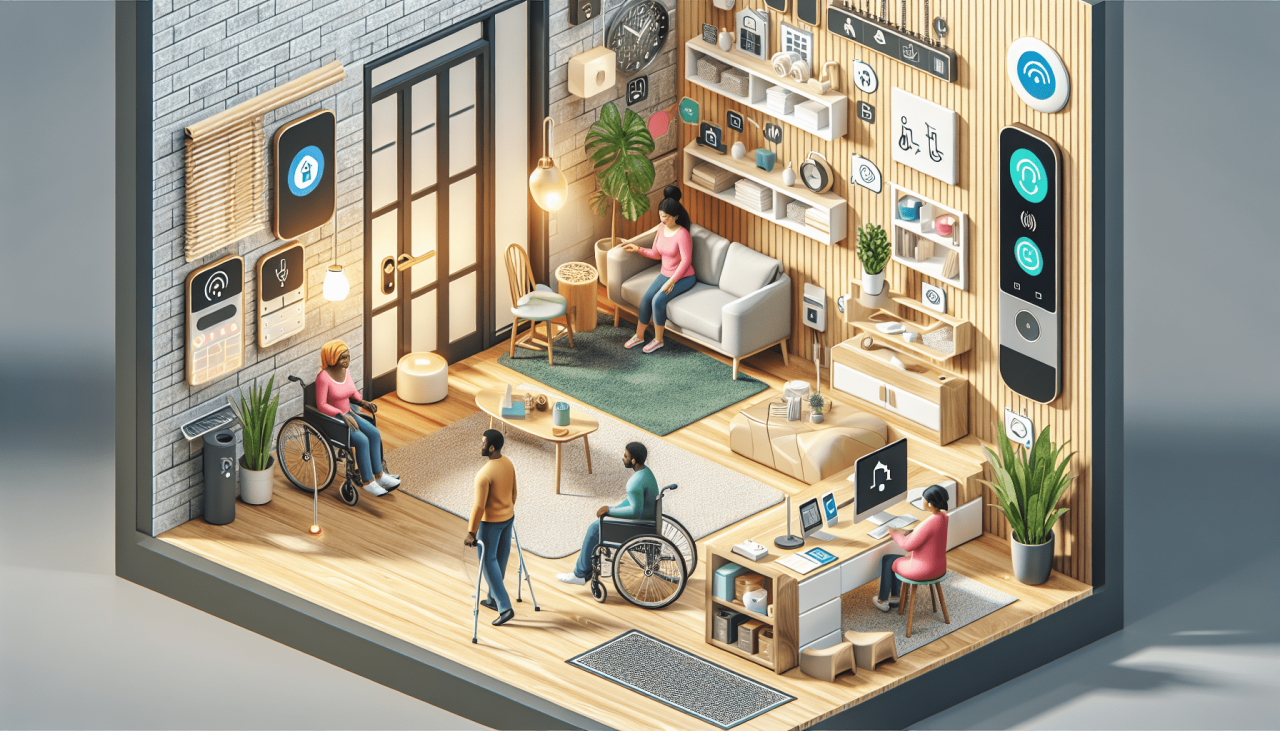
A crucial aspect of creating an accessible smart home for the elderly is prioritizing their safety and security. Smart home systems can significantly enhance peace of mind for both the elderly individual and their caregivers by proactively addressing potential hazards and facilitating swift emergency response. This section explores how smart home technology can be instrumental in creating a secure and supportive living environment.Smart home systems can act as a comprehensive safety net, monitoring various aspects of the living space and providing alerts for potential problems.
These systems are designed to detect and respond to potential emergencies, ensuring timely intervention and minimizing risks.
Security Features Protecting Against Hazards
Smart home security systems go beyond traditional alarm systems, offering proactive measures to prevent accidents and incidents. These systems can incorporate various features to protect against hazards such as falls, medication mismanagement, and environmental issues.
- Fall Detection: Sophisticated motion sensors and accelerometer-based systems can detect falls and automatically alert emergency contacts or caregivers. These systems can be further enhanced with automatic sending of location data, ensuring rapid response times.
- Medication Management: Smart containers and reminders can ensure that medications are taken at the correct time, minimizing the risk of errors and missed doses. The system can also log medication intake, providing valuable data for healthcare providers.
- Environmental Monitoring: Smart thermostats, humidity sensors, and carbon monoxide detectors can monitor environmental conditions, alerting users and emergency contacts to potential dangers. For instance, a sudden temperature drop or high carbon monoxide levels can be promptly detected and addressed.
Emergency Response Systems
The rapid and effective response to emergencies is critical in a smart home environment. Emergency response systems within smart homes are designed to simplify and streamline the process of getting help in times of crisis. They go beyond simple alerts by integrating with emergency services and caregivers.
- Automated Emergency Calls: Many smart home systems can automatically dial emergency services in case of a fall or other emergency, including location data in the call. This reduces response time and ensures that help arrives as quickly as possible.
- Emergency Contact Integration: The system can be configured to automatically contact pre-determined emergency contacts, family members, or caregivers in the event of an emergency, with options for different escalation levels.
- Remote Monitoring and Support: A live video feed or remote monitoring capability can allow caregivers to observe the situation and provide immediate support if needed, reducing the need for immediate on-site assistance.
Emergency Response Process Flowchart
The following flowchart Artikels a typical emergency response process in a smart home: 
Description: The flowchart visually depicts the steps involved in an emergency, starting with the detection of an incident (e.g., fall, medical alert). The system then automatically contacts emergency services, shares the user’s location, and notifies pre-designated emergency contacts. The flowchart would also highlight optional steps such as remote monitoring and caregiver intervention.
Designing for Different Needs and Abilities
Smart homes, while offering convenience, must be adaptable to accommodate the diverse needs and abilities of their occupants. This adaptability is particularly crucial for seniors, who may experience varying levels of physical, cognitive, and sensory changes over time. A well-designed smart home can significantly enhance independence and quality of life by addressing individual requirements.Successfully integrating smart home technology for elderly users requires careful consideration of individual needs and the potential for future changes.
The ability to modify and personalize the system is essential to maintain its usefulness as needs evolve. This necessitates a focus on flexibility, modularity, and accessibility.
Customizing for Varying Needs
Smart homes should be designed with a flexible framework that allows for adjustments as individual needs change. This includes incorporating a range of assistive technologies to address specific challenges. For example, users experiencing mobility issues might benefit from voice-activated controls or remote-controlled devices. Individuals with vision impairments could benefit from larger displays, high-contrast settings, and voice-guidance systems.
The adaptability of the smart home ecosystem is paramount to long-term usability.
Importance of Flexibility and Adaptability
Flexibility is crucial in smart home design for seniors. The system should be able to adapt to changing physical abilities and cognitive functions. This adaptability can be achieved through adjustable lighting, temperature controls, and personalized alerts. For example, a system could be configured to provide gentle reminders for medication or appointments. Moreover, the smart home environment should facilitate easy modifications and upgrades as needs evolve.
Role of Personalized Settings and Configurations
Personalized settings and configurations are essential for maximizing the usability of a smart home for seniors. Users should be able to customize the system to their specific needs, preferences, and routines. This includes adjusting the sensitivity of motion detectors, modifying lighting schedules, and personalizing communication methods. The ability to tailor the system to individual requirements ensures user satisfaction and maximizes the benefits of the technology.
Examples of Assistive Technologies
Numerous assistive technologies can be integrated into smart homes to enhance accessibility. These technologies include:
- Voice-activated controls: Allowing users to control devices and appliances using voice commands, eliminating the need for physical interaction.
- Large-button interfaces: Providing larger, more easily accessible buttons for controlling devices and appliances.
- Adaptive lighting systems: Adjusting lighting levels and colors to meet specific visual needs and preferences.
- Smart home monitoring systems: Providing real-time alerts and notifications for various situations, such as falls or changes in environmental conditions.
- Medication reminders: Delivering personalized reminders for medication schedules through voice prompts or visual cues.
Accessibility Evaluation Checklist
Evaluating the accessibility of smart home options for elderly users requires a systematic approach. The following checklist provides a framework for assessing different aspects of smart home design:
| Category | Criteria | Evaluation |
|---|---|---|
| Control & Navigation | Ease of device operation | Easy to use with large buttons, voice commands, and clear instructions? |
| Sensory Needs | Visual clarity and contrast | High contrast settings available? Large font sizes? |
| Mobility | Accessibility of controls | Easily accessible controls for users with mobility issues? |
| Safety & Security | Emergency response systems | Prompt emergency responses? |
| Customization | Personalized settings | Ability to personalize settings to meet specific needs? |
“A well-designed smart home for seniors prioritizes independence, safety, and comfort. It must be adaptable and responsive to the evolving needs of the user.”
Practical Implementation and Integration
Successfully integrating smart home technologies into the lives of elderly individuals requires careful planning and execution. This phase focuses on practical steps, addressing potential challenges, and ensuring a smooth transition for users. Proper training and ongoing support are crucial for fostering confidence and maximizing the benefits of these technologies.Implementing smart home systems for seniors necessitates a user-centric approach.
It is essential to consider the individual’s physical abilities, cognitive limitations, and preferred methods of interaction. Adapting the system to suit the specific needs of each senior ensures a positive experience and effective utilization.
Practical Steps for Integration
The successful implementation of smart home technologies for seniors requires a methodical approach. Begin by assessing the individual’s current living situation, daily routines, and existing technology familiarity. This initial assessment helps tailor the smart home solutions to the specific needs and preferences of the senior. Consider the type of technology that best fits their needs and abilities.
Prioritize ease of use and intuitive operation. This reduces the learning curve and ensures the senior feels comfortable using the system.
Importance of Proper Installation and Training
Proper installation is paramount for ensuring the smooth operation of a smart home system. Qualified technicians should be engaged to install and configure the system, ensuring compatibility and optimal performance. Comprehensive training is equally vital. This training should be tailored to the individual’s needs, employing visual aids, hands-on demonstrations, and simplified instructions. Regular check-ins and follow-up sessions can address any emerging issues and reinforce the user’s understanding.
Examples of Support Resources and Assistance Programs
Numerous support resources and assistance programs can help seniors and their families navigate the integration process. Local senior centers and community organizations often offer workshops and support groups focused on smart home technology. Some technology companies provide dedicated assistance programs for elderly users, offering personalized guidance and support. Family members can also play a crucial role in assisting with setup, troubleshooting, and ongoing support.
Importance of Ongoing Maintenance and Updates
Ongoing maintenance and software updates are critical for ensuring the reliability and security of a smart home system. Regular system checks and updates address potential vulnerabilities and enhance the system’s functionality. Staying current with the latest software versions ensures optimal performance and compatibility with emerging technologies. This maintenance also prevents potential security risks.
Step-by-Step Guide for Setting Up a Smart Home for Seniors
- Assessment and Planning: Carefully assess the senior’s living situation, routines, and existing technology knowledge. Document specific needs and preferences. Determine the type of smart home features that best meet their requirements. Create a realistic budget for the project.
- Selection and Installation: Choose smart home devices based on the assessed needs and budget. Prioritize ease of use and intuitive operation. Engage qualified technicians for installation and ensure compatibility with existing infrastructure. Thoroughly test the system’s functionality.
- Training and Support: Provide comprehensive training tailored to the senior’s abilities. Use visual aids, hands-on demonstrations, and simplified instructions. Establish a system for ongoing support and troubleshooting.
- Integration and Optimization: Gradually integrate the smart home system into the senior’s daily routines. Monitor the user’s experience and make adjustments as needed. Address any challenges or difficulties promptly.
- Maintenance and Updates: Establish a schedule for regular system checks and updates. Ensure the system remains secure and compatible with the latest technologies. Address any issues promptly to prevent potential problems.
Ending Remarks
In conclusion, making a smart home more accessible for the elderly is a multifaceted process that requires careful consideration of individual needs and preferences. By leveraging the power of smart technology, we can create environments that support independence, safety, and comfort, enabling seniors to thrive in their own homes for years to come. The insights provided in this guide offer a practical roadmap to achieve this goal, paving the way for a more inclusive and supportive living experience for all.