How to Install Smart Outdoor Security Lighting sets the stage for a detailed exploration of modern home security. This comprehensive guide walks you through the process, from initial planning to advanced configurations. Discover how smart lighting can enhance your home’s security and aesthetic appeal while offering significant convenience.
This guide provides a clear and structured approach to installing smart outdoor security lighting, encompassing crucial aspects like assessment, system selection, installation procedures, and maintenance. It will equip you with the knowledge and steps needed to seamlessly integrate smart lighting into your existing home security system.
Introduction to Smart Outdoor Security Lighting

Smart outdoor security lighting represents a significant advancement in home and property security. These systems leverage modern technology to enhance visibility, deter potential intruders, and provide peace of mind. Beyond basic illumination, smart lighting often integrates with other security systems, offering a comprehensive approach to protecting your home.This enhanced security is achieved through features like motion detection, programmable schedules, and remote control.
This allows homeowners to adjust lighting settings as needed, creating a more dynamic and effective security deterrent. Smart lighting also provides energy efficiency benefits, often using sensors and automation to optimize lighting usage.
Defining Smart Outdoor Security Lighting
Smart outdoor security lighting systems are advanced lighting solutions that incorporate digital technology, connectivity, and automation. They provide enhanced security and convenience over traditional outdoor lighting systems. Key components include sensors, connectivity (often Wi-Fi), and a control interface, allowing users to monitor and manage lighting remotely.
Key Features and Benefits of Smart Lighting
Smart outdoor lighting systems offer several advantages over traditional systems. These systems often include motion sensors, programmable schedules, and remote control capabilities. Motion sensors activate lights automatically when movement is detected, increasing deterrent power and providing immediate illumination. Programmable schedules allow users to set lighting routines for different times of day or days of the week, reducing energy consumption and optimizing security coverage.
Remote control capabilities empower users to adjust lighting settings, control illumination levels, and even activate lights remotely via a smartphone app. This flexibility is invaluable for various situations, from deterring nighttime intruders to quickly illuminating a pathway.
Difference Between Traditional and Smart Outdoor Lighting
Traditional outdoor lighting systems typically rely on fixed settings and manual control. They lack the dynamic adaptability and sophisticated security features of smart systems. Smart systems incorporate sensors and automation, providing a responsive and adaptable security solution. This difference in functionality and control is critical for modern security needs. Smart systems are designed to be responsive to changes in conditions, automatically adjusting lighting based on the presence or absence of movement.
Types of Smart Outdoor Security Lighting
Different smart outdoor lighting options cater to various needs and budgets. Each method of installation presents its own benefits and drawbacks. These systems can be broadly categorized based on their power source and installation method.
| Type | Power Source | Installation | Advantages | Disadvantages |
|---|---|---|---|---|
| Solar-Powered | Solar Panels | Easy Installation (often wireless) | Environmentally friendly, low maintenance, cost-effective in the long run. | Dependence on sunlight, limited range (due to battery), potential for reduced output in cloudy weather. |
| Wired | Electrical Wiring | Requires professional installation | Reliable, consistent output, no weather dependence. | Higher upfront cost, more complex installation, potential for increased wiring costs. |
| Wireless | Battery or Mains Power | Easy installation (often no wiring required) | Flexible placement, minimal disruption to existing landscaping, relatively quick installation. | Potential for connectivity issues, limited range (especially with battery-powered systems), cost of batteries. |
Planning Your Smart Lighting Installation
Careful planning is crucial for a successful smart outdoor lighting installation. A well-considered approach ensures optimal coverage, energy efficiency, and a visually appealing result. This involves assessing your property’s unique characteristics, determining the ideal placement of lights, and selecting appropriate fixtures that meet your specific needs and preferences.Thorough planning minimizes the risk of costly rework or unsatisfactory results.
It also allows for a more seamless integration of the smart lighting system with your existing landscape and security infrastructure.
Assessing Outdoor Space for Lighting Needs
Understanding your outdoor space is the first step in planning a smart lighting system. This includes identifying areas requiring illumination, considering existing structures and landscaping, and determining the level of light needed in each zone.A thorough site assessment helps in identifying critical areas that need enhanced visibility, such as walkways, entrances, and potential security blind spots. Factors like the size and shape of your property, the presence of trees or shrubs, and the direction of sunlight should be carefully considered.
By identifying these elements, you can create a lighting plan that maximizes both functionality and aesthetics.
Determining Appropriate Placement of Smart Lights
Strategic placement of smart lights is essential for optimal coverage and security. Consider the angles of light beams and the intensity required to illuminate specific areas. Employing smart lighting fixtures allows you to adjust the coverage based on real-time needs.Proper placement of smart lights ensures even illumination across the intended area, eliminating dark spots or glare. Light fixtures should be positioned to minimize the possibility of obstructing views or creating hazardous situations.
For example, lights positioned near trees or shrubs should be angled downward to avoid unnecessary glare and potential light trespass on neighboring properties. This approach maximizes visibility while maintaining a pleasant and harmonious aesthetic.
Choosing Smart Outdoor Lighting Fixtures
Selecting the right fixtures is vital for a well-functioning and aesthetically pleasing smart lighting system. Several factors should be considered, including weather resistance, brightness, style, and compatibility with your existing home’s design.
- Weather Resistance: Outdoor lighting fixtures must be designed to withstand harsh weather conditions, including rain, snow, and extreme temperatures. Look for fixtures with high-quality, weather-resistant materials such as aluminum or stainless steel, and ensure that the fixture’s electrical components are properly sealed to prevent water damage.
- Brightness: Choose fixtures with the appropriate brightness level for each area. Consider the surrounding landscape and the desired level of illumination. Brightness is measured in lumens, and higher lumens typically correspond to brighter light output. Lighting levels should be tailored to the specific requirements of each area to avoid excessive or insufficient illumination.
- Style: Select fixtures that complement the architectural style of your home and the overall aesthetic of your outdoor space. Consider the existing landscaping and design elements when making your fixture choices. A harmonious blend between lighting fixtures and the surroundings enhances the visual appeal and integration of the lighting system.
- Compatibility: Ensure that the chosen smart lighting fixtures are compatible with your chosen smart home system. This ensures seamless integration and control through your preferred platform.
Flowchart for Planning a Smart Outdoor Lighting Installation
The following flowchart Artikels the steps involved in planning a smart outdoor lighting installation:
| Step | Action |
|---|---|
| 1 | Assess outdoor space, identifying areas needing illumination. |
| 2 | Determine appropriate placement for smart lights, considering angles and intensity. |
| 3 | Select smart outdoor lighting fixtures based on weather resistance, brightness, style, and compatibility. |
| 4 | Create a detailed plan, including fixture specifications, placement diagrams, and wiring diagrams. |
| 5 | Obtain necessary permits and approvals. |
| 6 | Install the smart lighting system. |
| 7 | Test and adjust the system for optimal performance. |
Choosing the Right Smart Lighting System

Selecting the appropriate smart outdoor security lighting system is crucial for maximizing both security and convenience. Careful consideration of various factors, including brand reputation, technical specifications, and compatibility with existing home automation, will lead to a more effective and integrated system. This section delves into the key elements to consider when making this important decision.
Popular Brands and Models
Numerous brands offer smart outdoor security lighting solutions, each with its own strengths and weaknesses. Popular choices include, but are not limited to, brands like Philips Hue, Eufy, and Wyze. These brands often feature diverse models, each tailored to different needs and budgets. Factors like the level of customization, the quality of the lighting output, and the overall system reliability vary between different models.
Technical Specifications
Several crucial technical specifications impact the performance and reliability of smart outdoor security lighting systems. These include compatibility with various smart home platforms, range of the wireless signal, and the specific features offered. Understanding these technical specifications is essential for ensuring that the chosen system meets your specific requirements.
- Compatibility: A system’s compatibility with your existing smart home platform (e.g., Google Home, Amazon Alexa, Apple HomeKit) is vital. A compatible system allows seamless integration into your existing smart home ecosystem, facilitating easier control and management.
- Range: The range of the wireless signal is critical for ensuring reliable operation. A system with a short range might require additional hubs or repeaters to cover your entire property, adding to the cost and complexity of the installation.
- Features: Features such as motion detection, adjustable brightness, scheduling, and remote control significantly enhance the security and convenience of your outdoor lighting. Consider the features most important to you when evaluating different systems.
Compatibility with Home Automation
Ensuring compatibility with your existing home automation system (if applicable) is paramount for a cohesive and integrated smart home experience. A system that seamlessly integrates with your existing smart home devices allows for centralized control and management, enhancing the user experience. If you already have a sophisticated smart home setup, selecting a system compatible with your existing ecosystem is highly recommended.
This will streamline the installation and operation of your smart outdoor lighting.
Comparison Table
| Smart Lighting System | Pros | Cons |
|---|---|---|
| Philips Hue Outdoor Lighting | Wide range of color options, high-quality lighting, strong brand reputation, excellent compatibility with most smart home platforms. | Can be more expensive than some competitors, requires additional accessories for some setups. |
| Eufy Security Smart Floodlights | Strong focus on security features, motion detection, affordable price point. | Limited customization options compared to Philips Hue, might have a shorter range. |
| Wyze Floodlights | Cost-effective option, excellent value for money, easy setup. | Might have slightly lower lighting output compared to premium options, fewer advanced features. |
Installation Procedures
Installing smart outdoor security lighting requires careful planning and execution to ensure optimal performance and safety. Adhering to these procedures will guarantee a seamless integration of your new smart lighting system into your existing infrastructure. This section details the installation process for various types of systems, including solar-powered, wired, and wireless options.
Solar-Powered Installation
Solar-powered smart lighting systems are a convenient and environmentally friendly choice. Installation typically involves mounting the solar panel in a location that receives ample sunlight throughout the day. Positioning the panel to maximize sunlight exposure is crucial for maintaining adequate battery charge.
- Ensure the mounting location for the solar panel offers unobstructed sunlight exposure for at least 6 hours per day.
- Position the solar panel perpendicular to the sun’s rays for optimal energy absorption.
- Connect the solar panel to the light fixture using the included cable.
- Ground the system as per local electrical codes.
- Check the battery level and charge status regularly using the provided app or software.
Wired Installation
Wired systems offer reliable performance and are often preferred for their consistent power supply. Carefully follow the wiring diagram to avoid electrical hazards.
- Identify the appropriate power source and verify its capacity to support the smart lighting system.
- Disconnect the power supply to the existing or new electrical panel before beginning any wiring.
- Carefully connect the wires according to the provided wiring diagram, ensuring proper polarity.
- Use appropriate wire connectors and junction boxes to secure the connections.
- Ground the system as per local electrical codes.
| Wire Color | Function |
|---|---|
| Black | Neutral |
| Red | Hot |
| Green/Bare | Ground |
Wiring diagrams are crucial for safety and proper functionality. Always consult the manufacturer’s instructions for specific wiring configurations.
Wireless Installation
Wireless systems provide flexibility and minimal wiring, making them ideal for existing setups. Proper placement of the light fixtures and wireless access points is vital.
- Position the light fixtures strategically to ensure adequate coverage of the desired area.
- Install the wireless access point in a central location to maximize signal strength and coverage.
- Ensure that there are no obstructions that might interfere with the wireless signal between the light fixtures and the access point.
- Connect the smart lighting system to the home network through the wireless access point.
- Configure the smart lighting system using the manufacturer’s app or software interface.
Smart Lighting System Configuration
The configuration process is usually straightforward and intuitive. Utilizing the manufacturer’s app or software interface will provide access to various settings.
- Download and install the manufacturer’s app or software on your mobile device.
- Connect the smart lighting system to your home network using the provided instructions.
- Select the desired lighting settings, including schedules, motion detection, and brightness levels.
- Test the functionality of the system to ensure proper operation.
- Customize settings to personalize the system’s performance and security features.
Safety Precautions
Safety should be prioritized throughout the installation process.
- Always disconnect the power supply before working on any electrical connections.
- Use appropriate safety equipment, such as insulated gloves and safety glasses.
- Follow local electrical codes and regulations during installation.
- Ensure that all wiring is properly secured and insulated.
- Test the system thoroughly after installation to verify proper operation and safety.
Setting Up and Configuring Your Smart Lighting
Successfully integrating smart outdoor security lighting into your home system hinges on a smooth setup and configuration process. This involves connecting the lights to your Wi-Fi network, utilizing the dedicated app, and adjusting various settings to optimize their performance and security features. Proper configuration ensures your lights operate reliably and effectively, enhancing your home’s security and aesthetic appeal.
Connecting to Your Home Wi-Fi Network
Establishing a robust connection between your smart lights and your home Wi-Fi network is crucial for seamless operation. This involves ensuring the lights are within the Wi-Fi range and that the Wi-Fi network is configured properly. Manufacturers typically provide detailed instructions, often including QR codes for easy setup through mobile devices. These instructions will detail the specific steps, such as entering the network password or using the device’s setup wizard.
Setting Up the Smart Lighting App
The smart lighting app or software acts as the central control hub for managing your lights. Downloading and installing the app on your smartphone or tablet is the first step. Once the app is installed, you will need to follow the prompts to add the lights to your account. This typically involves scanning a QR code or manually entering the device’s unique identifier.
The app usually provides a clear interface for controlling and monitoring the lights.
Lighting Schedules and Patterns
A wide array of lighting schedules and patterns can enhance the security and aesthetic appeal of your property. Examples include activating lights at specific times for deterrents, or creating dynamic patterns for ambiance. For instance, you can program the lights to turn on automatically at dusk, or create a specific schedule for holidays or special events. You can also set up a dimming pattern for a soft transition between different light settings.
This feature can be particularly useful for creating a calming atmosphere or for gradually transitioning to different lighting scenarios.
Adjusting Motion Sensor Settings and Security Features
Motion sensors are a vital component of security lighting. Adjusting the motion sensor settings allows you to fine-tune the responsiveness and sensitivity of the sensors to environmental factors and user preferences. For example, you can set a specific range for the sensor’s detection, or adjust the sensitivity to reduce false triggers. You can also customize settings for night mode, or for specific areas or zones where you want different security features to operate.
Lighting Modes and Settings
The table below Artikels various lighting modes and their associated settings.
| Lighting Mode | Description | Settings |
|---|---|---|
| Night Mode | Provides a low-light setting to minimize disruption to neighbors or reduce the risk of triggering false alarms. | Brightness level, timer, duration. |
| Away Mode | Automatically activates a security lighting pattern to mimic presence when you are away from home. | Duration, schedule, sensor sensitivity. |
| Party Mode | Creates a vibrant, dynamic lighting effect for special occasions or events. | Color options, speed, transition effects. |
| Emergency Mode | Provides a specific light pattern to alert others of an emergency situation. | Flashing pattern, brightness level. |
Troubleshooting and Maintenance
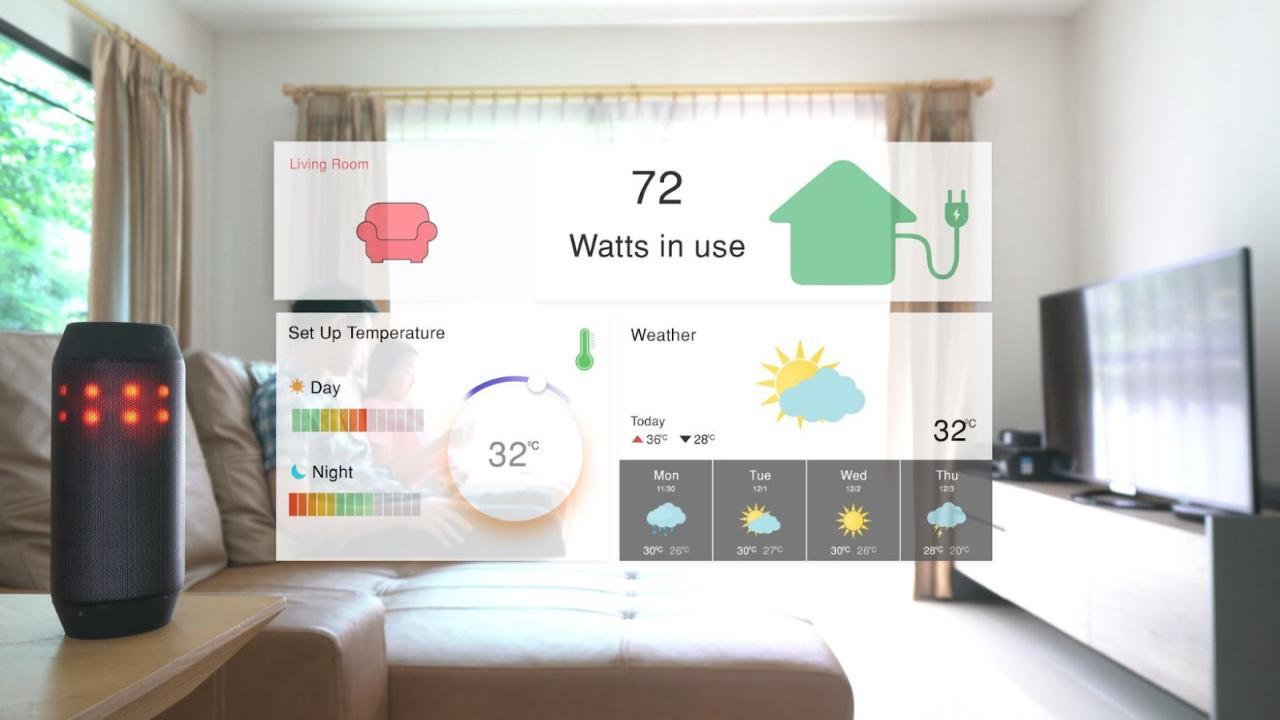
Ensuring the smooth operation and longevity of your smart outdoor security lighting system requires proactive troubleshooting and maintenance. This section details common issues, their solutions, and recommendations for optimal performance and extended lifespan. Proper maintenance also minimizes potential damage to your system.Addressing problems promptly can prevent escalation and ensure your security lighting continues to function reliably. Preventive measures, such as regular checks and firmware updates, are crucial for maximizing the system’s effectiveness and reducing the likelihood of costly repairs.
Common Installation Issues
Identifying and resolving installation problems early can save time and frustration. Potential issues include incorrect wiring, faulty sensors, or incompatibility with the home’s electrical system. Careful attention to detail during installation is paramount.
- Incorrect Wiring: Ensure all connections are secure and correctly matched to the specified wiring diagram. A mismatched connection can lead to malfunction or damage to the system. Double-check the wiring diagram and use appropriate tools to prevent electrical hazards.
- Faulty Sensors: Sensor malfunction can result in inconsistent or inaccurate lighting activation. Inspect the sensors for obstructions, debris, or damage. Cleaning sensors and replacing them if necessary are essential steps.
- Electrical System Compatibility: Verify the system’s compatibility with your home’s electrical infrastructure. Overloading circuits can lead to system failure or safety hazards. Properly size the wiring and ensure adequate circuit capacity.
Operational Problems
Understanding common operational problems is crucial for efficient troubleshooting. These issues might involve intermittent lighting, dimming, or complete system failure.
- Intermittent Lighting: Check for loose connections, power fluctuations, or sensor malfunctions. Ensure the power supply is functioning correctly and look for any obvious obstructions to the sensor’s field of view.
- Dimming: Verify the power supply voltage is within the specified range for the smart lights. Inspect the connections and ensure the circuit is not overloaded. Examine the light bulbs for any visible damage.
- Complete System Failure: This could indicate a power outage, a fault in the control unit, or a damaged component. First, check the power supply and the electrical circuit to rule out external factors. If the issue persists, consult the manufacturer’s support resources.
Maintaining Longevity
Implementing regular maintenance practices ensures your smart outdoor security lights operate efficiently for a longer period.
- Regular Cleaning: Clean the fixtures and sensors regularly to remove dust, debris, and moisture. This will prevent corrosion and ensure optimal performance.
- Inspecting Connections: Periodically check all connections for tightness and damage. Ensure the wiring is secure and insulated properly to prevent short circuits.
- Weatherproofing: Protect the lights and components from harsh weather conditions. Ensure all exterior components are sealed and protected from moisture and temperature fluctuations.
Firmware Updates
Keeping the firmware updated enhances the functionality and security of your smart lighting system.
- Importance of Updates: Firmware updates often include bug fixes, performance improvements, and security enhancements. Regular updates ensure your system remains secure and operates at its best.
- Update Procedure: Consult the manufacturer’s instructions for specific update procedures. These procedures usually involve using a mobile application or a dedicated update tool. Follow the manufacturer’s instructions carefully.
Frequently Asked Questions
Q: What should I do if my smart outdoor security lights won’t turn on?
A: First, check the power supply and the electrical circuit. If the power is on, check for loose connections or damaged components. If the issue persists, consult the manufacturer’s support resources. Q: How often should I clean my smart outdoor security lights?
A: Clean the fixtures and sensors regularly, ideally every few months, to prevent dust and debris accumulation and maintain optimal performance. Q: How do I update the firmware on my smart outdoor security lighting system?
A: Consult the manufacturer’s instructions for specific update procedures.These procedures typically involve using a mobile application or a dedicated update tool.
Advanced Smart Lighting Features
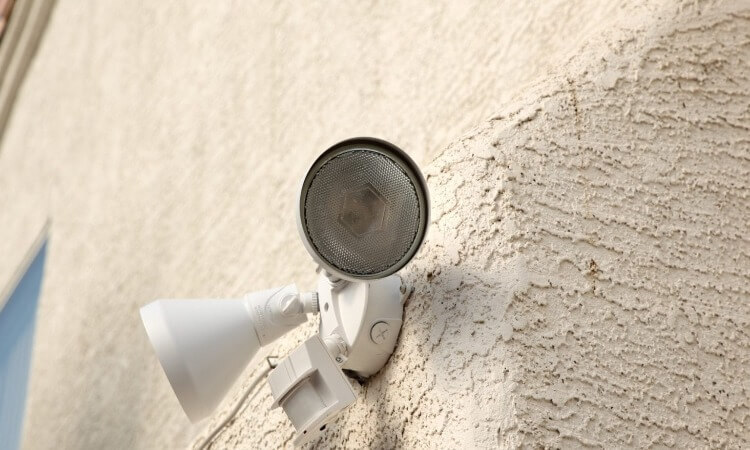
Smart outdoor security lighting systems offer a multitude of advanced features beyond basic illumination. These enhancements can significantly boost home security, energy efficiency, and overall convenience. This section delves into the intricacies of these features, comparing different brands and illustrating how they integrate with other home automation systems.Smart lighting systems now empower homeowners to control their outdoor illumination remotely, automate responses to security events, and integrate with existing home automation hubs.
This integration enhances security and convenience, transforming outdoor spaces into dynamic extensions of the home’s smart ecosystem.
Remote Control Access
Remote control access allows users to manage their outdoor lighting from anywhere with an internet connection. This feature is invaluable for checking on the property, adjusting lighting schedules, or activating lights for deterrents. Applications like dedicated smartphone apps or web portals enable real-time control, providing a high degree of flexibility and convenience. Different brands offer various remote control interfaces, some more intuitive than others.
Automated Responses to Motion or Security Events
Advanced systems can automatically respond to motion sensors or security alarms. For example, upon detecting motion, the system can illuminate the area instantly, deterring potential intruders. Alternatively, if a security alarm triggers, the system can flood the area with bright lights, notifying neighbours or authorities. These automated responses significantly enhance the proactive security of the property. Integration with security systems provides a more robust home security solution.
Integration with Other Home Automation Devices
Smart lighting can seamlessly integrate with other home automation devices, such as smart thermostats, smart locks, and security cameras. This integration creates a unified smart home ecosystem, enabling coordinated actions. For instance, when a smart lock detects an unauthorized entry attempt, the connected smart lighting can automatically activate, illuminating the area and notifying the homeowner. A well-designed system can create a dynamic response to security events, improving the home’s security posture.
Examples of Enhanced Home Security
Smart lighting systems can be integrated with existing home security systems to provide enhanced security measures. For instance, a motion sensor triggering the lights can automatically send a notification to the homeowner’s smartphone or to a security monitoring service. A sophisticated system can even trigger the activation of other security measures, such as an alarm or a call to the authorities, in case of an intrusion attempt.
Comparison of Smart Lighting Brand Features
| Brand | Remote Control | Automated Responses | Home Automation Integration |
|---|---|---|---|
| Brand A | Dedicated app, web portal | Motion sensor triggered lighting, alarm response | Full integration with most popular hubs |
| Brand B | Voice control, app | Motion detection, security system link | Limited integration, requires specific hubs |
| Brand C | App, voice control | Motion, alarm response, customizable rules | Extensive integration, seamless API access |
The table above provides a basic comparison of features offered by different smart lighting brands. Detailed specifications and functionalities can vary considerably.
Integration Diagram
Illustrative diagram of smart lighting integration with other home automation devices
The diagram would show a flow chart or a network diagram. It would visually represent the connection between smart lighting, motion sensors, security cameras, smart locks, and a central hub (e.g., Google Home, Amazon Alexa). Arrows would indicate data flow and control signals. An example would be a motion sensor detecting movement, triggering a signal to the smart lighting system to illuminate the area, and simultaneously sending a notification to the smartphone app.
Ending Remarks

In conclusion, this guide provides a comprehensive roadmap for installing smart outdoor security lighting, from initial planning to ongoing maintenance. By understanding the different types of systems, installation procedures, and advanced features, you can confidently implement a robust and intelligent security solution for your home. This comprehensive approach ensures your smart lighting system is not only functional but also aesthetically pleasing, integrating seamlessly with your existing home automation setup.