Smart light bulbs are revolutionizing home lighting, offering a seamless blend of convenience and style. Beyond simply providing illumination, these intelligent bulbs empower users with unprecedented control over their ambiance. This comprehensive guide demystifies the installation process, ensuring a smooth transition from traditional bulbs to the exciting world of smart lighting. Whether you’re a seasoned tech enthusiast or a novice, this guide will walk you through the steps, from preparing the necessary tools to connecting the bulb to your smart home application.
This guide provides a detailed walkthrough of the installation process, covering essential steps such as connecting to the power source, installing the bulb, and setting up the associated application. Clear instructions, visual aids, and troubleshooting tips are included to address potential challenges encountered during installation, making the process as straightforward as possible. A dedicated section on advanced features and customization options further enhances your understanding of the potential of smart lighting.
Introduction to Smart Light Bulbs
Smart light bulbs, also known as intelligent or connected light bulbs, are a significant advancement in home lighting technology. They offer a wide range of functionalities beyond traditional incandescent, fluorescent, or halogen bulbs. These bulbs are typically controlled by an application on a smartphone or tablet, allowing users to adjust brightness, color temperature, and even create schedules for lighting.This enhanced control and customization offer significant advantages over traditional bulbs, improving both convenience and energy efficiency.
Understanding the various types, functionalities, and benefits of smart light bulbs is crucial for making informed decisions when upgrading home lighting.
Types of Smart Light Bulbs
Smart light bulbs come in various types, each with unique characteristics and capabilities. The most common types include LED and RGB bulbs. LED (Light Emitting Diode) bulbs are energy-efficient and offer a wide range of color temperatures. RGB (Red, Green, Blue) bulbs allow for a broader spectrum of colors, enabling users to create dynamic and personalized lighting effects.
Advantages of Smart Light Bulbs
Smart light bulbs offer several advantages over traditional lighting options. These include enhanced control and customization, allowing users to adjust brightness, color, and even create schedules for lighting. Furthermore, these bulbs are generally more energy-efficient than traditional bulbs, resulting in lower electricity bills over time. Integration with home automation systems further enhances convenience, enabling users to seamlessly control lighting within their smart home environment.
Basic Components of a Smart Light Bulb Installation Kit
A typical smart light bulb installation kit includes the smart light bulb itself, a compatible light fixture or socket, and a smart home hub or bridge. The smart home hub is a crucial component, acting as a central communication point between the light bulb and the smartphone application. The compatibility of the bulb with the specific hub is crucial for seamless operation.
Comparison of Smart Light Bulb Brands and Features
The following table compares different smart light bulb brands, highlighting key features and functionalities:
| Brand | Bulb Type | Color Temperature Range (K) | Dimming Capabilities | RGB Features | App Control | Price (USD) |
|---|---|---|---|---|---|---|
| SmartGlow | LED | 2700-6500K | Yes | No | Yes | $15 |
| ColorWise | RGB LED | 2700-6500K | Yes | Yes | Yes | $25 |
| AuraLight | RGB LED | 2700-6500K | Yes | Yes | Yes | $30 |
| Lumify | LED | 2700-6500K | Yes | No | Yes | $20 |
Note: Prices are approximate and may vary depending on retailer and specific models. This table represents a selection of popular brands; many other options are available in the market.
Necessary Tools and Materials
Installing smart light bulbs requires careful preparation to ensure a smooth and successful process. Understanding the necessary tools and materials beforehand is crucial for a safe and efficient installation. This section details the required items and provides guidance on their selection and preparation.
Essential Tools
Proper tools are paramount for a safe and successful installation. Choosing the correct tools minimizes potential damage and ensures a secure connection. Improper tools could lead to wire damage, incorrect connections, or even injury.
- Screwdriver(s): Phillips head and flathead screwdrivers are frequently needed to secure mounting brackets or access junction boxes. Different sizes are useful for various applications. Ensure the screwdriver is in good working order to avoid stripping screws.
- Wire Strippers: These tools are essential for carefully removing the insulation from the wires to prepare them for connection. A good pair of wire strippers with various blade sizes for different wire gauges is vital. Using wire strippers is crucial to avoid damaging the wires, which can lead to poor connections and potential fire hazards.
- Voltage Tester: A voltage tester is critical for verifying the absence of electricity in the circuit before any work begins. This safety precaution prevents electrical shock. This ensures the safety of the installer and the integrity of the electrical system.
- Needle-nose Pliers: These pliers are useful for maneuvering small wires and making precise connections. They also help with securely attaching wires to the light fixture. These pliers are also helpful for making adjustments to the bulb after installation.
Necessary Materials
The materials needed for the installation depend on the specific light bulb and fixture. Carefully review the instructions provided with the smart light bulb and fixture to ensure the necessary materials are obtained.
- Smart Light Bulb: The new smart light bulb is the core component of the installation. Choose a bulb that is compatible with your existing electrical system and smart home system.
- Power Source: Ensure the light fixture has access to a suitable power source. This might be an electrical outlet or a hardwired connection. The power source must be compatible with the specific light bulb and fixture.
- Mounting Hardware (if needed): Some smart light bulbs require additional mounting hardware for proper installation. This includes screws, brackets, or other components specific to the light fixture.
- Installation Instructions: Refer to the provided instructions to ensure the correct installation steps are followed. Thorough review of the instructions is crucial for a successful installation.
Preparing Tools and Materials
Thorough preparation is essential for a successful installation. Proper organization and inspection of tools and materials are key to a smooth installation process. This reduces potential delays and errors.
- Gather all necessary tools and materials in one place. This helps in avoiding unnecessary interruptions during the installation process.
- Inspect all tools for any damage or wear. If any tool shows signs of damage, replace it immediately to ensure safety and efficiency.
- Check the compatibility of the smart light bulb with the existing electrical system and smart home system. Mismatched components can lead to installation failures.
- Review the installation instructions carefully to understand the required steps. This will help ensure that the installation is done correctly.
Tool Function Summary
| Tool | Function |
|---|---|
| Screwdriver | Securing mounting brackets or accessing junction boxes. |
| Wire Strippers | Removing insulation from wires for connections. |
| Voltage Tester | Verifying the absence of electricity before work begins. |
| Needle-nose Pliers | Maneuvering small wires and making precise connections. |
Connecting to the Power Source
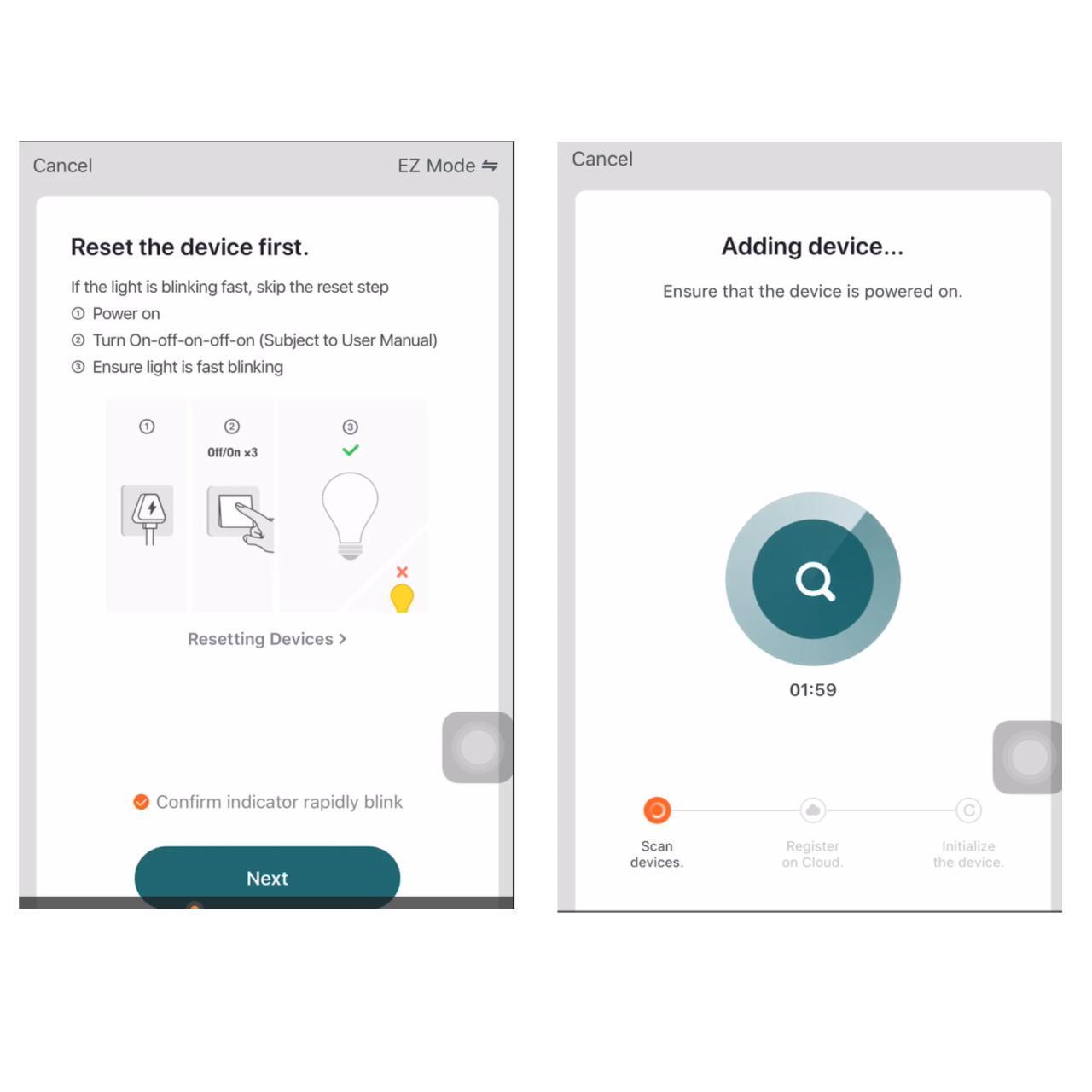
Connecting your smart light bulb to the power source safely and correctly is crucial for its proper operation. Improper connections can lead to damage to the bulb, the fixture, or even pose a safety risk. Understanding the power source requirements and the wiring process is essential for a seamless installation.
Safety Precautions
Electrical work requires caution. Always disconnect the power source at the circuit breaker before any wiring or installation. Ensure you have the appropriate tools and understand the potential hazards involved. Consult the smart bulb’s instruction manual for specific safety precautions. Never work with electricity if you are not adequately trained or confident in your abilities.
Types of Power Sources and Compatibility
Smart light bulbs, like traditional bulbs, typically operate on AC power. The voltage and amperage requirements vary depending on the specific model. Some smart bulbs are designed for use with standard household outlets, while others may require specific wiring setups. Compatibility with the existing electrical system is vital for successful operation. Always verify the voltage and amperage specifications of your smart bulb against your home’s electrical system to ensure compatibility.
Wiring Methods and Procedures
Different types of smart light bulbs employ various wiring methods. Some are designed for direct connection to a standard light fixture, while others require specific adapters or wiring configurations. This diversity in wiring necessitates a detailed understanding of the installation process. Always adhere to the manufacturer’s instructions for your specific model.
Step-by-Step Procedure for Connecting to the Power Source
The following table provides a step-by-step guide for safely connecting a smart light bulb to the power source. Remember to consult the specific instructions provided with your smart bulb for precise details.
| Step | Description | Image |
|---|---|---|
| 1 | Power Down: Turn off the power to the light fixture at the circuit breaker. This is a critical safety step to prevent electrical shocks. | A diagram showing a circuit breaker being turned off. The breaker should be in the ‘off’ position. |
| 2 | Inspect the Fixture: Carefully inspect the existing light fixture for any damage or loose connections. Ensure the fixture is compatible with the smart bulb. | A close-up image of a light fixture with a clear view of the wires and connections. |
| 3 | Remove the Existing Bulb: Carefully remove the existing light bulb from the fixture. Note the existing wiring setup if applicable. | A photo of hands removing a light bulb from a fixture. |
| 4 | Install the Smart Bulb: Carefully insert the smart bulb into the light fixture, ensuring it is securely positioned. | A photo of a smart light bulb being placed into a light fixture. |
| 5 | Reconnect the Power: Carefully reconnect the power to the light fixture at the circuit breaker. | A diagram showing a circuit breaker being turned back on. The breaker should be in the ‘on’ position. |
| 6 | Test the Bulb: Turn on the light switch to test the smart bulb’s functionality. | A photo of a lit smart light bulb in a light fixture. |
Setting up the Smart Light Bulb Application
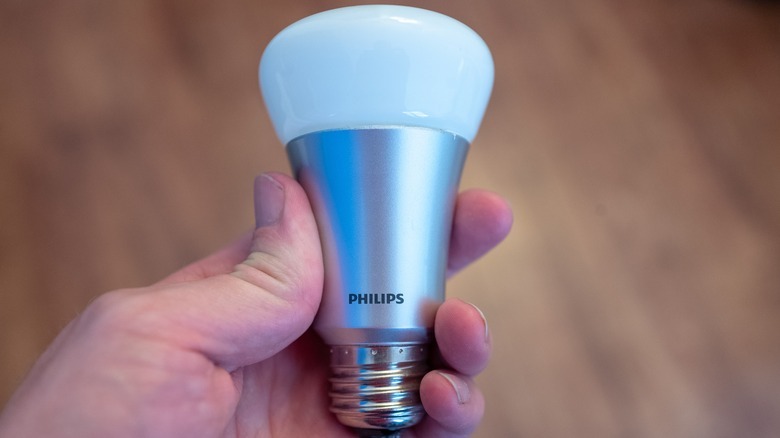
The smart light bulb application is the gateway to controlling and customizing your new smart bulbs. This application allows you to manage various functions and settings, from basic on/off control to complex scheduling and color adjustments. A dedicated application streamlines the setup process and enhances the user experience.
Downloading and Installing the Application
The first step in using your smart light bulbs is downloading and installing the designated application on your smartphone or tablet. This application typically provides a user-friendly interface for managing the smart light bulbs. Look for the application in your device’s app store (e.g., Google Play Store or Apple App Store). Search for the specific brand of smart light bulb (e.g., “Philips Hue” or “LIFX”).
Install the application by following the on-screen instructions. This step ensures you have the necessary tools for controlling the light bulbs.
Connecting the Light Bulb to the Application
After installing the application, the next step is to connect your smart light bulb to the application. This process typically involves the application recognizing the bulb and establishing a connection. The application will often guide you through the connection process using a series of steps. The connection process usually requires you to enter a specific code or press a button on the bulb to establish the connection.
Application Functionalities
The smart light bulb application offers a range of functionalities beyond basic on/off control. These functionalities enable sophisticated control and customization. Common features include adjusting brightness, setting schedules, selecting colors, and creating scenes. The ability to group bulbs allows for coordinated control of multiple light fixtures, enhancing the user experience.
Creating a User Account
A user account is usually necessary for accessing the full range of features and functionalities offered by the application. Creating an account enables the user to save their settings and preferences, and to easily manage multiple smart light bulbs. Creating an account usually involves providing personal information, such as an email address and password.
Configuring Settings
Configuring settings for the smart light bulb through the application provides a customized experience. Users can tailor settings to their specific needs and preferences. This includes adjusting brightness levels, color temperatures, and schedules for different times of day. These configurations are essential for optimizing the use of smart light bulbs and creating a personalized lighting environment.
Step-by-Step Application Setup Guide
This table provides a step-by-step guide to setting up the smart light bulb application, ensuring a seamless experience.
| Step | Description | Screenshot (Conceptual) |
|---|---|---|
| 1 | Open the application on your smartphone or tablet. | (Imagine a screen displaying the application’s main interface.) |
| 2 | Follow the on-screen instructions to create a user account. This often involves providing your email address and password. | (Imagine a screen prompting for account creation with fields for email and password.) |
| 3 | Locate the “Add Device” or “Connect Device” option within the application. | (Imagine a screen with a button labeled “Add Device” or “Connect Device”.) |
| 4 | Follow the application’s prompts to connect the light bulb to the Wi-Fi network. This often involves pressing a button on the light bulb. | (Imagine a screen with a connection progress bar or a status indicator.) |
| 5 | Once the connection is established, the application should display the light bulb in the list of connected devices. | (Imagine a screen displaying a list of connected devices with the smart light bulb.) |
| 6 | Explore the various functionalities of the application, such as adjusting brightness, selecting colors, and creating schedules. | (Imagine a screen with options for adjusting brightness, selecting colors, and creating schedules.) |
Troubleshooting Common Issues
Installing smart light bulbs can sometimes present unexpected challenges. Understanding potential problems and their solutions will ensure a smooth installation and a seamless user experience. This section details common issues and provides practical troubleshooting steps to overcome them.Troubleshooting smart home devices requires a systematic approach. Identifying the source of the problem is key to finding the right solution.
This section will guide you through the most frequent issues encountered when installing and using smart light bulbs.
Connection Problems
Connection problems are common when working with smart devices. They may stem from issues with the Wi-Fi network, the smart bulb itself, or the application. Properly diagnosing the problem is crucial to finding a resolution.
- Weak or unstable Wi-Fi signal: A weak or unstable Wi-Fi signal can hinder the smart bulb’s connection to your network. Ensure that the bulb is within range of your router and that the router’s signal strength is optimal.
- Incorrect Wi-Fi password: An incorrect Wi-Fi password prevents the bulb from joining your network. Double-check the password and ensure it is typed accurately.
- Bulb Compatibility Issues: Sometimes, the smart bulb might not be compatible with the specific application or network. Verify that the bulb model is supported by the application.
- Network Interference: Other devices on your network may interfere with the smart bulb’s connection. Try temporarily disconnecting other devices to see if the problem resolves.
Application Issues
Application issues can also prevent the smart light bulb from functioning correctly. These issues may be related to the application’s software or the user’s account settings.
- Application Errors: The smart home application may experience temporary errors. Restarting the application or checking for updates can resolve this.
- Incorrect Account Settings: Ensure the account settings in the application are correct. Verify that the user is logged in with the correct credentials.
- Incompatible Device: The smart bulb may not be compatible with the application. Verify that the application supports the specific bulb model.
Troubleshooting Table
This table provides a concise overview of common problems, their potential causes, and their solutions.
| Problem | Cause | Solution |
|---|---|---|
| Smart bulb does not connect to the network | Weak Wi-Fi signal, incorrect password, incompatible device, network interference | Check Wi-Fi signal strength, verify password, ensure compatibility, temporarily disconnect other devices |
| Application does not recognize the smart bulb | Application error, incorrect account settings, incompatible device | Restart the application, check account settings, verify compatibility |
| Smart bulb blinks erratically | Power supply issues, connection problems, firmware issues | Ensure proper power supply, check connections, update firmware |
Advanced Features and Customization
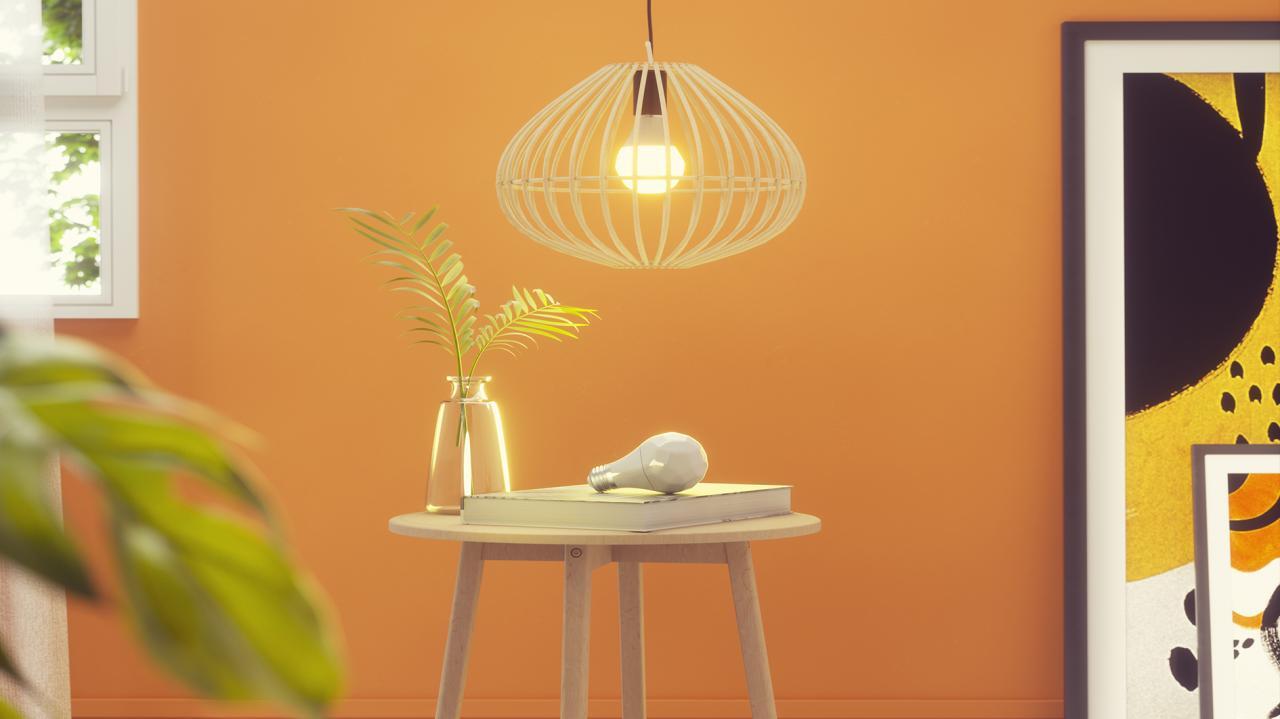
Smart light bulbs offer a plethora of advanced features beyond simply turning lights on and off. These features significantly enhance the functionality and personalization of your home lighting, enabling you to create dynamic and customized lighting environments. This section delves into the various customization options available and how to leverage them effectively.
Color Changing and Dimming Capabilities
Smart light bulbs often come equipped with the ability to change colors and adjust brightness. This allows for the creation of various ambiances, from warm, inviting settings to vibrant, energetic moods. The color spectrum offered varies between brands, with some bulbs capable of producing a wide array of hues. Dimming functionality lets you adjust the intensity of the light, allowing for greater control over the overall illumination level.
Customization Through Scheduling and Voice Control
Smart light bulbs empower users to schedule lighting routines, automating the illumination of rooms based on predefined times or events. This can enhance convenience and create specific ambiance at desired times. Voice control integration allows users to command lighting adjustments using voice assistants like Alexa or Google Assistant, adding another layer of ease and convenience to controlling smart lighting.
This is particularly useful for hands-free operation, for example, adjusting the lights in a room when entering or leaving.
Diverse Control Methods
Smart light bulbs offer diverse control methods beyond the usual mobile application. These methods include dedicated remote controls, which allow for convenient adjustment of lights from a distance. Alternatively, some models can be controlled through a web interface, granting users access and control through a web browser. These options offer flexibility and cater to various user preferences.
Integration with Other Smart Home Devices
Smart light bulbs can be seamlessly integrated into broader smart home ecosystems. This enables the synchronization of lighting with other smart devices, such as thermostats, security systems, or smart plugs. For instance, lights can be programmed to automatically turn on when the thermostat detects a change in temperature or when a motion sensor is activated. Such integrations streamline the control and automation of smart home devices, providing a more unified and user-friendly experience.
Comparison of Advanced Features Across Models
| Model | Color Changing | Dimming | Scheduling | Voice Control | Integration with Other Smart Home Devices |
|---|---|---|---|---|---|
| SmartBulb Pro | Yes (16 million colors) | Yes (10% – 100%) | Yes (daily, weekly schedules) | Yes (Alexa, Google Assistant) | Yes (compatible with most smart home hubs) |
| ColorSmart 2.0 | Yes (1000 colors) | Yes (10% – 100%) | Yes (timed schedules) | Yes (limited voice assistant support) | Yes (limited compatibility with some smart home platforms) |
| Aura Light | Yes (customizable color palettes) | Yes (smooth dimming) | Yes (specific events) | Yes (all major voice assistants) | Yes (full integration with major smart home platforms) |
Note: This table provides a simplified comparison. Specific features and compatibility may vary depending on the model and the manufacturer’s specifications.
Final Review
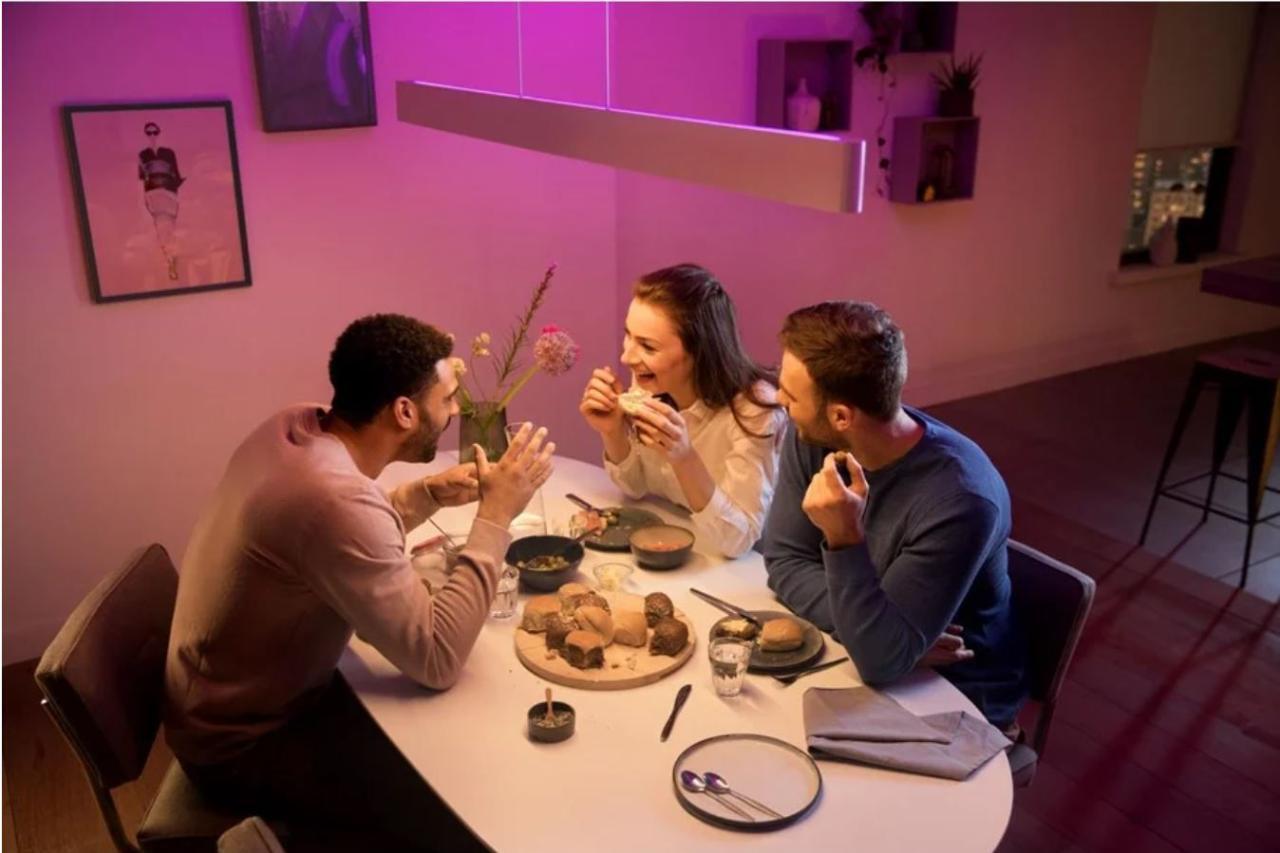
In conclusion, installing smart light bulbs is a surprisingly straightforward process, readily accessible to users of all technical backgrounds. This guide has provided a comprehensive overview, equipping you with the knowledge and tools needed to navigate the entire installation journey, from the initial preparation to the final configuration. By following these detailed steps and troubleshooting tips, you’ll be well-equipped to enjoy the convenience, customization, and energy-efficiency benefits of smart lighting in minutes.