Smart video doorbells are transforming home security and convenience. This comprehensive guide provides a step-by-step approach to installing your new smart video doorbell, from initial preparation to advanced features and troubleshooting. Understanding the different types of doorbells and their respective advantages will help you choose the best fit for your needs.
This guide will walk you through the necessary steps for successful installation, including detailed explanations of wiring, mounting, app setup, and smart feature configuration. We’ll also address potential problems and offer solutions to ensure a smooth installation process.
Introduction to Smart Video Doorbells
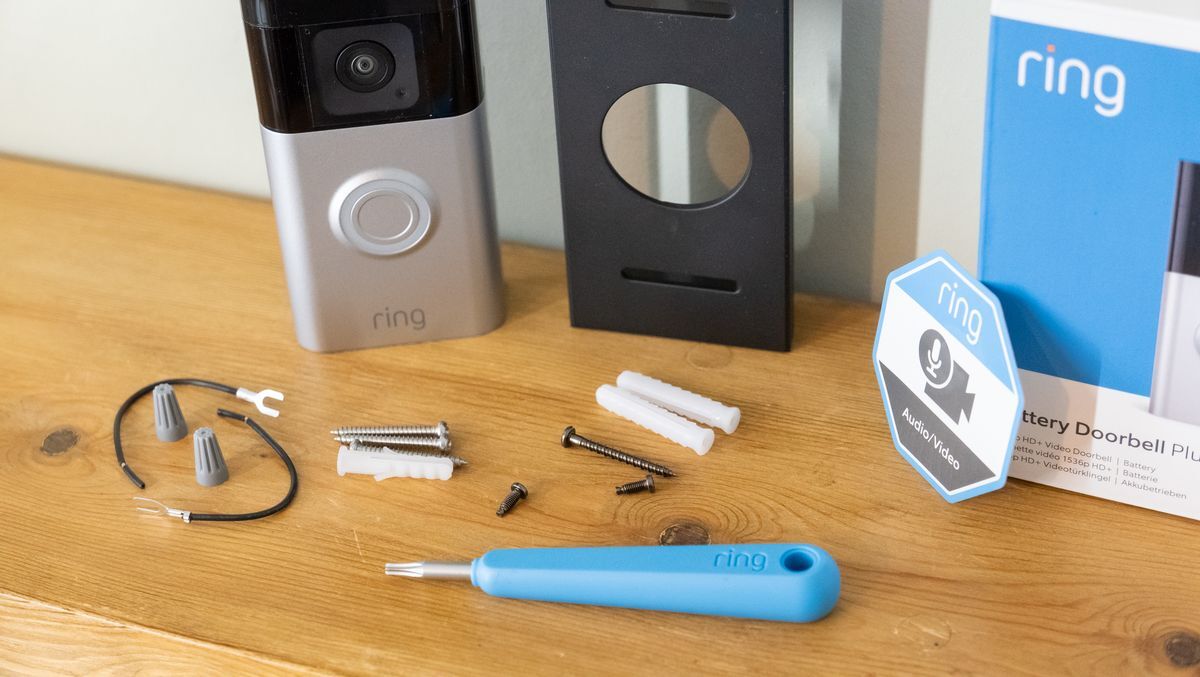
A smart video doorbell is a sophisticated door entry system that integrates video technology with modern home security features. It replaces traditional doorbells, offering a more advanced and convenient way to interact with visitors. These devices allow homeowners to see, hear, and even speak to visitors remotely, regardless of their physical location.The benefits of installing a smart video doorbell extend beyond simple convenience.
They enhance home security by providing real-time visual confirmation of visitors, deterring potential intruders. This increased visibility can also be invaluable for managing deliveries and packages safely. The advanced features often available, like motion detection and two-way audio, provide a layer of protection and peace of mind that traditional doorbells cannot match.
Types of Smart Video Doorbells
Smart video doorbells come in various forms, each with unique installation and operational characteristics. Understanding the different types available is crucial for selecting the best option for your specific needs and home setup.
Wired vs. Wireless Smart Video Doorbells
A fundamental distinction lies in the installation method: wired and wireless. Wired doorbells connect directly to your home’s existing electrical wiring, while wireless models utilize a battery for power and often communicate wirelessly with your home network. This difference impacts installation complexity, range, battery life, and overall cost.
| Feature | Wired | Wireless |
|---|---|---|
| Installation Complexity | Generally lower; requires basic electrical knowledge. | Typically easier; no need for extensive electrical work. |
| Range | Limited by the length of the wiring; typically within the home’s electrical system. | Potentially greater, depending on the wireless technology used and the home’s construction. |
| Battery Life | Not applicable; relies on the home’s electrical system. | Variable; depends on the specific model, usage, and environmental conditions. Some models offer extended battery life. |
| Cost | Often more affordable, depending on the specific model. | Can be more expensive due to the addition of battery components and wireless communication modules. |
Preparation Before Installation
Proper preparation is crucial for a successful smart video doorbell installation. Careful planning and accurate measurements minimize potential issues and ensure a seamless integration into your existing home security system. This section details the essential tools, materials, and considerations before commencing the installation process.
Necessary Tools and Materials
Before beginning the installation, gather the required tools and materials. These will vary depending on the specific model, but typically include a drill, screwdriver set (Phillips and flathead), measuring tape, pencil, and a level. Additional tools like wire strippers and a voltage tester might also be needed. Confirm the specific tools required in the installation manual provided with your smart video doorbell model.
Location Considerations for Optimal Placement
The location of your smart video doorbell significantly impacts its effectiveness. Choose a location that offers a clear view of the front entrance, allowing the camera to capture visitors and package deliveries. Consider the surrounding environment, including obstructions such as trees, bushes, or other structures that could block the camera’s view. Optimal placement also minimizes interference from weather conditions.
Mounting Options for Different Wall Types
Different wall types necessitate various mounting solutions. For drywall, adhesive mounts or screws are common choices. For brick or stucco walls, specialized anchors or drilling may be required. Consult the installation manual for specific recommendations for your wall type and the doorbell model. Ensure you select mounting hardware compatible with the weight of the doorbell.
For example, using screws designed for lighter items with a heavy doorbell may result in damage to the wall or doorbell failure.
Potential Problems During Preparation
Potential issues during the preparation phase include incorrect measurements, incompatible mounting hardware, or issues identifying the proper electrical connections. Always double-check measurements and ensure the mounting hardware is suitable for the doorbell model and wall type. Incorrectly identified electrical connections can lead to malfunctions or safety hazards. Consider consulting the installation manual for comprehensive guidance on troubleshooting potential problems.
Measuring and Marking the Installation Location
Precise measurements and markings are vital for a successful installation. To ensure accuracy, use a measuring tape and pencil. Measure the distance from the wall to the desired location, mark the center point, and confirm the level. For example, if the installation manual specifies a minimum distance from the ground, double-check this distance before marking the installation point.
Following these steps ensures a precise installation and minimizes potential issues later on.
- Determine the ideal mounting position: Carefully assess the desired location based on the camera’s field of view and any potential obstructions. Consider the doorbell’s mounting hardware requirements and the wall type.
- Measure the mounting location: Use a measuring tape to precisely determine the location’s coordinates on the wall. Mark the center point with a pencil. Ensure accuracy, as an off-center installation can negatively impact the camera’s functionality.
- Check the wall type: Identify the type of wall material (e.g., drywall, brick, stucco) to select the correct mounting hardware. Incorrect hardware can damage the wall or compromise the doorbell’s stability.
- Mark the mounting holes: Use the mounting template provided with the doorbell to mark the precise locations for the mounting screws. Carefully align the template to ensure the holes are accurately positioned. Verify the markings against the installation manual for accuracy.
- Confirm the mounting hardware compatibility: Double-check the hardware’s suitability for the doorbell and wall type. This step prevents potential damage to the wall or issues with the doorbell’s stability.
Wiring and Mounting the Doorbell
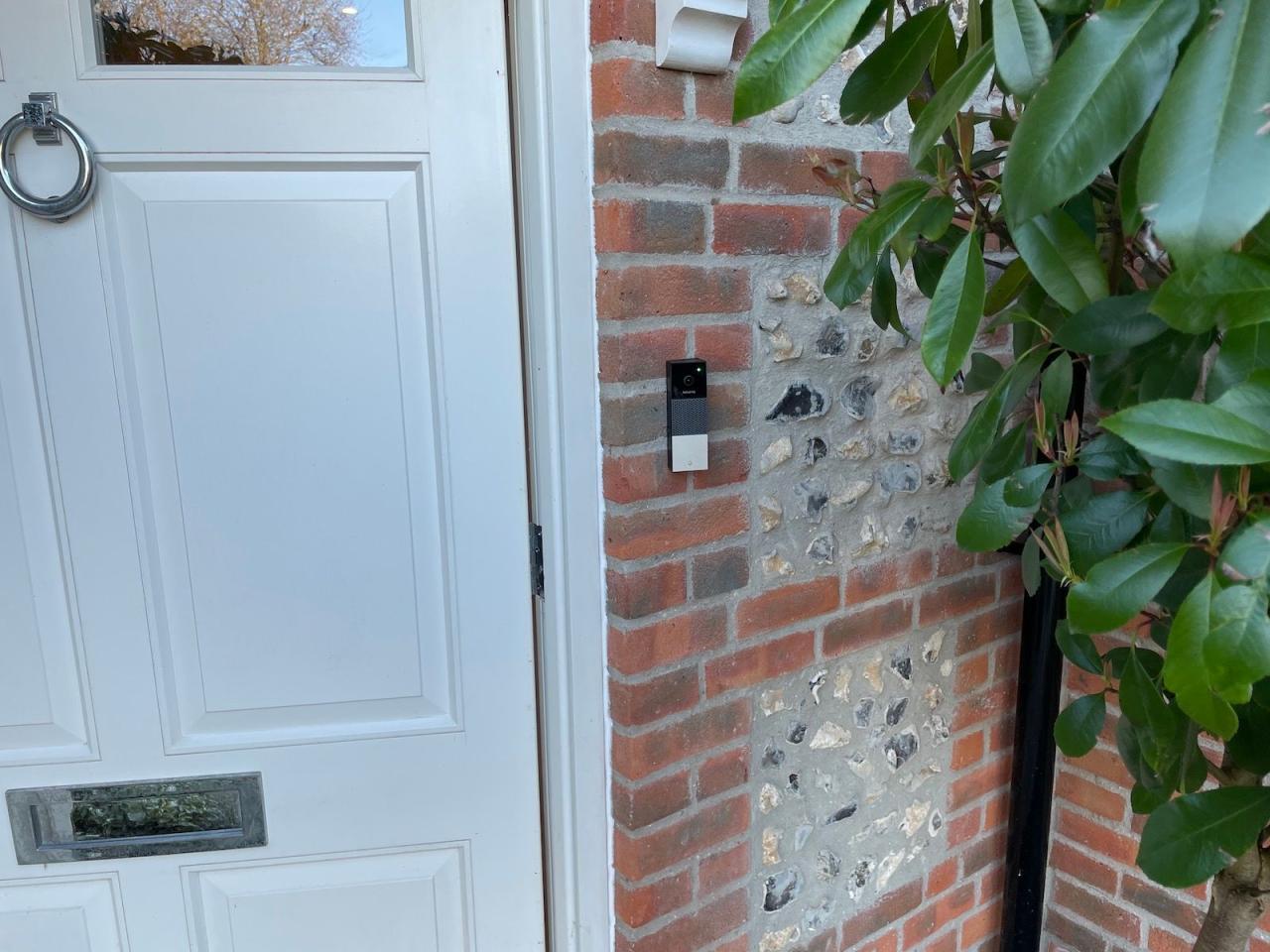
Connecting your smart video doorbell to your existing electrical system and securely mounting it on your home’s exterior requires careful attention to detail and safety. This section provides a comprehensive guide on the wiring and mounting process, ensuring a smooth and successful installation.Proper wiring ensures the doorbell functions correctly and safely. Mounting techniques guarantee a sturdy and aesthetically pleasing installation.
Following these steps, you’ll have a reliable and visually integrated smart doorbell system.
Connecting the Doorbell Wires
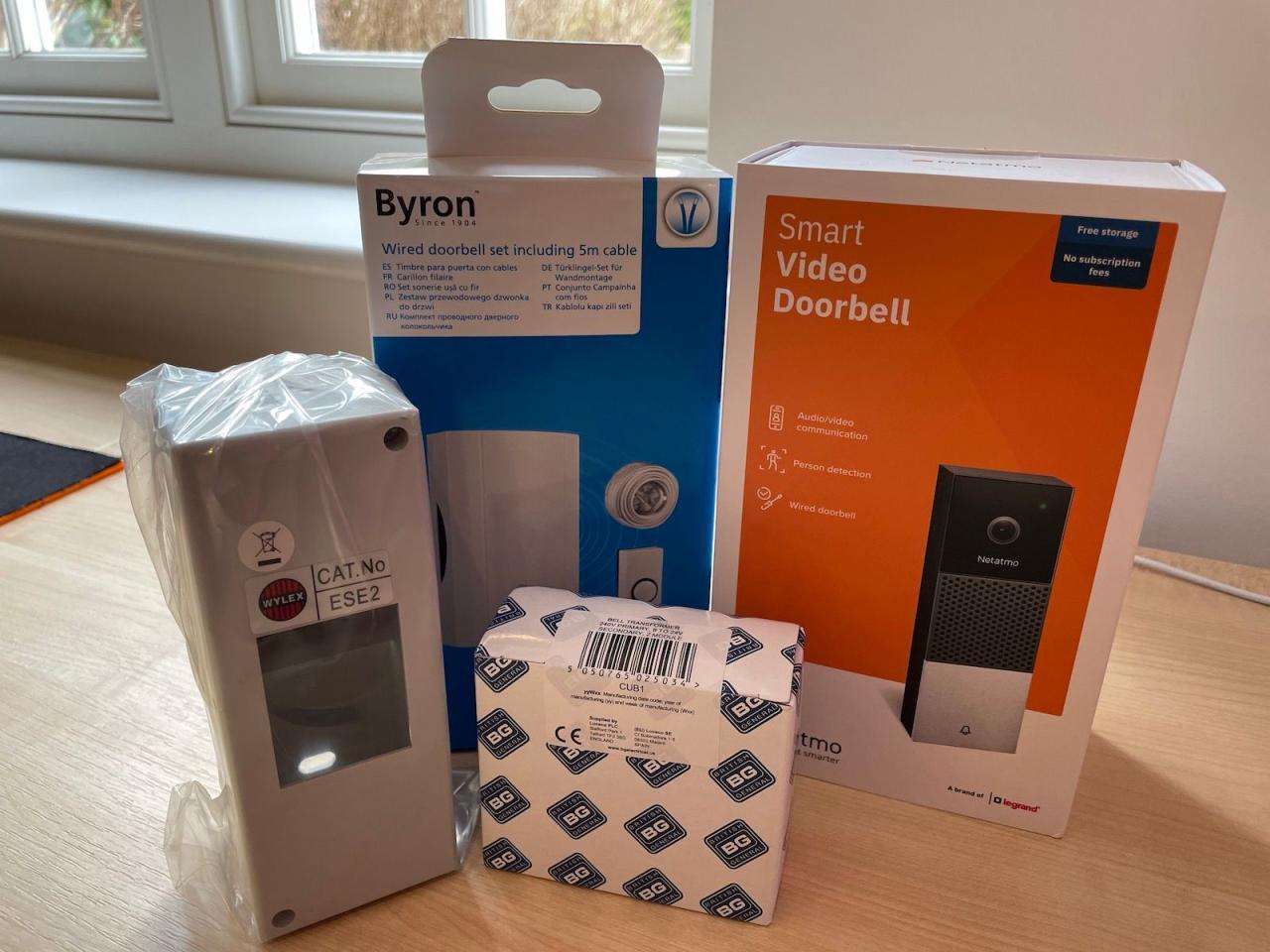
The wiring process involves connecting the doorbell wires to the existing electrical system. This typically includes the doorbell transformer, the existing doorbell wiring, and the smart doorbell’s wiring. Ensure you have the appropriate tools and materials before starting. Disconnect the power to the existing doorbell system before starting any wiring.
- Identify the wires: Carefully identify the power, neutral, and ring wires in the existing doorbell wiring. Refer to your doorbell’s installation manual for the specific color coding of the wires.
- Connect the wires: Connect the corresponding wires from the doorbell transformer to the smart doorbell, matching the color-coded wires accurately. Use wire connectors or wire nuts to ensure secure connections.
- Test the connection: After connecting all the wires, test the doorbell to ensure it functions correctly. The smart doorbell should power on and be ready for use.
Mounting the Doorbell
Correct mounting is crucial for a safe and reliable installation. Choosing the right mounting bracket and securely fixing the doorbell to the wall are important steps.
- Select the bracket: The mounting bracket’s type and design depend on the doorbell’s model and your home’s exterior. Different brackets accommodate various wall types, like stucco, brick, or wood. Consult the doorbell’s installation manual for the recommended bracket.
- Prepare the mounting location: Mark the desired mounting location on the wall and ensure the chosen spot is stable and suitable for the doorbell’s weight.
- Mount the bracket: Carefully attach the bracket to the wall using the provided mounting hardware. Follow the manufacturer’s instructions for proper drilling and fastening.
Safety Precautions During Wiring
Safety should always be the top priority during any electrical work. Improper wiring can lead to electrical hazards.
- Turn off the power: Always turn off the power to the electrical circuit supplying the doorbell before any wiring work. This prevents electric shocks.
- Use appropriate tools: Use the correct tools for the job. Incorrect tools can damage the wires or the doorbell itself.
- Check for existing wiring: Verify that existing wiring is in good condition and meets safety standards. Damaged wiring should be replaced before proceeding.
Troubleshooting Wiring Problems
Troubleshooting wiring problems can be straightforward if you follow a systematic approach.
- Check connections: Verify all wire connections are secure and properly matched to the color codes. Loose connections can cause intermittent issues.
- Test the power supply: Ensure the power supply is working correctly. A faulty power supply can prevent the doorbell from functioning.
- Consult the manual: If you encounter difficulties, refer to the doorbell’s installation manual for specific troubleshooting steps.
Setting Up the App and Connecting to the Network
A crucial step in enjoying your smart video doorbell is setting up the app and connecting it to your home’s Wi-Fi network. This process ensures seamless communication between the doorbell and your smartphone, enabling you to receive notifications and view live footage. Following these steps will ensure a smooth installation.Proper app setup and network configuration are essential for the doorbell’s functionality.
The app acts as a central hub, allowing you to manage the doorbell’s features and receive real-time notifications. A strong and stable Wi-Fi connection is vital for reliable video streaming and two-way communication.
Downloading and Installing the Mobile App
The first step involves downloading and installing the designated mobile application for your specific smart doorbell model. This app is usually available for both iOS and Android devices. Search for the app on your device’s app store (e.g., Apple App Store or Google Play Store) using the doorbell manufacturer’s name. Installing the app will provide the necessary interface for managing the doorbell.
Registering the Doorbell with the App
Once the app is installed, you need to register the doorbell with your account. This involves providing the required information, such as your doorbell’s unique identifier, which is often found on the doorbell’s packaging or within the doorbell’s settings. The app will guide you through the registration process, which usually includes entering your account credentials and confirming the doorbell’s connection.
Connecting to Your Home Wi-Fi Network
After registering the doorbell, the app will prompt you to connect it to your home Wi-Fi network. This step involves selecting your Wi-Fi network from a list of available networks and entering your network password. Ensure that your Wi-Fi network is in range of the doorbell’s wireless capabilities. A stable connection is necessary for optimal performance. The app will provide feedback on the connection status, indicating success or potential issues.
Troubleshooting Wi-Fi Connection Issues
Sometimes, connecting the doorbell to your Wi-Fi network can present challenges. If you encounter difficulties, here are some troubleshooting tips:
- Check Wi-Fi signal strength: Ensure the doorbell is within range of your router and that the signal is strong enough for reliable connection. A weak signal can lead to connection instability or frequent disconnections. Consider moving the router closer to the doorbell if possible.
- Restart your router and doorbell: A simple restart can often resolve temporary connection problems. Turn off both your router and the doorbell for a few minutes, then turn them back on.
- Verify network credentials: Double-check that you’ve entered the correct Wi-Fi network name (SSID) and password. Typos or incorrect information can prevent the connection.
- Check for interference: Other electronic devices operating in the same frequency range as the doorbell might cause interference. Try to identify and mitigate any potential interference sources.
- Contact support: If the problem persists, consult the manufacturer’s support documentation or contact their customer support team for assistance.
Examples of Different App Interfaces
Different smart doorbell models utilize varying app interfaces. However, the fundamental functionalities typically remain consistent. Common features include live view, motion detection alerts, two-way communication, and visitor management tools.
- Live view: Allows you to see what’s happening at your front door in real-time, even when you’re away from home. This is often depicted as a video feed within the app.
- Motion detection alerts: Provide notifications when motion is detected at the door, enabling you to quickly respond to visitors. This feature usually displays an alert icon and might include a preview of the event.
- Two-way communication: Allows you to speak to visitors at the door from your smartphone. This feature is usually displayed as a microphone and speaker icon.
- Visitor management tools: Provide options for interacting with visitors, such as letting them know you’re aware of their presence or granting temporary access. This might include a messaging or video call interface.
Configuring Smart Features
This section details the essential steps for configuring your smart video doorbell’s advanced features. Mastering these settings will optimize its functionality, providing a more comprehensive and secure home security solution.Smart video doorbells offer a range of customizable features beyond basic video recording and communication. These features enhance security, convenience, and visitor management, adapting to individual needs and preferences.
Motion Detection Settings
Motion detection is a core security feature. Precisely configuring these settings ensures your doorbell responds appropriately to various situations, avoiding unnecessary notifications.Defining the zones for motion detection is crucial for accurate triggering. The doorbell’s camera should be strategically positioned to capture relevant areas. Users should consider factors such as the size of the area to be monitored and the types of motion expected.
Defining specific areas within the camera’s view will help the system identify and respond to true motion events, preventing false alarms. Adjusting sensitivity levels is also vital. Lower sensitivity settings will trigger alerts only for significant movements, minimizing false positives. Higher settings may capture more minor movements but could also result in more false alarms. The ideal setting balances responsiveness and minimizes unwanted notifications.
Notification Preferences
Notification preferences allow users to tailor the alerts they receive. Users can customize alerts for various events, including motion detection, doorbell rings, and visitor interactions. This feature is essential for users who want to receive notifications only when needed.Users can choose to receive notifications through various channels, such as email, text messages, or app notifications. Users can set specific criteria, such as receiving only notifications during specific hours or from specific individuals.
This personalized approach ensures that important notifications are not missed.
Customizing Doorbell Appearance and Settings
The doorbell’s appearance and settings can be customized to match individual aesthetics and needs. Personalizing the appearance of the doorbell enhances user experience.Users can customize the doorbell’s chime sound, adjusting the volume and type of notification. Furthermore, the doorbell’s theme can be changed, offering a visual experience aligned with the user’s preference. Users can also personalize the doorbell’s appearance to match the overall aesthetic of their home.
Two-Way Audio, Visitor Identification, and More
These features enhance communication and visitor management capabilities. The doorbell’s two-way audio allows for clear communication with visitors, while visitor identification allows users to see who is at the door. These features streamline communication and provide more control over interactions with visitors.Two-way audio allows users to speak with visitors remotely, even when they are not at home. This feature is helpful for answering questions, confirming deliveries, or speaking with package carriers.
Visitor identification allows users to see the visitor’s face before opening the door. This feature adds an extra layer of security, helping users identify known visitors and potentially unknown individuals.
Guest Access and Visitor Management
Guest access and visitor management features allow users to grant temporary access to visitors. These features enable users to manage access effectively and securely.Users can set up temporary guest access codes for specific visitors. These codes provide temporary access to the doorbell’s features, such as video viewing or communication. Users can also track visitor activity, viewing logs of past interactions with visitors.
Users can easily manage visitor access, allowing for temporary access and recording interaction history.
Troubleshooting and Maintenance
Ensuring your smart video doorbell continues to function flawlessly requires proactive troubleshooting and maintenance. Proper care can prevent common issues and extend the life of your device. This section details essential steps for maintaining optimal performance.
Common Problems and Solutions
Addressing potential problems promptly is key to maintaining a smooth user experience. The following Artikels common issues and their solutions.
- Doorbell not responding: Check the power supply and ensure the doorbell is properly connected to the electrical system. If the power supply is insufficient, try a different power source. Verify the connection to the router and ensure the Wi-Fi signal is strong and stable in the area. Restarting the doorbell and router can often resolve temporary connectivity issues.
- Poor video quality: Ensure the doorbell camera has a clear line of sight to the area it is monitoring. Obstacles like trees, shrubs, or buildings can obstruct the view and impact image clarity. Verify the lighting conditions, as insufficient or excessive light can affect the video quality. Check the doorbell’s settings to adjust resolution and other visual parameters.
- Audio issues: Confirm the microphone and speaker are functioning correctly. Interference from external sources, such as loud background noise or a faulty connection, can cause audio issues. Verify the doorbell’s settings to adjust volume and other audio parameters.
- No response to motion detection: Ensure motion detection settings are correctly configured. Adjust sensitivity levels and the area of coverage for optimal performance. Check for interference from nearby objects or movement that may not be a person or animal.
Maintaining Battery Life
Smart video doorbells often rely on battery power for operation. Maximizing battery life extends the time between replacements.
- Minimize motion detection: Adjust the sensitivity of motion detection settings to reduce unnecessary recording and battery drain. Limit the area of coverage for motion detection to only the critical areas.
- Turn off features when not needed: Disable features like 24/7 recording when not required, such as during the night or when the doorbell is not actively monitored. Reduce the frequency of doorbell recording and reduce the number of recorded events.
- Avoid excessive use: Try to avoid excessive doorbell use to conserve battery life. Minimize the number of doorbell recordings and video streams.
- Keep the doorbell clean and free of debris: Regularly clean the exterior of the doorbell to ensure optimal performance and avoid obstructing the camera’s view.
Updating Firmware
Firmware updates often include bug fixes, performance improvements, and security enhancements. Regular firmware updates are crucial for the proper functioning of the device.
- Check for updates regularly: The device’s manufacturer’s website or app will provide information on available firmware updates. Regularly check the device and its software for any available upgrades.
- Follow the manufacturer’s instructions: Carefully follow the manufacturer’s instructions to update the doorbell’s firmware. Be sure to follow the steps Artikeld in the documentation for your specific model.
Replacing Battery or Components
Replacing the doorbell’s battery or components may be necessary if the device is not functioning properly or if the battery is nearing its end of life.
- Consult the user manual: Refer to the user manual for specific instructions on replacing the battery or components. Ensure you are following the proper procedures for your specific model.
- Use appropriate tools: Use the correct tools to avoid damaging the doorbell or any of its components. If necessary, consult the manual for the proper tools required for the task.
Advanced Features and Integrations
Smart video doorbells are no longer just about seeing who’s at the door; they’re becoming integral parts of a broader smart home ecosystem. This expanded functionality opens up exciting possibilities for enhanced security, convenience, and control over your home. Integrating with other smart home devices allows for automated responses and seamless interactions.Modern smart video doorbells offer a plethora of advanced features, going beyond basic video monitoring.
These include features like enhanced camera capabilities and smart home platform compatibility, which allows for automation and control of various aspects of your home.
Doorbell Camera Capabilities
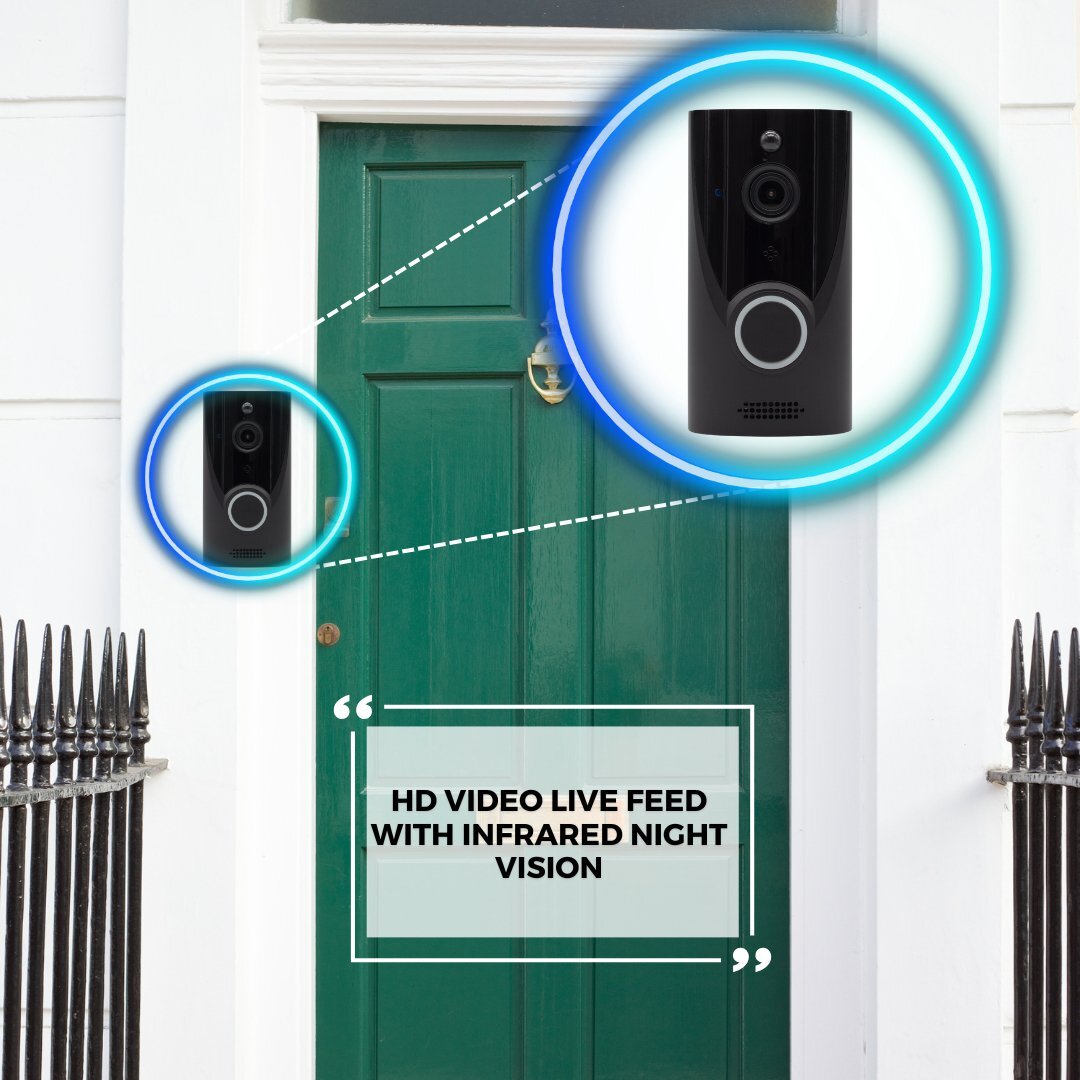
Many smart video doorbells now come equipped with high-resolution cameras, offering better image clarity and wider viewing angles. Some even feature night vision capabilities, enabling clear video recordings even in low-light conditions. This improved camera functionality enhances security and improves the user experience.
Smart Home Integrations
Smart video doorbells are designed to seamlessly integrate with leading smart home platforms. This integration allows for a centralized control point for managing various aspects of your home. Integrating your doorbell with smart home platforms like Alexa or Google Assistant provides hands-free voice control and automated actions.
Integration with Smart Home Platforms
Integrating your smart video doorbell with platforms like Alexa or Google Assistant offers significant advantages. For instance, you can use voice commands to answer the door, receive notifications, or even control other smart home devices. These platforms also offer the ability to customize the integration to meet your specific needs.
- Alexa Integration: Alexa allows voice commands to answer the door, initiate recording, or trigger other actions, such as turning on lights or adjusting the thermostat. The Alexa app provides a user-friendly interface to manage these integrations.
- Google Assistant Integration: Google Assistant provides similar voice control capabilities as Alexa. Users can interact with their doorbell using voice commands, and the Google Home app offers control and management of the integration.
Comparison of Smart Home Integrations
Different smart home platforms offer varying degrees of integration with smart video doorbells. While Alexa and Google Assistant are commonly used for voice control, other platforms like IFTTT (If This Then That) can also offer specific automations that might not be directly available through the main platforms. The choice of platform depends on your existing smart home ecosystem and desired functionalities.
Compatible Smart Home Devices and Functionalities
| Device | Functionality | Compatibility |
|---|---|---|
| Smart Speaker | Voice Control | Alexa, Google Assistant |
| Smart Light | Automated Lighting | IFTTT |
| Smart Lock | Automated Locking | HomeKit |
Conclusion
Installing a smart video doorbell can enhance your home security and provide a convenient way to interact with visitors. This guide has covered the essential steps, from preparation to advanced configurations. Remember to prioritize safety throughout the installation process and refer to your specific doorbell model’s instructions for detailed information. By following these steps, you can enjoy the peace of mind and convenience a smart video doorbell offers.