Smart home devices promise convenience and efficiency, but choosing the right ones can be daunting. This guide provides a comprehensive approach to evaluating smart home devices, considering their various types, functionalities, costs, and potential return on investment. We’ll explore how to assess your needs, research options, and understand the long-term implications before making a purchase.
From lighting and security systems to appliances and thermostats, we’ll examine the range of smart home technology available, covering different technologies, price points, and the key factors to weigh when making a decision. We’ll also delve into the practical aspects of setup and long-term maintenance, ensuring a smooth transition into a smarter home.
Introduction to Smart Home Devices
Smart home devices are rapidly transforming how we interact with our living spaces. These interconnected systems automate tasks, enhance security, and offer personalized control over various aspects of the home. From lighting to appliances, and security to entertainment, smart technology is increasingly integrated into our daily routines.Smart home devices encompass a wide array of technologies and functionalities. They utilize a variety of communication protocols, including Wi-Fi, Bluetooth, and Z-Wave, to connect and control various components within the home environment.
Smart Home Device Pricing and Cost Breakdown
The cost of smart home devices varies significantly depending on the features, brand, and complexity of the system. Entry-level devices, such as smart bulbs or simple smart plugs, can range from a few dollars to tens of dollars each. More sophisticated systems, encompassing smart thermostats, security cameras, and smart appliances, can cost hundreds or even thousands of dollars.
The total cost of a smart home setup often includes the initial purchase of devices, installation fees (if applicable), and potential ongoing subscription services. A comprehensive smart home setup may involve multiple devices, leading to substantial upfront costs. Furthermore, energy consumption and maintenance costs can vary depending on the chosen devices.
Smart Home Device Technologies
Different smart home devices utilize various technologies to connect and function. Wi-Fi is a common standard for connecting devices to the internet and controlling them remotely. Bluetooth is often used for short-range communication between devices within the same network, enhancing efficiency and minimizing interference. Z-Wave, another common technology, provides low-power communication, ideal for numerous devices within a home network, particularly for automated tasks like lighting or security systems.
These technologies, with their specific strengths and weaknesses, contribute to the diversity and adaptability of smart home systems.
Types of Smart Home Devices
Smart home devices are categorized into various types, each serving specific functionalities. These categories encompass lighting, security, appliances, entertainment, and thermostats.
Smart Home Device Categories and Examples
| Category | Description | Example Products |
|---|---|---|
| Lighting | Smart bulbs, smart light strips, and smart switches automate lighting control, adjust brightness, and offer scheduling capabilities. | Philips Hue, LIFX, Sengled |
| Security | Smart locks, security cameras, and motion detectors enhance home security and provide remote monitoring. | August Smart Lock, Ring Video Doorbell, Arlo Pro |
| Appliances | Smart refrigerators, ovens, and dishwashers provide automated control, remote monitoring, and scheduling for appliances. | Samsung Family Hub Refrigerator, GE Profile Smart Appliances, LG Smart ThinQ Appliances |
| Entertainment | Smart speakers, smart TVs, and streaming devices provide entertainment and control over media. | Amazon Echo, Google Nest Hub, Roku Streaming Stick |
| Thermostats | Smart thermostats allow for precise temperature control and energy optimization, often integrating with other smart home devices. | Nest Thermostat, Ecobee SmartThermostat, Honeywell Lyric |
Benefits and Drawbacks of Smart Home Technology
The benefits of smart home technology include increased convenience, energy efficiency, enhanced security, and improved control over the home environment. However, potential drawbacks include the need for reliable internet connectivity, security vulnerabilities (if not properly configured), and the potential for complexity in managing multiple devices. Furthermore, privacy concerns associated with data collection and usage of smart home devices may require careful consideration.
Evaluating Needs and Priorities
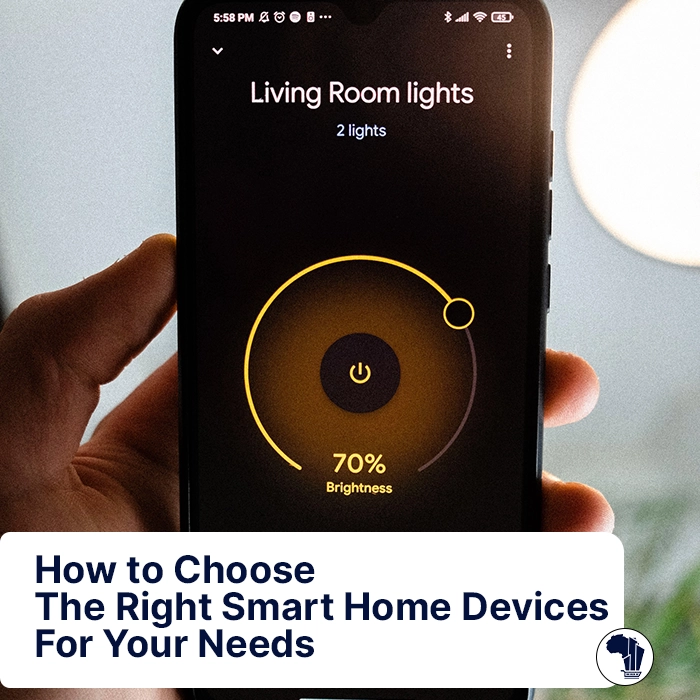
A crucial step in navigating the smart home landscape is understanding your specific needs and aligning them with the capabilities of available devices. This involves a careful assessment of your lifestyle, daily routines, and desired outcomes. Without this foundational understanding, even the most sophisticated smart home system can fall short of its potential. Choosing devices based on their features alone can lead to disappointment and wasted investment.Thorough evaluation allows for informed decision-making, ensuring that the chosen smart home technology truly enhances your daily life and addresses your priorities.
This process prioritizes practicality over mere technological novelty, ultimately leading to a more satisfying and efficient home environment.
Identifying Specific Needs and Wants
Homeowners should meticulously consider their individual needs and desires regarding smart home technology. This involves understanding what aspects of their daily life could benefit from automation or optimization. Do they wish to improve energy efficiency, enhance security measures, or simply streamline daily tasks? A clear understanding of these desires is paramount to selecting devices that genuinely address those needs.
For example, a homeowner concerned about energy consumption might prioritize smart thermostats and lighting controls, while someone prioritizing security might lean toward smart door locks and security cameras.
Comparing Functionality and Features
Once specific needs are defined, homeowners should carefully compare the functionalities and features of various smart home devices. Different devices cater to different needs, and evaluating their strengths and weaknesses is crucial for effective selection. Consider the level of integration with other smart home devices and their compatibility with existing systems. For instance, a smart thermostat that integrates with a home automation system allows for more comprehensive control over temperature and energy usage.
Conversely, a stand-alone device may offer limited functionality in a complex smart home setup.
Understanding Lifestyle and Daily Routines
Understanding one’s lifestyle and daily routines is essential for selecting appropriate smart home devices. A busy professional with a demanding schedule might benefit from smart home appliances that automate chores or optimize energy usage. On the other hand, a retired couple might prioritize smart home features that enhance safety and convenience, such as smart lighting and security systems.
For instance, a family with young children might prefer smart locks with parental controls to manage access to the home. Tailoring device choices to personal routines ensures that the technology aligns with the way a family lives.
Checklist for Assessing Needs and Priorities
- Identify specific areas where smart home technology could improve daily life (e.g., energy efficiency, security, convenience).
- Determine the desired level of automation and integration within the existing home setup.
- Evaluate the budget constraints and available resources for implementing a smart home system.
- Research various smart home devices and their compatibility with each other and existing systems.
- Consider potential maintenance and support requirements for chosen devices.
Common Smart Home Features and Their Impacts
Analyzing the benefits and drawbacks of various smart home features is essential for informed decision-making. This includes evaluating the potential impacts on energy consumption, security, and overall convenience.
| Smart Home Feature | Benefits | Drawbacks | Use Cases |
|---|---|---|---|
| Smart Thermostat | Energy savings, optimized temperature control | Potential for system failures, added cost | Energy efficiency, comfort |
| Smart Lighting | Enhanced ambiance, energy savings, scheduling | Potential for privacy concerns, complexity | Mood setting, energy management, security |
| Smart Security Systems | Enhanced security, remote monitoring, alerts | Potential for system vulnerabilities, high cost | Home safety, peace of mind |
| Smart Appliances | Automation, scheduling, remote control | Complexity, reliance on technology | Convenience, task automation |
Assessing Value and Return on Investment
Evaluating the return on investment (ROI) of smart home devices is crucial for making informed decisions. Understanding the potential savings and long-term costs associated with these technologies allows homeowners to prioritize purchases and maximize the value of their smart home setup. A careful assessment of potential benefits against the initial and ongoing expenses is essential to avoid overspending and ensure the devices truly enhance the home experience.
Return on Investment (ROI) Explained
Return on investment, in the context of smart home devices, represents the financial gain or savings achieved in relation to the initial investment cost. This calculation considers not only the immediate benefits but also the potential long-term savings. A positive ROI indicates that the device’s benefits outweigh its costs over time. A negative ROI signifies that the device’s costs exceed its benefits, making it a less attractive investment.
Calculating Potential Savings
Several smart home devices offer substantial potential savings, primarily through energy efficiency and reduced maintenance. For instance, smart thermostats can optimize heating and cooling, leading to lower energy bills. Similarly, smart lighting systems can reduce energy consumption by automatically adjusting brightness or turning off lights when not needed.
- Energy Efficiency: Smart thermostats, for example, can adjust temperature settings based on occupancy and external conditions, potentially reducing energy consumption and associated costs. The savings depend on factors like climate, usage patterns, and the specific thermostat model.
- Reduced Maintenance Costs: Smart home devices often automate maintenance tasks, such as checking for leaks or ensuring proper operation. This automation can reduce the need for manual checks and repairs, thereby lowering long-term maintenance costs.
Long-Term Costs
While smart home devices offer potential benefits, it’s essential to acknowledge the long-term costs. These include maintenance, repairs, and potential upgrades. For instance, smart devices might require software updates, hardware replacements, or specialized maintenance that can lead to unforeseen costs over time. The long-term cost of connectivity also needs to be considered. Furthermore, the device might require replacement or upgrading to maintain its optimal functionality.
Detailed ROI Example: Smart Thermostat
Consider a homeowner replacing an older, inefficient thermostat with a smart thermostat. The initial cost is $
- The average annual energy savings, according to energy efficiency estimates, are projected to be $
- The estimated maintenance costs over five years are $
20. The ROI calculation is as follows
Annual savings x Number of years – Initial cost – Maintenance costs = ROI
($100/year
- 5 years)
- $200 – $20 = $480
The positive ROI of $480 indicates that the smart thermostat is a worthwhile investment. Factors like individual energy consumption patterns and utility rates will affect the specific ROI in each case.
Smart Home Device ROI Table
| Device Category | Potential Savings | Initial Cost | Maintenance Cost (5 years) | Estimated ROI (5 years) |
|---|---|---|---|---|
| Energy-efficient lighting | $50-$150 per year | $50-$200 per fixture | $10-$50 per fixture | $100-$500 per fixture |
| Smart thermostats | $50-$150 per year | $150-$300 | $10-$30 | $250-$650 |
| Smart security systems | $0-$50 per year (reduced insurance premiums) | $200-$1000 | $20-$100 | $0-$300 |
Note: Savings and costs are estimates and can vary depending on individual circumstances.
Researching and Comparing Smart Home Devices
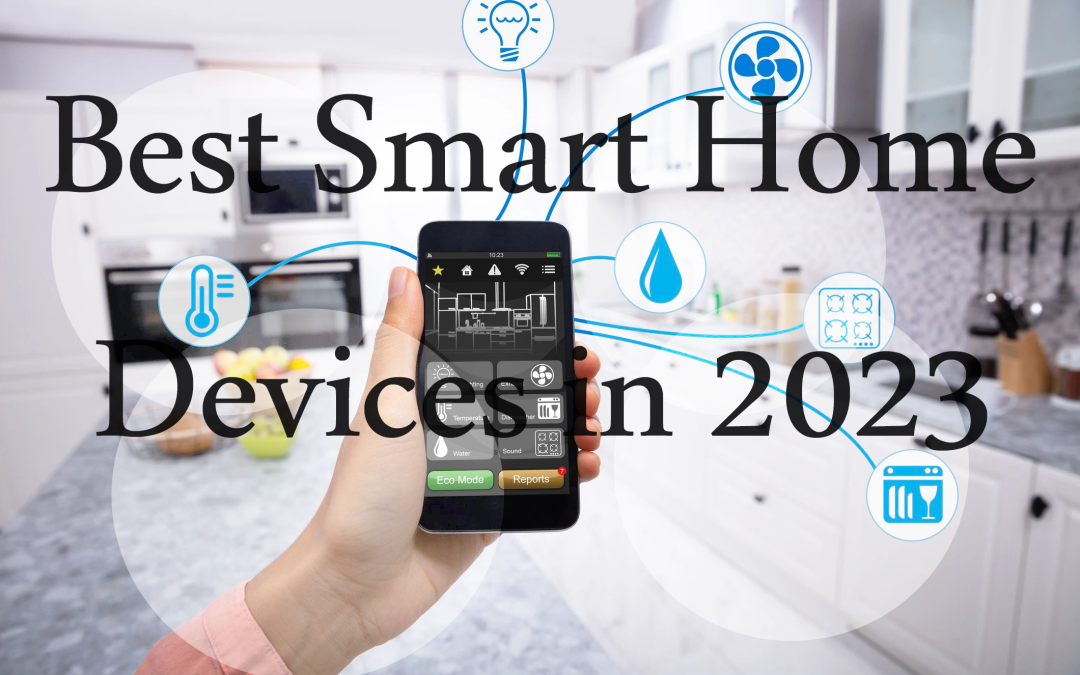
Thorough research is crucial when selecting smart home devices. Understanding the available options and comparing their features, performance, and pricing is essential for making an informed decision. This process allows you to identify devices that align with your specific needs and budget, ultimately maximizing the value of your smart home investment.
Finding Reliable Information
Reliable information is key to navigating the complex world of smart home devices. Unbiased reviews, comparisons, and expert opinions are vital for making the best choices. Avoid relying solely on marketing materials or promotional content, as these may not present a comprehensive or objective view. Instead, seek out independent reviews and comparisons from trusted sources.
Reputable Sources for Research and Comparison
Numerous reliable sources offer detailed information about smart home devices. These sources can assist in the research and comparison process. Reputable publications, tech blogs, and online forums dedicated to smart home technology provide valuable insights. Consumer reports and independent review sites also offer comprehensive evaluations of various devices, highlighting their strengths and weaknesses. These sources often present comparative analyses, providing valuable context for your decision-making.
- Tech publications: Publications like Wired, CNET, and The Verge regularly review and compare smart home devices, offering detailed analyses and comparisons.
- Consumer review websites: Sites like Consumer Reports and PCMag provide independent reviews and ratings of smart home devices, based on various factors like performance, ease of use, and value for money.
- Online forums and communities: Online forums and communities dedicated to smart home technology allow users to share their experiences, offering valuable insights and feedback on different devices.
- Expert reviews: Expert reviews from trusted technology reviewers often provide in-depth analysis, highlighting critical aspects that might be missed in a simple comparison.
Comparing Brands and Models
Different brands and models of smart home devices offer varying features and performance levels. Careful consideration of these factors is essential to finding a device that best suits your needs. Consider features like compatibility with your existing infrastructure, ease of setup, and performance under different conditions. Reading customer reviews and testimonials can provide insights into real-world experiences with various models and brands.
Importance of Reviews and Testimonials
User reviews and testimonials are invaluable resources for understanding the practical application and performance of smart home devices. These insights provide a perspective beyond marketing claims and allow you to gauge the real-world experience of other users. Pay attention to recurring themes and specific issues highlighted by reviewers, which can provide crucial information about the strengths and weaknesses of a particular device.
Comparative Analysis Table
The following table presents a comparative analysis of several smart home devices, categorized by brand, features, price, and user reviews. Note that this is not an exhaustive list, but a sample to illustrate the type of information available for comparison.
| Device | Brand | Key Features | Price (USD) | User Reviews (Average Rating) |
|---|---|---|---|---|
| Smart Thermostat | EcoSmart | Energy efficiency, programmable schedules, compatibility with voice assistants | $150 | 4.5/5 |
| Smart Thermostat | Nest | Advanced learning algorithms, smart home integration, voice control | $200 | 4.7/5 |
| Smart Light Bulbs | Philips Hue | Wide color range, advanced dimming options, seamless integration | $25/bulb | 4.6/5 |
| Smart Light Bulbs | LIFX | Wide color range, advanced dimming options, customizable scenes | $30/bulb | 4.4/5 |
Practical Considerations and Setup
Successfully integrating smart home devices requires careful planning and execution. Understanding the intricacies of setup, compatibility, and potential challenges will ensure a seamless and enjoyable experience. This section provides crucial insights into these practical aspects, enabling you to confidently navigate the smart home installation process.
Device Compatibility and Connectivity
Ensuring compatibility between various smart home devices and existing home systems is paramount. Incompatible devices can lead to frustrating connectivity issues and hinder the overall functionality of the smart home ecosystem. Thorough research and careful consideration of existing infrastructure are essential steps in this process. For instance, a smart thermostat that’s not compatible with the home’s current wiring or a smart light bulb that doesn’t work with the home’s Wi-Fi network will create more problems than benefits.
Understanding Existing Home Systems
Before introducing new smart home devices, it’s crucial to assess the existing home systems. This includes analyzing the electrical wiring, network infrastructure, and existing appliances. Understanding the capacity of the home’s electrical system is vital when considering devices with high power consumption. Likewise, identifying the type of network connection (e.g., Wi-Fi, Ethernet) and its bandwidth capacity will help determine which smart home devices are suitable.
Potential Challenges and Troubleshooting
Setup and connectivity issues are common occurrences in smart home installations. These problems can stem from various sources, including outdated firmware, network congestion, or incompatibility with other devices. Effective troubleshooting requires a methodical approach, starting with the simplest solutions and progressively moving towards more complex ones. Common problems include weak Wi-Fi signals, incorrect device pairings, or insufficient power for certain devices.
Troubleshooting tips include checking device firmware updates, verifying network connections, and ensuring adequate power supply.
Efficient Installation and Configuration of Multiple Devices
Installing and configuring multiple smart home devices can become complex. A systematic approach is essential to avoid confusion and ensure seamless integration. It’s recommended to create a prioritized list of devices based on the desired functionality and then install them sequentially. For instance, a smart lighting system might be installed before a smart thermostat. A step-by-step guide is beneficial in such cases, as is understanding the individual setup instructions for each device.
Step-by-Step Guide for Installing a Smart Home Device
This guide provides a general framework for installing a smart home device. Specific instructions may vary based on the device’s model and manufacturer.
- Step 1: Device Preparation. Ensure the device is fully charged or has sufficient power. Check the device’s documentation for specific power requirements.
- Step 2: Network Connection. Connect the device to the home network. This typically involves connecting it to Wi-Fi. Verify that the device is connected to the correct network.
- Step 3: App Installation. Download and install the corresponding mobile application on your smartphone or tablet. Ensure the app is compatible with your device’s operating system.
- Step 4: App Configuration. Open the app and follow the on-screen instructions to complete the setup. This may include registering the device and providing necessary login information.
- Step 5: Testing and Verification. After the configuration, test the device to ensure it is functioning correctly. For example, try adjusting the temperature on a smart thermostat or turning on a smart light bulb.
Long-Term Maintenance and Support
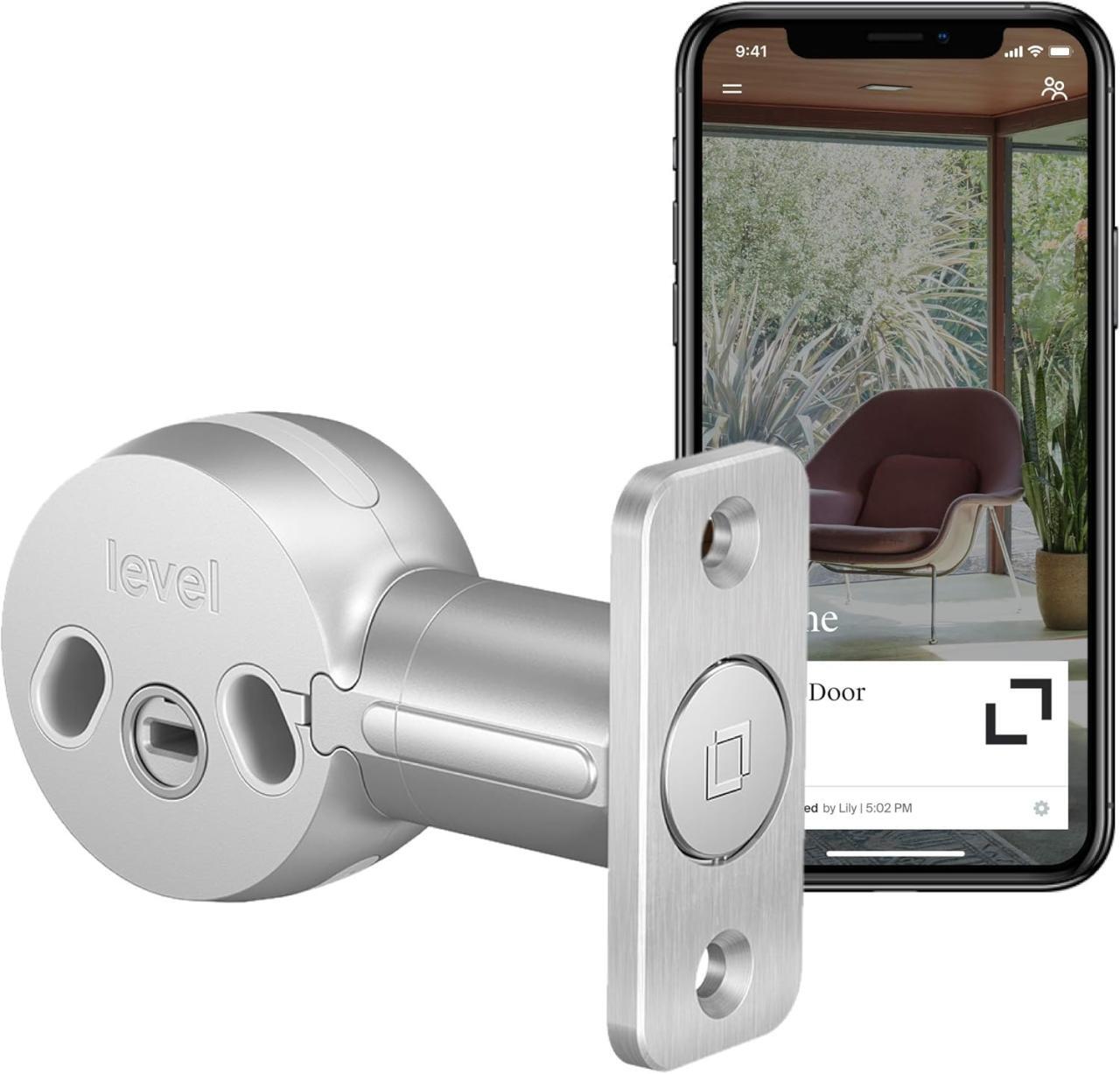
Smart home devices, while offering convenience and automation, require ongoing attention to ensure optimal performance and security. Ignoring long-term maintenance can lead to outdated software, diminished functionality, and increased vulnerability to security threats. A proactive approach to device updates, support, and security is crucial for a seamless and secure smart home experience.The longevity and reliability of your smart home ecosystem depend heavily on the manufacturer’s commitment to providing ongoing support and maintenance.
This includes prompt software updates, access to helpful technical support, and robust security measures. Choosing devices with a strong track record of support and clear maintenance policies is vital for a positive long-term experience.
Device Updates and Software Maintenance
Manufacturers release software updates to address security vulnerabilities, enhance functionality, and improve compatibility with other devices. Regular updates are essential to ensure your devices remain secure and continue operating as intended. The frequency and quality of these updates vary considerably between manufacturers. Devices that lack or have infrequent updates may become outdated quickly, potentially leading to compatibility issues or security risks.
Support Options and Contact Information
Manufacturers offer various support channels to assist users with device issues and questions. These options may include online forums, email support, phone support, and in-person assistance (where applicable). The quality and responsiveness of these support channels significantly impact the user experience. Clear and readily available contact information is critical for troubleshooting and resolving problems effectively.
Security Risks and Mitigation Strategies
Smart home devices connect to your network and potentially to the internet, making them vulnerable to hacking and data breaches. Compromised devices can allow attackers to gain access to your network, potentially exposing personal data and controlling connected appliances. Implementing strong passwords, enabling two-factor authentication, and regularly updating device firmware are crucial security measures. Using a strong and unique password for each smart home device, avoiding default passwords, and keeping your devices updated are critical security practices.
Warranty Policies and Service Options
Warranty policies Artikel the manufacturer’s commitment to repair or replacement of defective products. These policies vary significantly between brands, covering different aspects of device functionality and encompassing different durations. Service options, such as repair services, may also be influenced by the manufacturer’s warranty terms.
Summary of Warranty Periods and Support Options
| Brand | Typical Warranty Period (Years) | Support Options |
|---|---|---|
| SmartHome Corp | 2-3 years | Online forum, email, phone support |
| Home Automation Inc. | 1-2 years | Online forum, email support, limited phone support |
| Connected Living Co. | 1 year | Online forum, email support |
| Universal Tech Solutions | 2 years | Online forum, email support, phone support (limited hours) |
Note: Warranty periods and support options can vary based on specific device models and regional availability. Always consult the manufacturer’s website for the most up-to-date information.
Final Conclusion

Ultimately, deciding which smart home devices are worth the investment hinges on careful consideration of your needs, budget, and long-term goals. By understanding the diverse range of options, evaluating potential ROI, and considering practical aspects like setup and maintenance, you can confidently navigate the smart home landscape and choose devices that truly enhance your daily life and add value to your home.