Voice-controlled home lighting is rapidly transforming how we interact with our living spaces. Imagine effortlessly adjusting the ambiance of your entire home simply by using your voice. This comprehensive guide will walk you through the process of setting up, controlling, and troubleshooting a voice-activated lighting system, from basic configurations to advanced automation features.
This guide delves into the nuances of voice control, exploring different voice assistants, compatible devices, and integration with other smart home components. You’ll discover how to leverage voice commands to customize lighting settings, create personalized scenes, and automate your lighting routines based on schedules and events. Furthermore, safety considerations and troubleshooting steps are included to ensure a seamless and secure experience.
Introduction to Voice-Controlled Home Lighting

Voice control technology is rapidly transforming how we interact with our homes. From adjusting thermostats to managing security systems, voice assistants are seamlessly integrating into our daily routines. This technology offers a convenient and intuitive way to control various aspects of our smart home, including lighting. This overview explores the benefits, types of assistants, and evolution of smart home lighting systems.Voice-controlled home lighting systems offer a user-friendly alternative to traditional methods of controlling lights.
By simply using your voice, you can turn lights on or off, adjust brightness, and even change colors, without the need for physical switches or complex interfaces. This intuitive approach enhances convenience and streamlines home automation.
Voice Assistant Platforms for Home Lighting Control
Voice assistants like Amazon Alexa, Google Assistant, and Apple Siri are central to voice-controlled home lighting. These platforms act as the intermediary between the user’s voice commands and the smart lighting devices. Each platform has its strengths and weaknesses, and choosing the right one depends on existing smart home setup and user preferences.
| Voice Assistant | Features | Pros | Cons |
|---|---|---|---|
| Amazon Alexa | Works with a wide range of smart home devices, including numerous lighting brands. Offers voice-activated routines for automated lighting sequences. | Extensive device compatibility, seamless integration with Amazon ecosystem, simple setup. | Limited control over specific lighting features compared to some other platforms. |
| Google Assistant | Integrated with a vast array of smart home devices, including many lighting systems. Offers advanced features like voice-activated scene creation. | Excellent integration with other Google services, robust ecosystem, comprehensive control. | May require more initial setup effort to integrate with existing smart home components. |
| Apple Siri | Works seamlessly with Apple products, including smart lighting compatible with HomeKit. Provides a centralized control hub for home automation. | Excellent integration with Apple ecosystem, user-friendly interface, emphasis on security. | Limited device compatibility outside the Apple ecosystem, can be less intuitive for users not familiar with Apple products. |
Evolution of Smart Home Lighting Systems
Early smart lighting systems were often limited in functionality and compatibility. The evolution has seen significant improvements in terms of control, customization, and energy efficiency. The rise of voice assistants has further streamlined the process, making smart home lighting more accessible and intuitive. For example, early smart bulbs lacked the ability to change color temperature, but modern systems offer a wide spectrum of color options.
This customization enhances the ambiance of a room and promotes greater user control.
Different Types of Voice Assistants
Voice assistants are the crucial element in voice-controlled home lighting. These platforms process voice commands, send instructions to the smart lights, and provide feedback to the user. Popular examples include Amazon Alexa, Google Assistant, and Apple Siri. Each platform has its own strengths and weaknesses in terms of compatibility, user experience, and features. These platforms facilitate communication between the user and their smart lighting devices.
Setting Up Voice-Controlled Lighting
Voice-controlled lighting systems offer a convenient and modern approach to home automation. This enhanced control allows users to manage their entire lighting setup through voice commands, streamlining tasks and integrating seamlessly with existing smart home ecosystems. These systems offer flexibility, customization, and energy efficiency improvements.Voice-controlled lighting systems connect with your existing home lighting infrastructure, utilizing smart bulbs, compatible devices, and voice assistant apps to achieve this functionality.
The setup process involves a few key steps and careful consideration of compatible components. This section provides a detailed guide on the steps involved.
Smart Bulbs and Compatible Devices
A variety of smart bulbs and compatible devices are available on the market. These devices vary in their functionalities, features, and compatibility with different voice assistants. Choosing the right devices ensures seamless integration and optimal performance. Some smart bulbs offer advanced features like color-changing capabilities, dimming controls, and scheduling options, while others are more basic. It’s important to consider the specific needs and desired functionalities of your home lighting setup.
Essential Hardware Requirements
The necessary hardware for voice-controlled lighting setups varies depending on the specific system and design. Generally, a smart bulb is the primary component, requiring a compatible voice assistant device (e.g., Amazon Echo, Google Home, Apple HomePod). The type of voice assistant and the specific lighting system chosen determine other necessary components. Connectivity options such as Wi-Fi are crucial for connecting the devices and facilitating voice commands.
Installing and Configuring Lighting Controls
Smart home lighting control apps typically guide users through the installation and configuration process. These apps allow users to add and configure devices, create lighting schedules, and adjust settings. Most apps offer intuitive interfaces, making the setup process relatively straightforward. Users should carefully follow the app’s instructions to ensure a successful connection and configuration.
Connecting a Smart Bulb to a Voice Assistant
The process of connecting a smart bulb to a voice assistant usually involves these steps. This detailed guide provides a structured approach.
| Step | Action | Description |
|---|---|---|
| 1 | Download and Install the App | Download and install the compatible voice assistant app on your smartphone or tablet. |
| 2 | Connect to Wi-Fi | Ensure your device is connected to the same Wi-Fi network as your smart home system. |
| 3 | Create an Account | Create an account on the voice assistant platform, if not already registered. |
| 4 | Add the Smart Bulb | Follow the app’s prompts to add the smart bulb to your account. |
| 5 | Enable Lighting Control | Authorize the voice assistant app to control the smart bulb. |
| 6 | Test the Connection | Test the connection by issuing voice commands to control the smart bulb. |
Voice Commands for Lighting Control
Voice control offers a convenient and intuitive way to manage your home’s lighting. Using natural language, you can effortlessly adjust brightness, color temperature, and even create sophisticated lighting scenes, all without lifting a finger. This enhanced level of control streamlines your daily routine and adds a touch of sophistication to your home automation experience.
Different Voice Commands for Lighting
Various voice commands can be used to control lighting, ranging from simple on/off actions to complex scene manipulations. These commands allow for precise control over individual lights or groups of lights. For instance, “Turn on the living room lights” is a basic command, while “Dim the kitchen lights to 50%” provides more granular control. These diverse commands empower users to achieve their desired lighting ambiance with ease.
Creating Lighting Scenes with Voice Commands
Lighting scenes allow you to group multiple lights and apply specific settings simultaneously. For example, a “movie night” scene might dim the living room lights, adjust the color temperature to warm white, and activate the projector. Voice commands can easily create and activate these scenes. The ability to set up and call upon these pre-programmed lighting setups greatly enhances the convenience and flexibility of your lighting system.
Adjusting Brightness, Color Temperature, and Other Parameters
Voice commands can be used to precisely adjust various lighting parameters. Commands like “Increase the bedroom light brightness” or “Change the kitchen lights to cool white” allow for fine-tuning of the lighting environment. This precision enables users to customize their lighting to perfectly suit their needs. Additionally, commands like “Set the living room lights to 75% brightness” offer specific and detailed control.
Customizing Lighting Control with Voice Commands
Customization options enable users to tailor voice commands to their specific preferences. For example, you can map a custom voice command to a specific light or group of lights, or create a unique name for a lighting scene. This personalization allows for a more intuitive and efficient lighting control experience. This ability to personalize lighting controls is essential for users to adapt the system to their individual requirements.
Automating Lighting with Schedules and Events
Voice commands can automate lighting based on schedules and events. For example, you can tell your system to “Turn on the porch lights when it gets dark” or “Turn off the kitchen lights at 11 PM.” These automated actions streamline your daily routine and create a more intelligent and convenient home environment. This level of automation enhances the functionality of your smart home system.
Table of Lighting Actions and Voice Commands
| Lighting Action | Voice Command |
|---|---|
| Turn on living room lights | Turn on the living room lights. |
| Dim kitchen lights to 30% | Dim the kitchen lights to 30%. |
| Change bedroom lights to warm white | Change the bedroom lights to warm white. |
| Activate “Movie Night” scene | Activate the “Movie Night” scene. |
| Increase bathroom light brightness | Increase the bathroom light brightness. |
| Set living room lights to 50% brightness | Set the living room lights to 50% brightness. |
| Turn on porch lights when it gets dark | Turn on the porch lights when it gets dark. |
Integration with Other Smart Home Devices
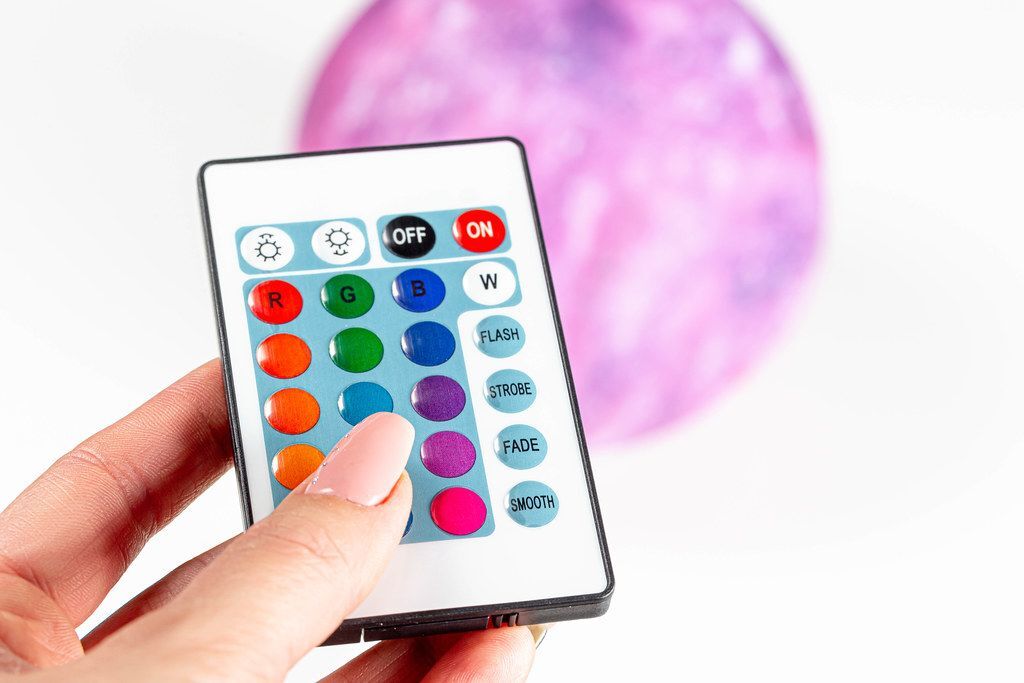
Voice-controlled lighting seamlessly integrates with other smart home devices, creating a unified and responsive environment. This integration allows for more sophisticated control and automation, enhancing convenience and user experience. Beyond basic lighting, these interconnected systems offer a level of automation and customization that significantly improves the overall smart home experience.
Thermostat Integration
Voice commands can adjust lighting based on the thermostat’s temperature settings. For instance, if the temperature drops below a certain threshold, the lighting in a particular area could automatically dim to conserve energy. Conversely, when the thermostat indicates a warmer temperature, the lighting could brighten or transition to a more energizing color scheme. This allows for a dynamic interplay between temperature and lighting, creating a comfortable and responsive home environment.
The temperature-dependent lighting adjustments enhance the user experience by automatically optimizing the ambiance based on the room’s temperature.
Security System Integration
Voice-controlled lighting can be integrated with security systems to enhance home safety. For example, upon detecting motion, the lighting in a specific area could automatically illuminate, deterring potential intruders. Conversely, when the security system is armed, the lights could automatically dim or switch to a pre-set security mode, signaling that the home is protected. This combination of lighting and security functions creates a more secure and protected environment.
A common use case is the automatic illumination of outdoor pathways when motion is detected, deterring potential intruders.
Environmental Response
Lighting systems can be programmed to respond to environmental changes, such as sunrise and sunset. This allows for a smooth transition between natural and artificial light, mimicking the natural light cycle. For example, the lights could automatically dim as the sun sets, creating a more relaxed atmosphere. Conversely, the lights could automatically brighten as the sun rises, creating a more energetic environment.
Another use case is adjusting the lighting intensity based on the detected level of natural light.
Enhancement of Security and Ambiance
Voice-controlled lighting can significantly enhance security and create ambiance. For example, the lighting in a hallway could automatically brighten when a member of the household approaches. This provides a secure and welcoming environment for family members. The lights can also be used to create a specific ambiance. For instance, the lights could be set to dim and change color to create a relaxing mood for a movie night.
This feature can be customized to suit various scenarios, such as setting a romantic ambiance for dinner or a celebratory mood for a party.
Smart Home Device Integration List
- Thermostats: Adjusting lighting based on temperature, optimizing energy use, creating a temperature-dependent ambiance.
- Security Systems: Automatic illumination upon motion detection, dimming/changing lighting when armed, enhanced home security features.
- Smart Plugs: Controlling lighting in conjunction with other appliances, like turning on lights when a television is turned on.
- Smart Speakers: Providing voice-activated control over lighting functions.
- Cameras: Adjusting lighting based on detected movement or activity.
- Smart Displays: Allowing visual feedback on lighting adjustments, integrating lighting controls with other smart home features.
These integrations create a dynamic, responsive, and customizable smart home experience, offering users greater control and convenience.
Troubleshooting and Common Issues
Voice-controlled lighting systems, while convenient, can occasionally encounter problems. Understanding potential issues and their solutions is crucial for maintaining a seamless home lighting experience. This section details common problems and effective troubleshooting steps.Effective troubleshooting involves a systematic approach. Identifying the source of the problem is often the first step towards a resolution. This section will cover various potential issues, from connectivity problems to incorrect voice commands, providing clear steps for resolving them.
Comprehensive knowledge of these issues and solutions will allow users to efficiently address any problems that may arise.
Connectivity Problems
Connectivity problems are among the most frequent issues with voice-controlled lighting systems. These problems can manifest in various ways, from the system failing to recognize voice commands to the lights not responding at all. Addressing these problems often involves verifying the network connection, ensuring the system’s software is up-to-date, and confirming that the devices are properly paired.
- Verify network connectivity. Check the internet connection and ensure that the router is functioning correctly. If the network connection is unstable, the voice assistant or smart bulbs might not respond properly.
- Ensure software updates. Outdated software can cause compatibility issues with the lighting system. Regularly checking for and installing updates to both the voice assistant and smart bulbs can resolve connectivity problems.
- Confirm proper device pairing. Ensure that all smart bulbs are correctly paired with the voice assistant. Double-check the pairing process to eliminate any errors that might be causing connectivity problems.
Incorrect Voice Commands
Mistakes in voice commands can lead to unintended lighting changes or no response from the system. Accurately enunciating commands, ensuring proper device activation, and verifying the voice assistant’s language settings are key steps in resolving these issues.
- Verify voice assistant language settings. Ensure that the voice assistant’s language settings are correctly configured to match the language used for the voice commands.
- Practice clear enunciation. Try enunciating voice commands clearly and concisely. The accuracy of the command is highly dependent on how clearly it is pronounced.
- Ensure device activation. Confirm that the voice assistant is actively listening for commands. Activating the assistant is a prerequisite to receiving any commands.
Unresponsive Devices
Sometimes, smart bulbs or the entire system may become unresponsive. Potential causes include software glitches, power outages, or physical damage. Restarting the devices, checking power supply, and confirming the system’s status can often resolve the issue.
- Restart the devices. Restarting the voice assistant and the smart bulbs can often resolve temporary software glitches.
- Check power supply. Ensure that the power supply to both the voice assistant and the smart bulbs is stable and reliable. Fluctuations or outages can cause the devices to become unresponsive.
- Confirm system status. Check the status of the system and ensure that there are no reported errors or warnings that might indicate an issue.
Resetting Voice Assistant and Smart Bulbs
Resetting the voice assistant and smart bulbs can resolve various issues. Detailed instructions for each device are usually available in the respective user manuals or online support documentation.
- Refer to user manuals. Locate the specific reset procedures for the voice assistant and smart bulbs in their respective user manuals.
- Consult online support documentation. Explore online support documentation for detailed instructions on resetting the devices.
Contacting Support
If troubleshooting efforts are unsuccessful, contacting technical support is a viable option. Provide the necessary details, such as the device models, error messages, and troubleshooting steps taken, to facilitate efficient assistance.
- Gather device information. Gather the model numbers and any relevant identifiers for the voice assistant and smart bulbs.
- Document error messages. Note any error messages displayed by the devices.
- Detail troubleshooting steps. Document all troubleshooting steps taken to resolve the issue.
Troubleshooting Table
| Potential Issue | Solution |
|---|---|
| Connectivity problems | Verify network connectivity, update software, and confirm device pairing. |
| Incorrect voice commands | Ensure proper voice assistant language settings, enunciate commands clearly, and confirm device activation. |
| Unresponsive devices | Restart devices, check power supply, and confirm system status. |
Advanced Lighting Control Features

Voice-controlled home lighting systems offer more than just simple on/off functionality. Advanced features like color customization, dynamic scenes, and programmable timers elevate the system from basic convenience to sophisticated ambiance control. This section explores these features, providing practical examples and guidance for optimizing your home’s lighting experience.
Color Customization
Color customization allows you to adjust the hue, saturation, and brightness of your lights, creating a wide range of moods and aesthetics. This feature is particularly useful for setting the right ambiance in different rooms, or for synchronizing colors across multiple zones. Many systems support a wide spectrum of colors, allowing you to create a personalized lighting scheme that matches your preferences.
A common use case is adjusting the color temperature for a more relaxing bedtime routine.
Lighting Scenes
Lighting scenes allow you to pre-program specific color combinations and brightness levels for various situations or events. Creating a “movie night” scene, for instance, could involve dimming the lights, setting a warm white color temperature, and possibly adding a subtle blue accent. This capability simplifies the process of achieving desired lighting conditions without manual adjustments.
Timers and Schedules
Timers and schedules provide automated control over your lighting, enabling you to pre-set lighting routines. You can program lights to turn on and off at specific times, or to adjust color and brightness according to a schedule. This functionality is invaluable for establishing consistent lighting routines, saving energy, and creating automated lighting transitions. A practical example includes automatically turning on the kitchen lights at 6:00 AM each morning.
Advanced Lighting Automation Scenarios
Advanced lighting automation scenarios leverage the combination of color customization, scenes, and timers to create complex, personalized lighting routines. For instance, you could program a “good morning” scene that automatically adjusts the kitchen lighting to a brighter, more vibrant color temperature at 7:00 AM, followed by a “sunset” scene at 7:00 PM, transitioning the living room lights to a warmer hue.
These scenarios enhance the home automation experience by providing a more seamless and automated control over your lighting.
Creating Moods and Ambiances
Lighting plays a crucial role in setting the mood and ambiance of a room. Utilizing color customization and lighting scenes, you can transform a room’s atmosphere from a vibrant party space to a serene bedroom. A dining room, for example, could be set to a warm, inviting color scheme for dinner, transitioning to a more relaxed atmosphere once the meal is over.
This level of control allows you to customize the mood and atmosphere of each room to your specific needs.
Advanced Voice Commands for Lighting Effects
The following voice commands can be used to create customized lighting effects:
- Set the living room to “Movie Night” scene.
- Adjust the bedroom lights to 20% brightness and a cool white color.
- Turn on the kitchen lights at 6:00 AM.
- Create a “party” scene with a vibrant red and blue color mix.
- Dim the hallway lights by 50%.
These examples showcase the versatility and flexibility of advanced voice control for creating diverse and personalized lighting effects.
Safety Considerations

Voice-controlled lighting systems offer convenience and control, but careful consideration of safety measures is crucial. Proper implementation and understanding of potential vulnerabilities are essential for a secure and safe home environment. This section details vital safety aspects to ensure the system operates reliably and safely within your home.Security and safety are paramount when incorporating voice-controlled lighting into your smart home.
A well-designed safety protocol reduces the likelihood of accidents, intrusions, and other undesirable outcomes. This includes safeguarding your network and devices, considering child safety, and understanding potential security risks.
Securing Your Home’s Network and Devices
A strong Wi-Fi network and secure smart home devices are fundamental to a safe and reliable system. Proper security protocols minimize the risk of unauthorized access and ensure consistent operation.
- Robust Wi-Fi Security: Employ strong passwords and encryption protocols (WPA3 is recommended) to protect your home network from unauthorized access. This prevents unauthorized individuals from accessing your network and controlling your lighting devices.
- Device Security: Regularly update the firmware of your smart home devices. This ensures the latest security patches are installed, addressing vulnerabilities that could be exploited by malicious actors. Furthermore, change default passwords on all your smart devices, as default passwords are often easily guessed.
- Network Segmentation: Consider segmenting your home network to isolate smart home devices from other network traffic. This limits the impact of a potential breach on your entire network. By separating your smart home devices, you create a more secure and isolated network environment.
Child Safety and Appropriate Settings
Protecting children is a paramount concern in any home environment, especially with the introduction of voice-controlled lighting.
- Access Control: Implement controls to restrict access to the voice assistant for children. This prevents accidental or inappropriate commands that could impact the home environment or introduce safety risks. This includes limiting voice commands to specific users.
- Safe Lighting Schedules: Create specific lighting schedules that ensure safe passage throughout the house, especially at night. For example, adjust lighting levels and locations based on children’s sleeping and waking times to reduce tripping hazards.
- Visual Cues: Integrate visual cues into the lighting system for children to understand and follow, such as programmed lighting patterns for bedtime or wake-up routines. This promotes a more structured and predictable environment.
Potential Vulnerabilities and Security Risks
Voice-controlled lighting systems, like other smart home technologies, can introduce potential vulnerabilities.
- Unauthorized Access: Weak passwords, outdated firmware, or unpatched vulnerabilities can leave your system susceptible to unauthorized access. This could allow someone to manipulate your lighting or potentially gain access to other connected devices.
- Malicious Voice Commands: Voice commands could be used to activate potentially dangerous situations. For example, a malicious command could disrupt emergency lighting or create a hazardous environment.
- Network Attacks: Attackers could target your network to gain control of your lighting system or other connected devices. These attacks could cause significant disruption or damage to your property.
Safety Tips and Best Practices
Implementing safety precautions is crucial for a safe and secure voice-controlled lighting system.
- Regular Security Audits: Regularly review your security settings and update your devices to ensure the latest security measures are in place. This proactive approach mitigates potential risks.
- Educate Users: Ensure all users understand the importance of safe practices and potential security risks associated with the voice-controlled lighting system. This creates awareness and accountability.
- Establish Clear Protocols: Establish clear protocols for handling potential security incidents, including reporting procedures and response strategies. This is vital for immediate action and minimizing harm.
Last Point
In conclusion, controlling your home’s lighting with your voice opens up a world of possibilities for enhanced convenience, security, and ambiance. This guide provides a structured approach to navigating the intricacies of voice-controlled lighting, enabling you to transform your home into a smart, responsive, and sophisticated environment. From installation to advanced features and safety protocols, this resource will equip you with the knowledge to successfully implement and maintain a voice-activated lighting system.