Welcome to a comprehensive guide on automating your home based on the time of day. This insightful exploration delves into the practical applications of smart home technology, offering a detailed understanding of how to optimize your daily routines and create a truly intelligent living environment. From lighting to appliances, security, and entertainment, this guide provides a framework for achieving a seamless and efficient home automation experience.
Imagine waking up to perfectly adjusted lighting, a comfortable temperature, and a secure home all managed by a system that anticipates your needs. This article provides the necessary knowledge and practical steps to design and implement a home automation system tailored to your specific lifestyle and preferences. By understanding the diverse automation options and their benefits, you can easily transform your home into a smart and responsive space.
Introduction to Automated Home Systems
Home automation systems are transforming the way we interact with our living spaces. These systems, often encompassing smart appliances, lighting, security, and climate control, offer a degree of convenience and control previously unimaginable. The core concept is to streamline and simplify household tasks, improving energy efficiency, and enhancing security. They often rely on interconnected devices communicating via a network, allowing for remote control and automated responses to pre-programmed conditions.The ability to automate home functions based on time of day is a key feature of modern home automation.
This allows for personalized schedules tailored to individual routines, optimizing comfort and energy consumption. Imagine waking up to a perfectly lit home, the temperature already adjusted to your preference, and the coffee brewing just as you step into the kitchen. This level of proactive control is made possible through carefully programmed time-based actions.
Benefits of Time-Based Automation
Time-based automation offers significant advantages, extending beyond mere convenience. These benefits encompass improved energy efficiency, enhanced security, and a more personalized living experience.
Energy Efficiency
Automated systems can adjust lighting, temperature, and appliance use according to the time of day and occupancy. For instance, dimming lights automatically when the sun rises, or switching off appliances when no one is home, can significantly reduce energy consumption. Smart thermostats, in particular, can learn user preferences and automatically adjust the temperature throughout the day, further optimizing energy use.
Studies have shown that implementing smart home systems can lead to substantial savings on energy bills, often exceeding 10% in well-optimized setups.
Enhanced Security
Time-based automation can also enhance security measures. Pre-programmed routines can activate lights and sound systems at specific times, deterring potential intruders. Motion sensors triggered by schedules can also provide additional layers of security, notifying homeowners of unusual activity during periods of expected inactivity. This proactive approach to security significantly reduces the risk of intrusion.
Personalized Living Experience
Automation based on time of day allows for a highly personalized living experience. Individual routines can be incorporated into the system, tailoring lighting, music, and temperature settings to match daily activities. For example, the system can be programmed to gradually increase the light levels as the sun sets, or play soothing music at bedtime. This personal touch transforms the home into a space that seamlessly integrates with the user’s daily life.
Basic Framework for Structuring a Home Automation Article
| Section | Content |
|---|---|
| I. Introduction | Overview of home automation and its potential, including time-based automation. |
| II. Benefits of Time-Based Automation | Detailed explanations of energy efficiency, security enhancements, and personalized living experiences. Examples of specific technologies like smart thermostats. |
| III. Implementation Strategies | Step-by-step instructions on setting up automated systems, including selecting hardware and software, and creating customized schedules. |
| IV. Cost-Effectiveness Analysis | Comparative analysis of the initial investment against potential savings and long-term value. Case studies and real-world examples of cost savings from different automation implementations. |
| V. Future Trends | Predictions and insights on the future of home automation, including emerging technologies and anticipated developments. |
Lighting Automation
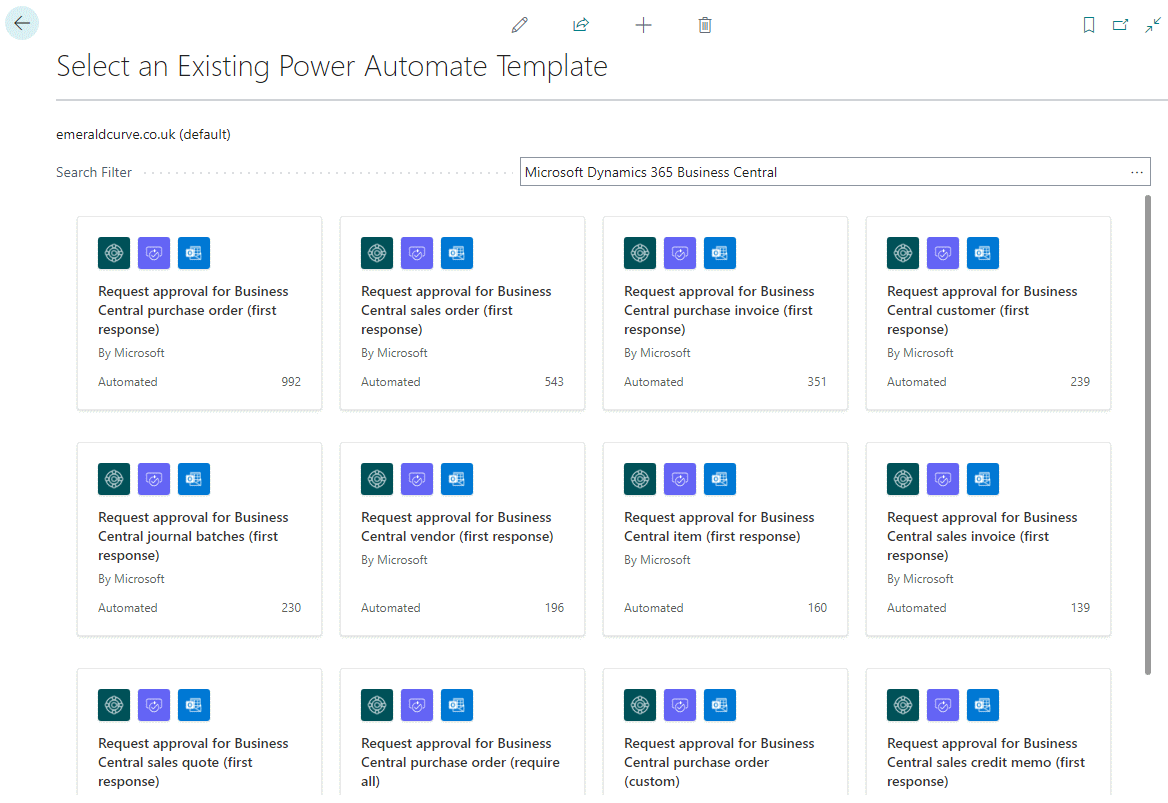
Lighting automation offers significant advantages for homeowners, improving energy efficiency, security, and overall convenience. By integrating lighting into a smart home system, users can control and schedule lights based on various factors, including time of day, presence, and even weather conditions. This level of control can lead to substantial savings on energy bills and enhance the overall aesthetic and comfort of the home.
Types of Lighting Systems
Different types of lighting systems are suitable for automation. Incandescent bulbs, while readily available, are less energy-efficient and often not ideal for automation. Halogen bulbs offer better energy efficiency than incandescent bulbs but are still less efficient than newer technologies. LED (Light Emitting Diode) bulbs are the most prevalent choice for automation due to their energy efficiency, long lifespan, and dimming capabilities.
Smart LED bulbs often feature built-in connectivity, enabling seamless integration into home automation systems. Smart fixtures, such as smart light switches and dimmers, also allow for automation and provide additional control options. Furthermore, these systems offer a diverse array of colors and brightness options, allowing for dynamic ambiance control.
Methods for Automating Lighting Based on Time of Day
Several methods enable automated lighting control based on time of day. Pre-programmed schedules are fundamental to automated lighting. These schedules can be configured to turn lights on and off at specific times, creating a routine and saving energy. Another method involves using daylight sensors, which automatically adjust lighting based on natural light levels. This ensures that lights are only activated when needed, reducing energy consumption during the day.
Furthermore, time-of-use (TOU) pricing can be integrated into the system, automatically adjusting lighting schedules to coincide with cheaper energy rates.
Automated Light Settings
Various light settings can be automated. Basic on/off functionality is essential, allowing lights to turn on automatically when the house is occupied or turn off at specific times. Dimming levels can also be automated, adjusting brightness based on time of day or the presence of occupants. Color temperature adjustments, changing from warmer tones in the evening to cooler tones during the day, can be integrated into automation routines.
Color customization, enabling users to change the color of lights to match moods or events, can also be automated. Finally, light sequences can be set to create dynamic lighting effects for special occasions.
Comparison of Automation Options
Different automation options for lighting vary in complexity, cost, and functionality. Smart bulbs often offer a more streamlined approach, requiring minimal setup. Smart switches and dimmers provide more control and integration options, enabling users to control lights from multiple locations or devices. Professional installation of a whole-house lighting system can result in a highly customized and integrated system, but with a higher initial cost.
Lighting Automation Systems
| System Type | Pros | Cons |
|---|---|---|
| Smart Bulbs (e.g., Philips Hue) | Easy to install, wide variety of colors, compatibility with many systems, energy-efficient | May have limitations on dimming, sometimes compatibility issues with non-smart devices, potential for connectivity problems. |
| Smart Switches/Dimmers | Greater control and customization, compatibility with a wider range of existing fixtures, less dependent on bulb type | Higher initial cost, potential for complex setup, might require professional installation for advanced configurations. |
| Whole-House Lighting System | Highly customizable, integrated control over entire lighting network, potential for advanced features | High initial cost, requires professional installation, potentially more complex setup |
Temperature and Climate Control
Automating temperature and climate control in your home offers significant advantages, including enhanced energy efficiency, improved comfort, and reduced manual effort. By leveraging smart technologies, homeowners can optimize their home’s environment based on the time of day and personal preferences, leading to a more sustainable and enjoyable living experience.
Methods for Automating Temperature Control
Smart thermostats, integrated with home automation systems, are crucial for automating temperature control based on time of day. These systems can be programmed to adjust the temperature according to predefined schedules, mimicking human behavior patterns. This allows for significant energy savings, as the heating or cooling system is only activated when necessary.
Smart Thermostat Options
Numerous smart thermostat options are available, each offering varying capabilities and price points. These devices connect to home networks, enabling remote control and adjustments via mobile applications. Some models feature advanced learning capabilities, adapting to user preferences and adjusting settings accordingly. The selection of a suitable smart thermostat depends on the specific needs and budget of the homeowner.
Benefits of Automating Climate Control
Automating climate control brings a multitude of benefits. Energy consumption is often reduced through optimized temperature settings, translating to lower utility bills. Enhanced comfort is achieved through precise and personalized temperature control, eliminating the need for constant manual adjustments. Improved indoor air quality can also be facilitated by smart ventilation systems, integrated with the automated climate control.
Comparison of Smart Thermostat Systems
Different smart thermostats offer varying features and functionalities. This comparison highlights key aspects to consider when selecting a suitable system for your home.
| Thermostat | Key Features | Price Point |
|---|---|---|
| Nest Learning Thermostat | Excellent learning capabilities, intuitive interface, energy-saving features. | Mid-range |
| Ecobee SmartThermostat | Advanced scheduling options, compatibility with various home automation platforms, accurate temperature sensing. | Mid-range |
| Honeywell Lyric T6 Programmable Thermostat | Basic programmable features, compatibility with some home automation systems, relatively affordable. | Budget-friendly |
| SmartThings Thermostat | Integrates seamlessly with SmartThings ecosystem, customizable features, reliable performance. | Mid-range |
Security System Automation
Automating your home security system based on the time of day enhances both convenience and security. This proactive approach allows your system to react intelligently to various scenarios, providing a layered defense that adapts to your schedule and activity patterns. By automating responses to specific times and events, you can optimize your security posture while potentially reducing false alarms.
Security Features Amenable to Automation
Numerous security features can be automated based on time-of-day settings. This includes controlling access points, adjusting lighting, and activating surveillance systems. By combining these actions, a more comprehensive and adaptive security system can be established.
Automated Security Measures Triggered by Time
Specific security measures are triggered at predetermined times. For instance, during the night, exterior lights may automatically activate upon motion detection, deterring potential intruders. Additionally, automated lock mechanisms can be activated or deactivated according to schedules, providing a secure home environment at any time.
Importance of Automating Security Measures
Automating security measures is crucial for enhancing home security and reducing the risk of breaches. A proactive security system can quickly respond to potential threats, providing a deterrent to potential intruders and safeguarding valuable assets. By automatically adjusting security measures based on your schedule and environmental factors, you can optimize the effectiveness of your security system and potentially reduce false alarms.
Security System Automation Scenarios
The following table illustrates various security system automation scenarios based on time-based triggers and actions:
| Time Period | Trigger | Action |
|---|---|---|
| Night (8:00 PM – 6:00 AM) | Motion detected outside | Exterior lights automatically activate; interior lights dim; security cameras activate recording; alarm system goes on high alert; notification sent to smartphone |
| Night (12:00 AM – 4:00 AM) | No motion detected outside for 30 minutes | Exterior lights automatically turn off; security cameras automatically pause recording; alarm system reduces alert level |
| Weekday (8:00 AM – 5:00 PM) | No one home | Exterior lights automatically turn off; all interior lights are turned off to minimize energy consumption; alarm system automatically switches to a higher alert level; surveillance cameras are activated |
| Weekend (8:00 AM – 8:00 PM) | Someone at home | Interior lights automatically turn on based on detected presence; alarm system automatically switches to a lower alert level |
Entertainment System Automation
Automating your home entertainment system allows for seamless transitions between activities and personalized experiences. By linking your entertainment system to your home automation hub, you can easily adjust settings based on your schedule, preferences, or even the time of day.
Entertainment System Automation Options
A range of options exists for automating your entertainment system, catering to diverse needs and preferences. These options include controlling lighting, adjusting room temperature, and seamlessly transitioning between different media sources.
Media Source Control by Time
Automated systems allow precise control over various media sources based on time-based triggers. This enables playing specific music playlists at predetermined times, or initiating movie playback upon sunset. Sophisticated systems can even integrate with external calendars to trigger media playback based on events.
Automation Options for Media Playback
Numerous automation options exist for controlling media playback. These include scheduling specific movies or TV shows to play at particular times, setting up playlists to play based on the time of day, and triggering the system to turn on and begin playing content when a specific room’s lights are activated.
- Scheduled Playlists: Pre-programmed playlists can be activated at specific times, offering customized audio experiences tailored to the time of day. For example, a calming classical music playlist could be set to play during the morning hours.
- Time-Based Movie Selection: Automated systems can be configured to play different movies or TV shows at predetermined times. This could be based on daily routines or specific events, such as starting a movie marathon on a weekend.
- Ambient Sound Integration: Integrating ambient sound systems with the automation hub allows for background music to play during specific times, or to transition between playlists based on the time of day. This could be instrumental music for work-from-home hours and more upbeat selections during the evening.
Automation Scenarios
| Scenario | Time-Based Trigger | Action |
|---|---|---|
| Morning Routine | Sunrise | Play a curated playlist of upbeat music, dim lights gradually, and adjust the thermostat to a comfortable temperature. |
| Evening Relaxation | Sunset | Dim the lights, play a relaxing classical music playlist, and adjust the thermostat to a lower setting. |
| Movie Night | 8:00 PM | Turn on the projector, adjust the screen, play a pre-selected movie from a specific genre, and lower the room temperature. |
| Gaming Session | Weekend Afternoon | Activate a gaming playlist, turn on the surround sound system, and adjust the lighting to a brighter setting. |
Appliance Automation
Smart home technology is rapidly evolving, enabling homeowners to seamlessly integrate and automate various appliances. This automation can significantly enhance convenience, efficiency, and energy savings. Time-based automation allows users to pre-program appliances to operate at specific times, streamlining daily routines and optimizing resource usage.Appliance automation offers a wide range of possibilities, extending beyond simple on/off schedules. Sophisticated systems can monitor usage patterns and adjust settings dynamically, creating an even more personalized and responsive home environment.
This approach can also be used for energy optimization, minimizing energy consumption and reducing utility bills.
Different Appliance Automation Options
Various methods exist for automating appliances based on time of day. These methods often involve smart home hubs, which act as central control points for coordinating commands and automating routines. Many smart appliances now have built-in automation capabilities, allowing for direct programming without the need for external hubs. Remote control options through smartphones or other devices further enhance flexibility and convenience.
Programming Appliances for Specific Times
Appliances can be programmed to perform tasks at specific times using various interfaces. These interfaces might be web-based dashboards, smartphone apps, or dedicated control panels. Users typically input desired start and end times for tasks, and the system automatically executes the commands. Detailed instructions for programming specific appliances are often provided in the manufacturer’s documentation. Specific examples include setting a coffee maker to brew at 7:00 AM or a dishwasher to run at 11:00 PM.
Benefits of Time-Based Appliance Automation
Automating appliances based on time offers several key advantages. Convenience is a significant benefit, as users can pre-set schedules for tasks like laundry, cooking, and cleaning, freeing up their time for other activities. Energy efficiency is another crucial aspect. By automating tasks, users can optimize energy consumption by ensuring appliances operate only when necessary, reducing energy waste and lowering utility bills.
Further, automating routines ensures consistency and reliability, guaranteeing that tasks are performed as scheduled without manual intervention.
Examples of Appliance Automation Scenarios
| Appliance | Time-Based Trigger | Action |
|---|---|---|
| Coffee Maker | 7:00 AM | Start brewing coffee |
| Dishwasher | 11:00 PM | Start cycle |
| Washing Machine | Saturday 9:00 AM | Start laundry cycle |
| Oven | 6:00 PM | Preheat to 350°F for baking |
| Smart Thermostat | 8:00 PM | Adjust temperature to 70°F for evening comfort |
Practical Examples and Scenarios
Automating your home based on the time of day allows for a seamless and personalized experience. This section provides practical examples, scenarios, and customization options for various lifestyles, showcasing the versatility of automated home systems. From simple routines to complex workflows, understanding how to tailor automation to your needs is key to maximizing comfort and convenience.The flexibility of automated home systems extends far beyond basic functions.
By integrating time-based triggers, homeowners can create personalized experiences that adapt to their daily schedules and preferences. This section dives into practical examples and scenarios to demonstrate the potential of these systems.
Fully Automated Home Example: The “Smart Sunrise” Routine
A fully automated home can be designed around a “Smart Sunrise” routine, ensuring the house is perfectly prepared for the day.
This example showcases a system that wakes the home gradually. At a predetermined time, smart lighting systems gently illuminate the house with warm, ambient light, simulating a natural sunrise. The thermostat automatically adjusts to a comfortable temperature, and the coffee maker begins brewing. The system can also control the security system, disarming it at the pre-set time.
This is a customized workflow that ensures the house is ready for the day based on the user’s personal preferences and schedule.
Different Scenarios Demonstrating Time-Based Automation
Different routines can be triggered by time, providing personalized experiences for various lifestyles.
- Morning Routine: The system automatically adjusts the lighting, temperature, and prepares beverages based on the user’s schedule. The smart assistant can play personalized music or news.
- Evening Routine: The system can gradually dim the lights, adjust the thermostat for sleep mode, and automatically lock doors and windows.
- Weekend Routine: Adjust the music preferences for more relaxed music and lower the temperature for a more comfortable environment.
- Holiday Routine: The system can automatically adjust to special occasions, lighting the house in festive patterns or playing holiday music.
Customizing Automation Settings for Different Routines
The ability to customize automation settings is crucial for creating personalized experiences.
- Time-Based Triggers: The system allows for precise time-based triggers for different routines, enabling flexible scheduling.
- Conditional Logic: Advanced systems can include conditional logic, such as adjusting the temperature only if a person is present in a specific room.
- User Profiles: Different users can have their own unique automation settings for different routines, creating tailored experiences for each person.
- Holiday and Event Scheduling: The system can be programmed to adjust to specific dates or events, such as holidays, birthdays, or special occasions.
Automation Workflows for a Typical Household
Automation workflows for a typical household can be designed to improve efficiency and comfort.
- Morning Workflow: Lights turn on gradually, temperature adjusts to a comfortable level, coffee maker starts, and music plays.
- Evening Workflow: Lights dim automatically, thermostat adjusts for sleep mode, security system activates, and entertainment systems are deactivated.
- Away-from-home Workflow: The system automatically adjusts to the user’s absence by dimming lights, closing blinds, and activating security measures.
Automation Options for Different Lifestyles
Automation options can be tailored to meet the specific needs of different lifestyles.
| Lifestyle | Automation Focus | Example |
|---|---|---|
| Busy Professional | Efficiency and time-saving | Automated morning routine, smart home office, and streamlined home entry |
| Family with Children | Safety and ease of use | Automated bedtime routines, smart security systems, and parental control features |
| Elderly Person | Accessibility and comfort | Smart lighting and temperature controls, automated assistance systems, and easy-to-use interfaces |
| Eco-Conscious Individual | Energy efficiency and sustainability | Smart thermostat, automated lighting, and energy-saving appliances |
Cost Considerations and Budget Options
Automating your home can significantly enhance convenience and comfort, but understanding the associated costs is crucial for effective planning. This section details the various factors influencing automation costs, from the initial investment to ongoing maintenance. Different automation systems have varying price points, allowing homeowners to tailor their systems to their budget and needs.
Different Costs Associated with Home Automation
Home automation encompasses a range of systems, each with its own set of associated costs. Initial setup costs include hardware (sensors, controllers, actuators), software licenses, and professional installation fees. Ongoing costs might involve subscription fees for cloud services, replacement parts, and potential maintenance contracts. Furthermore, energy consumption of automated systems needs to be factored into the overall cost, though energy savings can often offset this.
Varying Costs of Different Automation Systems
The cost of automation systems varies widely depending on the complexity and scope of the project. Basic systems focusing on lighting and temperature control tend to be more affordable than sophisticated systems incorporating security, entertainment, and appliance automation. Sophisticated home automation systems often demand higher upfront investment, but they also offer a more comprehensive solution, providing greater control and integration of various home functions.
Smart home systems can range in price from a few hundred dollars for a basic setup to tens of thousands for a fully integrated and advanced system.
Budget-Friendly Automation Options
Budget-conscious homeowners can still enjoy the benefits of home automation with several options. Implementing smart lighting systems is a cost-effective entry point, replacing traditional switches with smart bulbs and using a central control system. Another option is to focus on individual appliances such as smart thermostats or smart refrigerators. These individual upgrades can significantly improve comfort and efficiency without a substantial investment in a full-scale automation system.
Furthermore, DIY installations can lower the cost by reducing professional labor fees, though this often requires more technical expertise.
Automation Systems and Their Costs
| Automation System | Description | Typical Cost Range (USD) |
|---|---|---|
| Smart Lighting | Automated lighting control, including dimming, scheduling, and color adjustments. | $100-$500+ |
| Smart Thermostat | Automated temperature control, optimizing energy efficiency. | $50-$300+ |
| Smart Security System | Integrated security cameras, sensors, and alarms for enhanced home protection. | $200-$1500+ |
| Smart Appliance Control | Automated control of appliances, like ovens, washing machines, and dishwashers. | $50-$500+ per appliance |
| Full-Home Automation System | Comprehensive system integrating various automation elements. | $5000-$50,000+ |
The table above provides a general guideline of cost ranges for different home automation systems. Actual costs can vary depending on specific features, brands, and installation complexity.
Safety and Security Considerations
Home automation offers significant convenience and efficiency, but it also introduces new security considerations. Understanding these vulnerabilities and implementing robust security measures is crucial for maintaining a safe and secure automated home environment. A well-designed automated system can enhance safety, but its effectiveness hinges on proactively addressing security concerns.
Importance of Security Measures in Automated Homes
Automated systems often rely on interconnected devices and networks. Compromising one component can potentially affect others, leading to a cascading effect of security breaches. Protecting access to these networks and individual devices is paramount to safeguarding personal information, property, and safety. A robust security strategy acts as a first line of defense against malicious actors and accidental malfunctions.
Potential Security Vulnerabilities
Automated homes, with their intricate network of devices, present unique security risks. Network breaches, unauthorized access to control systems, and vulnerabilities in individual devices can lead to significant problems. Malicious actors could potentially gain control of lighting, temperature, security systems, and other appliances, creating safety hazards and privacy violations. Weak passwords, outdated software, and inadequate security protocols can significantly increase the risk of exploitation.
Steps to Enhance Security
Implementing robust security measures can mitigate potential vulnerabilities. This includes employing strong, unique passwords for all devices and accounts, regularly updating firmware and software, and implementing multi-factor authentication. Using a robust firewall and intrusion detection system is essential to monitor network traffic and block unauthorized access attempts. Consider using a VPN to encrypt network communication and enhance privacy.
Regular security audits and vulnerability assessments are vital to proactively identify and address potential risks.
Troubleshooting and Maintaining Security in Automated Systems
Maintaining security in an automated home requires ongoing vigilance and proactive measures. Regularly checking for software updates, reviewing security logs, and monitoring device performance can help identify and address potential issues early on. Employing a dedicated security professional or consultant to conduct periodic security assessments can help in proactively identifying and mitigating potential vulnerabilities. Having a detailed incident response plan can also help mitigate the impact of a security breach.
Safety and Security Considerations for Each Automated System
| Automated System | Potential Security Risks | Mitigation Strategies |
|---|---|---|
| Lighting Automation | Unauthorized dimming or switching, potential for creating a dark environment. | Strong passwords, multi-factor authentication, monitoring logs for unusual activity, secure lighting controls with physical locks if necessary. |
| Temperature and Climate Control | Unintended temperature fluctuations, manipulation of the thermostat settings. | Robust access controls, monitoring for unusual temperature patterns, remote access authentication checks. |
| Security System Automation | Unauthorized access to cameras, disabling alarms, or triggering false alarms. | Strong passwords, two-factor authentication, regular system updates, intrusion detection systems, physical security of control panels. |
| Entertainment System Automation | Unauthorized access to streaming accounts, control of audio/video devices, potentially leading to unwanted playback. | Strong passwords, secure streaming accounts, device encryption, multi-factor authentication, monitoring for unauthorized activity. |
| Appliance Automation | Unauthorized operation of appliances, potential for damage or malfunction. | Secure device connections, strong passwords, monitoring for unusual activity, disabling remote access when not in use. |
Final Summary
In conclusion, automating your home based on the time of day is a powerful way to enhance convenience, security, and energy efficiency. By implementing the strategies Artikeld in this guide, you can create a smart home that seamlessly integrates with your daily life. Remember that customizing settings and understanding the associated costs are crucial steps in achieving optimal results.
This comprehensive guide provides a roadmap to successfully navigating the world of home automation.