Smart devices have become an integral part of modern life, enhancing convenience and connectivity. However, maintaining optimal performance and security requires consistent firmware updates. This guide provides a comprehensive overview of the process, from identifying your devices to troubleshooting potential issues, ensuring your smart ecosystem remains up-to-date and secure.
This detailed guide walks you through the steps needed to update the firmware on all your smart devices, offering clear instructions and practical advice for each stage of the process. From understanding the basics of firmware updates to specific procedures for various devices, this resource aims to equip you with the knowledge and confidence to keep your devices running smoothly and securely.
Introduction to Firmware Updates
Firmware is the software that controls the basic functions of a device. Think of it as the operating system for your smart devices, like your smartphone, smart speaker, or even your smart refrigerator. Firmware updates provide new instructions for your device, enhancing its performance and functionality.Regular firmware updates are crucial because they address vulnerabilities, improve performance, and introduce new features.
These updates often contain bug fixes, security patches, and performance enhancements, ensuring your device operates smoothly and efficiently. Furthermore, manufacturers frequently issue updates to enhance compatibility with new technologies and applications.
Firmware Update Benefits
Firmware updates are vital for maintaining a device’s optimal performance and security. These updates often incorporate critical bug fixes, addressing issues that could disrupt functionality or lead to unexpected behavior. Furthermore, new features and functionalities are frequently introduced, enhancing user experience and adding value to the device.
Firmware Update Risks of Neglect
Failing to update firmware can expose devices to security vulnerabilities. Outdated firmware may not have the necessary security patches to protect against evolving threats, leaving the device susceptible to malicious attacks. This can compromise data, lead to unauthorized access, or result in significant system disruptions. Moreover, outdated firmware may not support new technologies or applications, potentially limiting the device’s functionality.
Reasons for Firmware Updates
Firmware updates are implemented for a variety of reasons, all contributing to a more secure, efficient, and reliable device. The following table summarizes common motivations for these updates:
| Reason | Explanation |
|---|---|
| Bug Fixes | Updates address glitches and errors that can cause malfunctions, crashes, or unexpected behavior. |
| Performance Improvements | Updates can optimize the device’s operation, leading to faster processing speeds, smoother responsiveness, and improved efficiency. |
| Security Patches | Updates incorporate crucial security measures to protect against known vulnerabilities and potential threats. |
| New Features | Updates may add new functionalities, expand capabilities, and enhance the user experience. |
| Compatibility Improvements | Updates often enhance compatibility with new software, hardware, and technologies, expanding the device’s usability. |
Identifying Your Smart Devices
Proper identification of all smart devices requiring firmware updates is crucial for a successful and complete update process. Skipping even one device can lead to vulnerabilities or performance issues. Knowing which devices need attention ensures you address all potential problems.
Common Types of Smart Devices Requiring Firmware Updates
Various smart devices benefit from firmware updates, enhancing their functionality and security. These updates often include bug fixes, performance improvements, and security patches. Here are some common examples:
- Smartphones and tablets
- Smart TVs and streaming devices
- Smart home appliances (e.g., thermostats, lighting systems, security cameras)
- Smart speakers and assistants
- Wearable devices (e.g., smartwatches, fitness trackers)
- Smart toys and children’s devices
- Smart gateways and hubs
Importance of Identifying All Devices
Comprehensive identification is essential to ensure a complete update cycle. Omitting even one device can leave it vulnerable to security breaches or hinder its performance. This comprehensive approach prevents potential issues down the line, guaranteeing the security and optimal operation of all interconnected devices. A missed update can compromise the entire network.
Methods for Locating and Identifying All Smart Devices
Various methods are available to identify all relevant smart devices requiring firmware updates. The optimal approach often depends on the user’s specific network setup and the types of devices involved.
| Method | Description | Pros | Cons |
|---|---|---|---|
| Checking Manufacturer Websites | Consult the manufacturer’s support pages for a list of compatible devices and update instructions. | Often provides detailed information about specific devices and their firmware versions. | Can be time-consuming for a large number of devices; requires manual effort for each device. |
| Using Device Management Software | Employ dedicated software to inventory all connected devices on a network. | Automated identification and inventory of connected devices. Can provide a centralized view of all devices. | Requires purchasing or installing the software; may not support all device types. |
| Scanning Your Network | Utilize network scanning tools to identify devices connected to your Wi-Fi network. | Quickly identifies devices on your network, providing a basic overview. | May not identify all devices; requires some technical knowledge. |
Understanding Update Procedures
Firmware updates are crucial for maintaining the optimal performance and security of your smart devices. Regular updates often include bug fixes, performance enhancements, and the addition of new features. Understanding the update process empowers you to keep your devices running smoothly and securely.The process of updating firmware, while generally straightforward, requires careful attention to detail. Misinterpretation or deviation from the manufacturer’s instructions can lead to device malfunction or data loss.
Adhering to the precise steps Artikeld by the manufacturer is paramount for a successful update.
General Steps in Updating Firmware
Updating firmware involves several key steps. These typically include downloading the update file, verifying the file’s integrity, preparing the device for the update, initiating the update process, and confirming the successful completion of the update. Understanding each step is critical for a smooth update experience.
Importance of Following Manufacturer’s Instructions
Adherence to manufacturer’s instructions is vital for a successful firmware update. These instructions often contain specific guidelines tailored to the particular device model. Deviations from these guidelines could result in incompatibility issues, device malfunctions, or data loss. Always consult the manufacturer’s documentation for precise steps.
Step-by-Step Guide for Updating Firmware
A comprehensive step-by-step guide provides a structured approach to firmware updates. This structured approach ensures accuracy and minimizes potential errors.
- Download the Update: Locate the appropriate firmware update file from the manufacturer’s website. Carefully review the file’s description to ensure it’s the correct update for your specific device model.
- Verify File Integrity: Before proceeding, verify the integrity of the downloaded file. This step helps ensure that the file hasn’t been corrupted during download. Manufacturers often provide checksums for this purpose.
- Prepare the Device: Ensure the device is connected to a stable power source and has sufficient battery life. For some devices, you might need to disconnect certain peripherals.
- Initiate the Update: Follow the on-screen prompts or instructions provided by the manufacturer. This usually involves selecting the update file and initiating the update process.
- Monitor the Process: Closely monitor the update progress. Do not interrupt the process unless instructed by the manufacturer’s guidelines.
- Confirm Successful Update: Once the update is complete, verify that the device has restarted and is running the new firmware version. Check the device’s settings to confirm the updated version.
Checking for Available Updates on Different Devices
Checking for available firmware updates varies depending on the type of smart device.
| Device Type | Method for Checking Updates |
|---|---|
| Smartphones | Typically, an update notification appears on the device. Alternatively, checking the device settings or the manufacturer’s app can reveal available updates. |
| Smart TVs | Often, the manufacturer’s app or the TV’s settings menu will display update notifications. |
| Smart Speakers | Many smart speakers provide update notifications through their respective apps or voice assistants. |
| Smartwatches | The manufacturer’s app or the smartwatch’s settings often display update notifications. |
Different Update Methods
Firmware updates are crucial for maintaining the optimal performance and security of your smart devices. Understanding the various update methods available will empower you to effectively manage these updates. Choosing the appropriate method can save you time and potential issues.Different smart devices utilize various update mechanisms, each with its own advantages and disadvantages. The best method depends on the specific device and your personal preferences.
Selecting the correct approach ensures a smooth and successful update process.
Device Interface Updates
This method typically involves navigating through the device’s menus and selecting the “update” option. It’s often the simplest approach for users comfortable with the device’s interface. This direct interaction offers a hands-on experience for managing updates. However, this method might not always be available for all devices or might require more technical knowledge to find the right settings.
Dedicated App Updates
Many smart devices utilize dedicated applications for firmware updates. These applications provide a streamlined user experience, guiding users through the update process. The dedicated app typically handles the update process automatically, reducing user intervention. However, it requires having the appropriate app installed and functioning correctly.
Computer-Based Updates
Some devices allow firmware updates through a computer using specialized software. This method often offers more control over the update process, allowing users to manage specific update parameters. This approach is commonly used for more complex devices or when the device interface is limited. However, this method might require downloading and installing additional software, which may present compatibility issues.
Importance of Stable Internet Connection
A stable internet connection is paramount for successful firmware updates. Interruptions during the download or installation process can lead to incomplete updates, potentially damaging the device’s functionality. A reliable connection ensures the update downloads and installs correctly. It’s essential to choose a stable internet environment for the update process to avoid issues.
Comparison of Update Methods
| Update Method | Advantages | Disadvantages |
|---|---|---|
| Device Interface | Simple, user-friendly, often requires minimal technical expertise. | May not be available on all devices, might require more manual intervention. |
| Dedicated App | Streamlined process, automatic update handling. | Requires having the app installed and functioning properly. |
| Computer-Based | Greater control over update parameters, suitable for complex devices. | Requires additional software, potential compatibility issues, more technical expertise required. |
Troubleshooting Common Issues
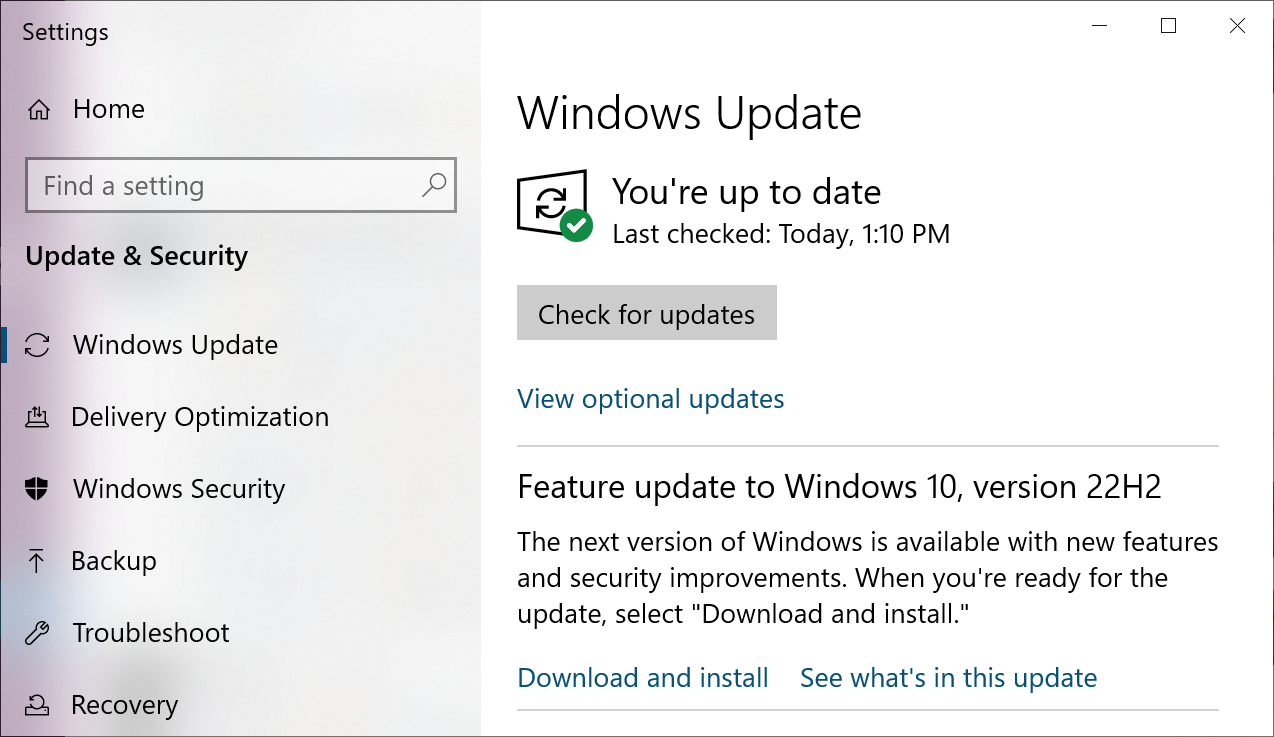
Firmware updates, while crucial for maintaining device performance and security, can sometimes encounter unexpected problems. Understanding potential issues and their solutions is vital for a smooth update process. This section provides a comprehensive troubleshooting guide to help you navigate common difficulties.Proper preparation and proactive steps can significantly reduce the risk of encountering problems during firmware updates. Thorough understanding of the update process and potential pitfalls is key to successful implementation.
Potential Problems During Updates
Firmware updates, like any complex process, are susceptible to various issues. Common problems include connection errors, update failures, incompatibility issues, and unexpected device restarts. These can stem from various factors, such as insufficient network connectivity, corrupted update files, or device hardware limitations. Understanding these potential issues empowers users to anticipate and address them effectively.
Solutions to Common Problems
Several solutions can effectively address common problems encountered during firmware updates. Implementing these solutions can resolve connectivity issues, update failures, or incompatibility problems.
- Connection Errors: Insufficient network bandwidth or unstable Wi-Fi connections can lead to interrupted downloads or uploads during firmware updates. Ensure a stable and reliable internet connection with adequate bandwidth. Using a wired connection, if available, often provides more stable performance than Wi-Fi. Restarting the router and the device itself can resolve temporary network glitches.
- Update Failures: Corrupted update files or incompatible software versions are among the common causes of update failures. Verify the integrity of the update file by checking its checksum or digital signature. Downloading the update file again from a reliable source can help resolve this issue. Ensure the device meets the minimum system requirements Artikeld by the manufacturer.
- Device Restart Issues: Unexpected device restarts during an update can be caused by software conflicts, hardware limitations, or insufficient power. Ensure the device has a stable power supply, preferably using a power adapter instead of battery power. If the problem persists, consult the device’s user manual for troubleshooting specific to your device.
- Incompatibility Issues: Software updates can sometimes conflict with other installed applications, leading to instability. Check for any pending updates for other software or applications that might be causing issues. Restarting the device after updating all relevant software often helps resolve incompatibility problems.
Importance of Data Backup
Backing up data before initiating a firmware update is a crucial preventative measure. Data loss can result from various issues during the update process. A thorough backup ensures that important information is preserved even if the update fails or encounters unforeseen problems.
Regular data backups are essential to mitigate risks associated with unexpected events during firmware updates.
Creating a backup copy of your data prior to the update is a fundamental safeguard against potential data loss.
Troubleshooting Guide
This table provides a structured approach to troubleshoot common firmware update issues.
| Problem | Possible Cause | Solution |
|---|---|---|
| Connection Error | Insufficient network bandwidth, unstable Wi-Fi connection, or network issues. | Ensure a stable and reliable internet connection, switch to a wired connection if available, restart the router and the device. |
| Update Failure | Corrupted update file, incompatible software versions, or insufficient storage space. | Download the update file again from a reliable source, check for any pending software updates, and ensure sufficient storage space on the device. |
| Device Restart Issues | Software conflicts, hardware limitations, or insufficient power. | Ensure a stable power supply, preferably using a power adapter, check for pending software updates, and restart the device. |
| Incompatibility Issues | Software conflicts with other installed applications. | Check for any pending updates for other software or applications, restart the device after updating all relevant software. |
Security Considerations During Updates

Firmware updates are crucial for maintaining the functionality and security of your smart devices. However, the update process itself can introduce security vulnerabilities if not handled properly. Understanding the security risks and adopting best practices is essential for a smooth and secure update.Outdated firmware often lacks critical security patches. This exposes your devices to known vulnerabilities, making them susceptible to attacks and unauthorized access.
This vulnerability can be exploited by malicious actors to gain control over your devices, potentially leading to data breaches, financial losses, or even physical harm in some cases.
Importance of Security During Updates
Ensuring the security of your smart devices during firmware updates is paramount. Compromised devices can become vectors for attacks, affecting not only your personal data but also potentially larger networks if the devices are part of a larger system. Proper security measures during updates help mitigate these risks.
Security Risks of Outdated Firmware
Outdated firmware often lacks critical security patches. These patches address known vulnerabilities in the software, protecting against exploits. Without these patches, devices become vulnerable to malware, unauthorized access, and data breaches. For example, a smart home system with outdated firmware could potentially be compromised by hackers, leading to unauthorized access to the home network and potentially sensitive information.
Recommendations for a Secure Update Process
A secure update process involves several key steps to minimize risks. First, always download updates from trusted sources. Verify the authenticity of the update files to prevent malware infiltration. Second, ensure your device has a stable power supply during the update process. Interruptions can lead to corrupted installations, creating new vulnerabilities.
Third, perform a thorough review of the update process. Understand the changes being implemented and the potential implications before proceeding. Finally, consider the overall security posture of the devices you are updating. Ensure the device is not compromised in the first place.
Security Best Practices During Updates
This table highlights crucial security best practices during firmware updates, categorized for clarity.
| Best Practice | Description | Importance |
|---|---|---|
| Verify Update Source | Download updates only from official and reputable sources. Avoid unofficial or third-party websites. | Ensures you’re not downloading malicious files disguised as updates. |
| Check for Updates Regularly | Maintain your devices’ firmware up-to-date to benefit from the latest security patches. | Proactive approach to mitigating known vulnerabilities. |
| Secure Wi-Fi Connection | Ensure a strong, encrypted Wi-Fi connection during the update process. | Prevents unauthorized access to your device during the vulnerable update period. |
| Back Up Data | Back up important data before initiating updates to protect against data loss during the update process. | Minimizes the impact of a corrupted update. |
| Thorough Understanding | Thoroughly review the update’s description and details before initiating the update. | Avoid unintended consequences or compatibility issues. |
| Power Supply Stability | Ensure a stable power supply to avoid interruptions during the update process. | Prevents corrupted installations and potential vulnerabilities. |
Device-Specific Firmware Update Procedures

Firmware updates are crucial for maintaining the optimal performance and security of your smart devices. Understanding the specific procedures for your various smart devices will streamline the process and prevent potential issues. Each device manufacturer provides unique instructions; therefore, adhering to the provided guidelines is paramount.
Smart TV Firmware Updates
Smart TVs typically offer firmware updates through their on-screen menus. These updates often address performance enhancements, bug fixes, and security improvements. Accessing the update section usually involves navigating to the settings menu and locating the “About” or “System” option. Look for an available update notification, which may indicate the version of the firmware and a brief description of the update.
Follow the on-screen prompts, and ensure the TV is connected to a stable power source and has a reliable internet connection during the update process. Unplug external devices during the process if possible, as this will reduce potential conflicts.
Smart Speaker Firmware Updates
Smart speakers often receive firmware updates automatically. However, some devices might require manual intervention. Manufacturers frequently offer update options through their dedicated mobile applications. Users can access the application, locate the device settings, and initiate the update. Users may need to follow specific prompts within the application to guide the update.
A stable internet connection is essential for the successful download and installation of updates.
Smart Home Appliance Firmware Updates
Firmware updates for smart home appliances are often integrated into the device’s functionality. The specific procedure will vary depending on the manufacturer and the appliance type. Some appliances might require specific commands to initiate the update, while others might update automatically in the background. Consult the appliance’s user manual or the manufacturer’s website for precise instructions. Ensure that the appliance is connected to a stable power source during the update.
Be prepared to power off and on the appliance once the update is complete.
Table of Device-Specific Firmware Update Procedures
| Device Type | Update Procedure |
|---|---|
| Smart TVs | Access the settings menu, locate “About” or “System” option, look for update notifications, and follow on-screen prompts. |
| Smart Speakers | Use the manufacturer’s mobile application to locate the device settings and initiate the update. |
| Smart Home Appliances (e.g., smart refrigerators, smart thermostats) | Consult the appliance’s user manual or the manufacturer’s website for specific instructions; some appliances update automatically. |
Maintaining Updated Firmware
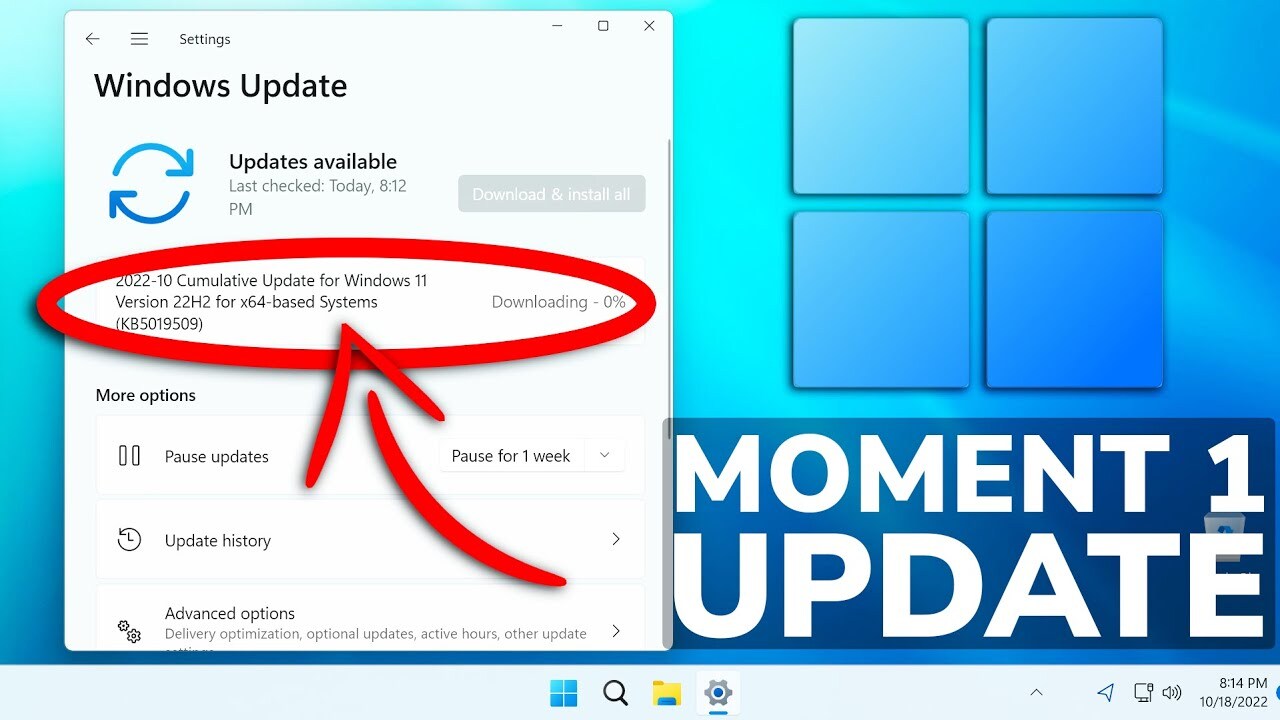
Regular firmware updates are crucial for maintaining the optimal performance and security of your smart devices. These updates often include bug fixes, performance improvements, and critical security patches. Neglecting these updates can leave your devices vulnerable to exploits and reduce their overall functionality. Proactive maintenance is key to a smooth and secure digital experience.
Importance of Regular Updates
Firmware updates are essential for maintaining the security and functionality of smart devices. These updates frequently address vulnerabilities that could be exploited by malicious actors, preventing potential breaches of your personal data or system compromise. Furthermore, they often enhance the performance and stability of the device, leading to a smoother user experience. The latest updates incorporate the most current bug fixes and optimization strategies, which translate into enhanced reliability and improved responsiveness.
Strategies for Scheduling and Tracking Updates
Effective scheduling and tracking of firmware updates are critical for minimizing downtime and ensuring your devices remain secure. A proactive approach to maintenance avoids unexpected issues and ensures continued performance. Utilizing automated update systems can significantly streamline the process. Employing a centralized platform or system for tracking update schedules and progress is a practical solution.
Creating a Maintenance Schedule for Devices
Establishing a regular maintenance schedule is a proactive approach to ensuring your devices remain operational and secure. A well-defined schedule, which can be incorporated into a larger device maintenance plan, helps identify update needs and minimizes potential interruptions to daily use. This can involve setting reminders or utilizing calendar entries to prompt you to check for and apply updates.
This systematic approach helps prevent issues and maintain peak performance.
Tips for Maintaining Updated Firmware
- Regularly check for updates: Actively monitor your device for available updates. Most devices have built-in update mechanisms that alert you to new releases. This proactive approach ensures your devices remain protected and functioning optimally.
- Establish a consistent update schedule: Designate specific times or days for checking and applying updates, which will help streamline the process and ensure timely updates. This can be a daily or weekly schedule, depending on the frequency of updates for your devices.
- Utilize automatic update features: Enable automatic update features whenever possible. This ensures that your devices are consistently updated without requiring manual intervention, which is a convenient and secure way to keep your devices up to date.
- Document update history: Maintain a record of all firmware updates applied to each device. This documentation will prove valuable if issues arise, as it provides a comprehensive history of changes made to the system.
- Understand update prerequisites: Before initiating an update, be aware of any necessary steps or preparations, such as sufficient battery power or a stable internet connection. This ensures the update process proceeds smoothly and avoids potential errors.
- Back up your data: Before applying any firmware update, back up all essential data on the device. This precautionary measure safeguards your information in case of any unforeseen issues during the update process.
Conclusive Thoughts
In conclusion, regularly updating the firmware on your smart devices is crucial for optimal performance, security, and longevity. By following the steps Artikeld in this guide, you can effectively manage this essential maintenance task, ensuring a seamless and secure smart home experience. This guide provides a structured approach, covering everything from initial identification to ongoing maintenance. Remember to prioritize security and back up your data before any update.