Integrating a weather station into your smart home opens up a world of possibilities for automation and convenience. Imagine adjusting your thermostat based on the forecast, automatically opening your blinds at sunrise, or even triggering your sprinkler system when a drought is predicted. This guide will walk you through every step of the process, from choosing the right weather station to integrating it seamlessly with your smart home platform.
This comprehensive guide covers everything from understanding the various types of weather stations and smart home platforms to installing and configuring your chosen system. We’ll explore practical applications, advanced techniques, and troubleshooting steps to ensure a smooth and successful integration.
Introduction to Smart Home Weather Integration
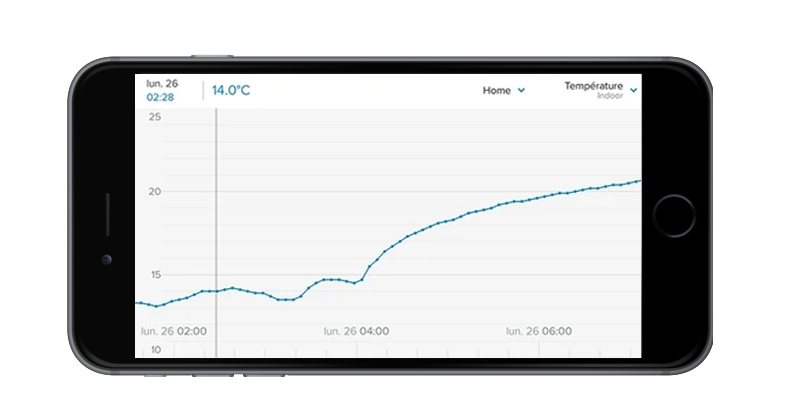
Integrating weather stations into smart homes offers a powerful way to enhance home automation and improve daily life. This integration provides real-time weather data, allowing homeowners to optimize energy consumption, manage appliances, and even receive personalized weather alerts. The benefits extend beyond convenience, impacting energy efficiency and potentially even safety.
Overview of Weather Station Integration
Integrating weather stations into smart home systems provides a comprehensive understanding of the external environment. This knowledge enables automated responses to weather changes, leading to significant energy savings and enhanced comfort. For example, smart thermostats can adjust settings based on the predicted temperature, and lighting systems can automatically dim or brighten based on the amount of sunlight.
Types of Weather Stations
Various types of weather stations cater to different needs and budgets. These include basic stations providing fundamental temperature and humidity readings, as well as more sophisticated models with additional features such as wind speed, precipitation, and even forecasts. The choice depends on the specific requirements of the user and the desired level of detail.
Smart Home Platform Compatibility
Numerous smart home platforms support weather station integration, allowing seamless data exchange and control. Popular platforms like Amazon Alexa, Google Assistant, Apple HomeKit, and others offer specific integrations for compatible weather stations. These platforms allow users to access and utilize weather data within their existing smart home ecosystem.
Comparison of Weather Station Types
| Feature | Basic Station | Advanced Station | Professional Station |
|---|---|---|---|
| Temperature | Yes (Internal/External) | Yes (Internal/External, multiple sensors) | Yes (Multiple sensors, highly accurate readings) |
| Humidity | Yes | Yes | Yes (Multiple sensors, precise measurements) |
| Wind Speed/Direction | No | Yes | Yes (Advanced sensors, data logging) |
| Precipitation | No | Yes (Rain/Snow sensors) | Yes (Precise precipitation measurements) |
| Forecast | No | Limited (basic predictions) | Yes (Advanced algorithms, detailed forecasts) |
| Price | $50-$150 | $150-$500 | $500+ |
Different weather stations offer varying levels of functionality and features, impacting the price. Basic stations are ideal for users who primarily require temperature and humidity data, whereas advanced stations offer more comprehensive readings and forecasting capabilities. Professional-grade stations are often used for specific research or industrial purposes.
Choosing the Right Weather Station
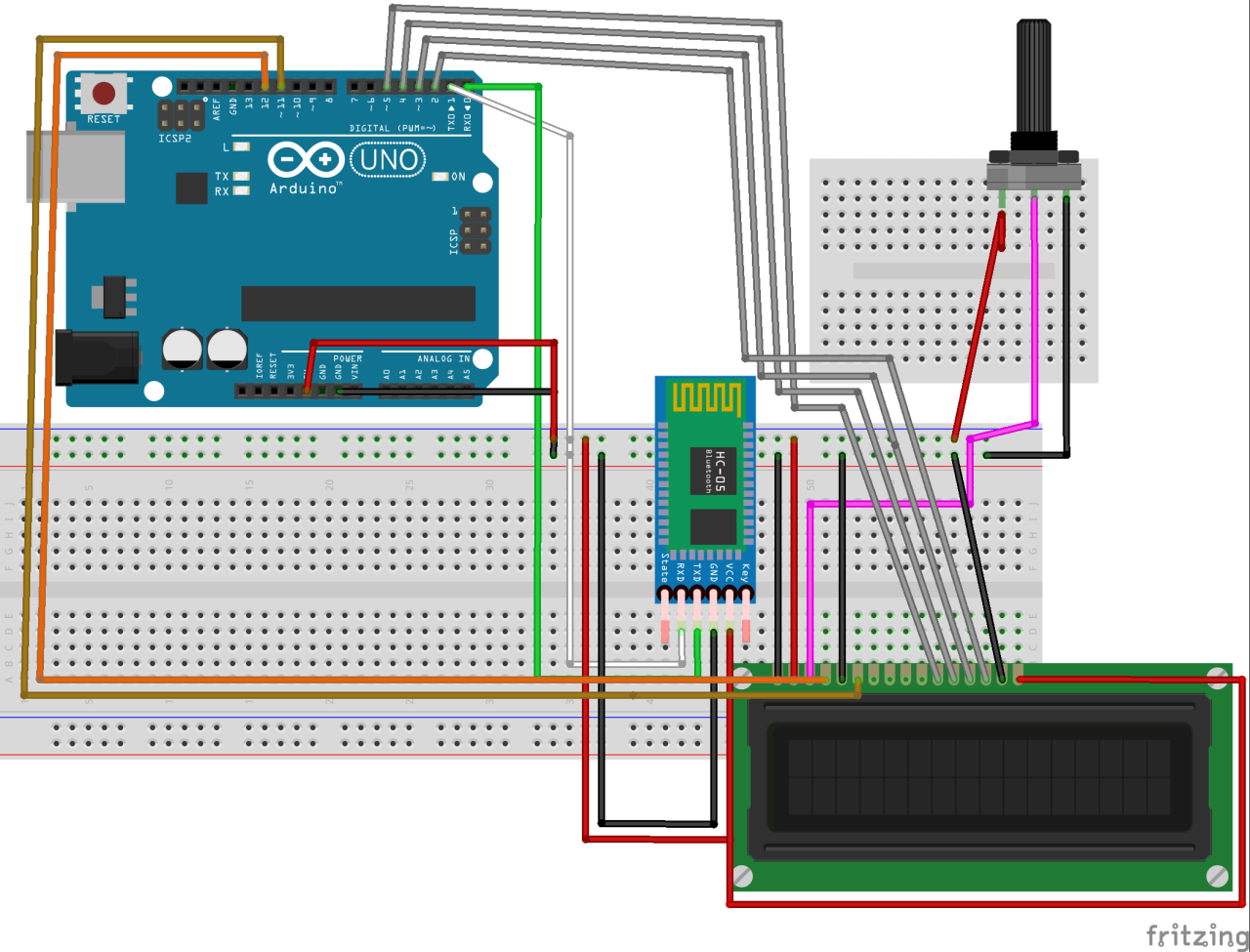
Selecting a suitable weather station for your smart home integration is crucial for accurate and reliable data. Careful consideration of key features and sensor types will ensure the station provides meaningful insights into local weather patterns. Understanding the trade-offs between different technologies and their accuracy is vital for long-term satisfaction.
Key Features to Consider
A well-chosen weather station should meet your specific needs and integrate seamlessly into your smart home ecosystem. Essential features to evaluate include:
- Accuracy and Reliability: The station’s ability to provide precise readings of temperature, humidity, wind speed, and other parameters is paramount. Historical data and user reviews can offer valuable insights into the reliability of different models.
- Sensor Types: Different sensor types measure various weather elements, influencing the station’s overall capabilities. Consider what aspects of weather you want to monitor most closely.
- Connectivity: The weather station’s method of communication with your smart home hub is critical. Wi-Fi or other wireless protocols are common choices, while some stations may require wired connections.
- Data Presentation: How the data is displayed and presented on your smart home interface will impact your ability to understand and use the information. A user-friendly interface is crucial.
- Durability and Weatherproofing: For outdoor stations, consider the materials used and the station’s resistance to the elements. This is critical for long-term use and data collection in diverse weather conditions.
Sensor Type Comparison
Various sensor types are used to measure different weather elements. Understanding the strengths and weaknesses of each type is essential.
- Temperature Sensors: Thermocouples, thermistors, and resistance temperature detectors (RTDs) are common. Thermistors are often used in consumer-grade stations for their affordability and reliability. RTDs provide greater accuracy but may be more expensive.
- Humidity Sensors: Capacitive and resistive sensors are common choices. Capacitive sensors are often favored for their relatively low cost and adequate performance. Resistive sensors can offer more precise readings but may be more prone to drift over time.
- Wind Speed Sensors: Anemometers are used to measure wind speed. Cup anemometers are popular due to their simplicity and cost-effectiveness, while sonic anemometers offer higher accuracy and measurement in different directions. The accuracy of wind speed readings is essential for understanding wind patterns.
- Rainfall Sensors: These typically use a rain gauge to measure precipitation amounts. The design of the rain gauge and the accuracy of the sensor are crucial for accurate rainfall data.
Accuracy and Reliability in Measurements
High-quality weather stations are essential for reliable data. Accuracy in measurements is critical for effective weather monitoring and forecasting. Calibration procedures and regular maintenance of the weather station can ensure ongoing accuracy.
Factors for Long-Term Investment
When making a long-term investment in a weather station, several factors should be considered. These include:
- Data Logging Capabilities: A station capable of storing and retrieving historical weather data over extended periods is highly valuable. This allows for analysis of trends and patterns.
- Warranty and Support: A robust warranty and reliable customer support can significantly ease any issues that may arise over time. Consider the availability of parts and potential repair costs.
- Scalability: If future expansions of your smart home weather monitoring system are anticipated, consider the possibility of integrating additional sensors and functionalities.
- Ease of Integration: The integration process into your smart home system should be straightforward and well-documented. Compatibility with various smart home platforms should be evaluated.
Weather Station Technology Comparison
The following table summarizes the pros and cons of different weather station technologies:
| Technology | Pros | Cons |
|---|---|---|
| Wireless Sensor Networks | Easy installation, low cost, good for large-scale monitoring | Potential for signal interference, accuracy may be lower in some cases |
| Wired Sensors | Generally more accurate, less susceptible to interference | Installation can be more complex, higher initial cost |
| Cellular-Connected Sensors | No need for Wi-Fi, reliable connection in remote areas | Potential for higher costs, limited range |
Installation and Setup Procedures
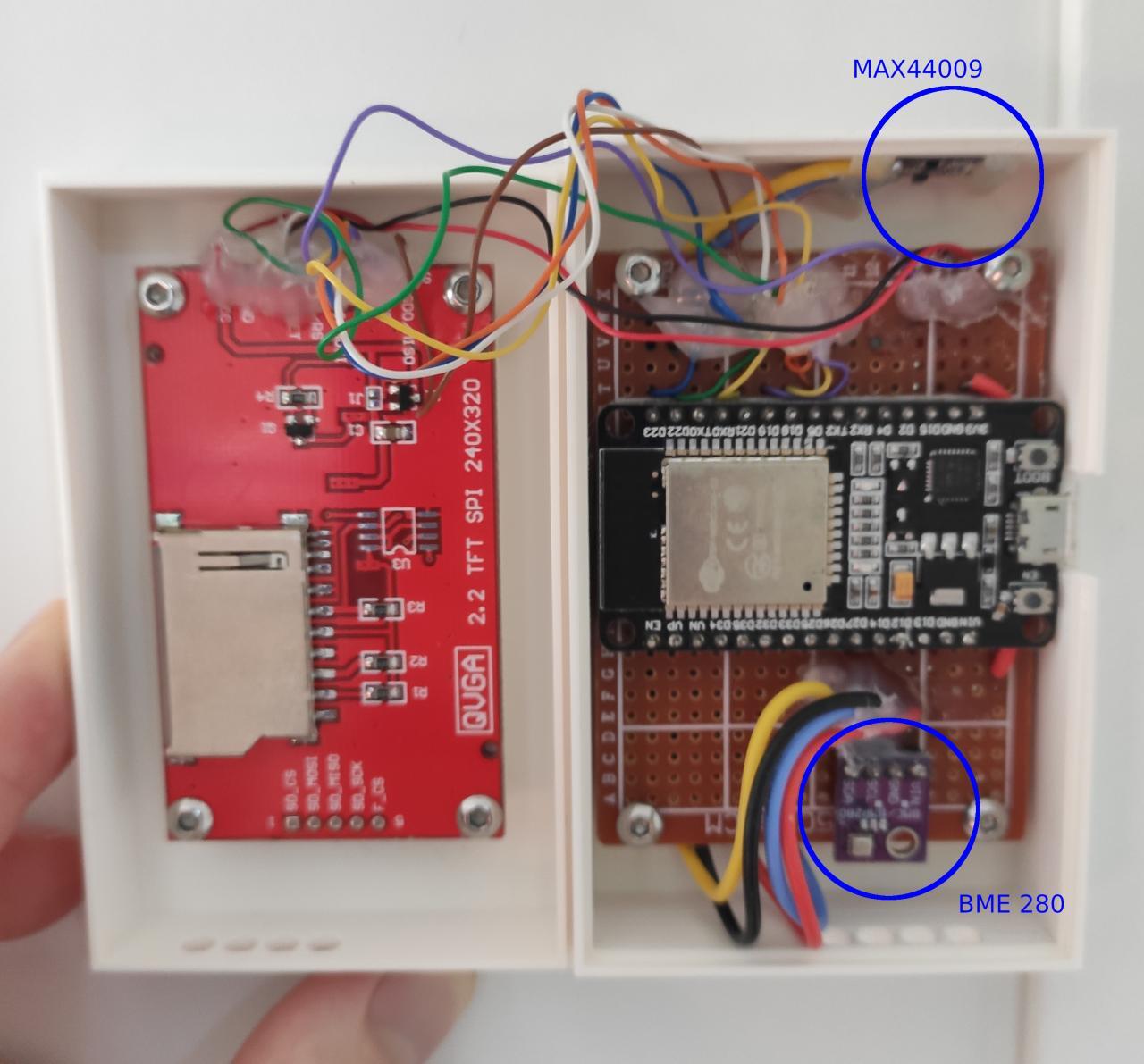
Integrating a weather station into your smart home system involves a methodical approach to ensure proper functionality and reliable data acquisition. Careful attention to installation details is crucial for accurate readings and seamless integration with your existing smart home ecosystem.A well-installed weather station will provide accurate and consistent data, which is vital for various smart home applications, such as automated irrigation systems, smart heating and cooling controls, and personalized weather forecasts.
This section details the necessary steps and considerations for a successful installation.
Hardware and Tools Required
This section Artikels the essential hardware and tools required for the installation process. Having these readily available will streamline the setup process.
- Weather station unit (including sensors for temperature, humidity, wind speed, etc.)
- Power supply (if required, verify the power needs of the specific weather station model)
- Mounting hardware (e.g., wall mounts, brackets, screws) appropriate for the chosen installation location
- Network connection cable (Ethernet or Wi-Fi, depending on the weather station model)
- Screwdrivers, drill (if needed for mounting), wire strippers, and other basic tools
Installation Steps
The following steps provide a comprehensive guide for installing your weather station. Proper installation ensures consistent data acquisition and reduces potential errors.
- Site Selection: Choose a location for the weather station that provides unobstructed readings. Avoid areas with significant obstructions (e.g., trees, buildings) that could affect wind speed measurements. A location with good air circulation and exposure to the elements is optimal.
- Mounting the Station: Securely mount the weather station according to the manufacturer’s instructions. Ensure the station is stable and not prone to movement, especially in windy conditions. Consider the specific mounting hardware provided and the type of surface where the station will be mounted.
- Connecting the Power Supply: Connect the weather station to its power supply, if necessary. Consult the manufacturer’s instructions for proper connection procedures.
- Establishing a Network Connection: Connect the weather station to your home network using the appropriate cable or wireless technology. The exact steps depend on the weather station model and whether it utilizes Ethernet or Wi-Fi. Ensure your router and Wi-Fi network are configured correctly for device discovery and connection.
- Initial Configuration: Follow the instructions provided by the manufacturer to configure the weather station’s settings. This includes calibrating sensors, adjusting units of measurement, and configuring the data reporting frequency.
Connecting to Smart Home Platform
This process details the integration of the weather station with your chosen smart home platform (e.g., Home Assistant, SmartThings, Alexa). The method for connecting the weather station to your smart home system varies based on the specific platform.
- Account Creation: Create an account on your chosen smart home platform if you haven’t already.
- Device Discovery: Use the smart home platform’s device discovery feature to identify and connect the weather station. This process typically involves scanning for available devices on your network.
- Configuration on Smart Home Platform: Configure the weather station settings within your smart home platform. This step involves mapping data fields from the weather station to your smart home system’s data structure.
Configuring Weather Station Settings
Proper configuration of the weather station ensures accurate readings and data transmission. The following table provides a summary of typical configurations, along with potential issues and solutions.
| Configuration Setting | Description | Potential Issues | Solutions |
|---|---|---|---|
| Sensor Calibration | Adjusting sensor readings to match real-world conditions. | Inaccurate readings, discrepancies with other weather data sources. | Follow manufacturer’s calibration instructions. Use a known good sensor for comparison and adjust accordingly. |
| Data Reporting Frequency | Setting how often the weather station transmits data. | Data lag, insufficient data for real-time applications. | Adjust the reporting frequency based on application needs. |
| Units of Measurement | Selecting the units for temperature, precipitation, etc. | Incorrect units displayed in your smart home app. | Ensure the units match the desired output in your smart home platform. |
| Time Zone | Setting the time zone for accurate time stamping of readings. | Incorrect time zone displayed on the app. | Ensure the time zone is correctly set in the weather station and your smart home platform. |
Practical Applications and Use Cases
Integrating a weather station into your smart home unlocks a wealth of opportunities for automation and enhanced comfort. Beyond simply displaying the current conditions, you can leverage weather data to optimize various aspects of your daily routine and energy consumption. This section explores the diverse ways weather information can be used to create a more responsive and efficient smart home environment.By automating actions based on weather forecasts, you can ensure your home is always prepared for changing conditions.
This proactive approach minimizes disruptions and maximizes comfort, while also contributing to energy savings. Examples range from adjusting lighting based on daylight hours to automatically activating heating or cooling systems.
Automating Lighting
Weather data significantly influences interior lighting needs. For instance, when the forecast predicts cloudy conditions, the smart home system can adjust lighting levels automatically, minimizing the need for manual intervention. Conversely, during sunny days, the system can reduce interior lighting to conserve energy, maximizing natural light and minimizing energy consumption. This automated adjustment not only enhances comfort but also contributes to a more sustainable lifestyle.
Temperature Control Automation
Weather forecasts are crucial for optimizing temperature control. Systems can anticipate changes in ambient temperature and automatically adjust heating and cooling systems. This proactive approach avoids unnecessary energy consumption and ensures occupants experience a comfortable indoor environment, regardless of external conditions. For example, a smart thermostat can reduce heating or cooling output when the forecast predicts a temperature drop or increase, respectively.
Appliance Operation Automation
Certain appliances can benefit from weather-based automation. For instance, if a significant rain shower is anticipated, a smart home system can automatically activate the rain sensor on the washing machine to delay or cancel a washing cycle to prevent water damage. This proactive measure not only protects the appliance but also promotes resource management. Likewise, a smart home system can adjust the operation of a pool heater or sprinkler system based on precipitation forecasts.
Energy Efficiency Improvements
Weather data plays a pivotal role in improving energy efficiency. By anticipating changes in weather conditions, smart homes can optimize energy usage. For example, if the forecast predicts a cold night, the smart home can automatically adjust the thermostat to preheat the house before occupants arrive. Similarly, the system can automatically adjust lighting and appliance operation to reduce energy consumption during periods of high solar radiation.
The goal is to minimize energy waste and maximize the use of renewable energy sources, like solar power.
Specific Use Cases
| Use Case | How Weather Data Triggers Actions |
|---|---|
| Adjusting Lighting Levels | Based on predicted cloud cover, the system automatically adjusts interior lighting intensity, minimizing energy consumption and maximizing natural light. |
| Optimizing Temperature Control | Anticipating temperature changes, the system automatically adjusts heating and cooling settings to maintain a comfortable indoor temperature while minimizing energy waste. |
| Delaying or Cancelling Laundry Cycles | In the event of heavy rain, the system automatically delays or cancels washing cycles to prevent water damage to the appliance and conserve water. |
| Managing Pool Heater/Sprinkler Systems | Based on precipitation forecasts, the system automatically adjusts the operation of the pool heater and sprinkler systems to conserve water and energy. |
| Preheating the House | Predicting a cold night, the system automatically preheats the house to a comfortable temperature before occupants arrive, maximizing comfort and minimizing energy waste. |
Advanced Integration Techniques
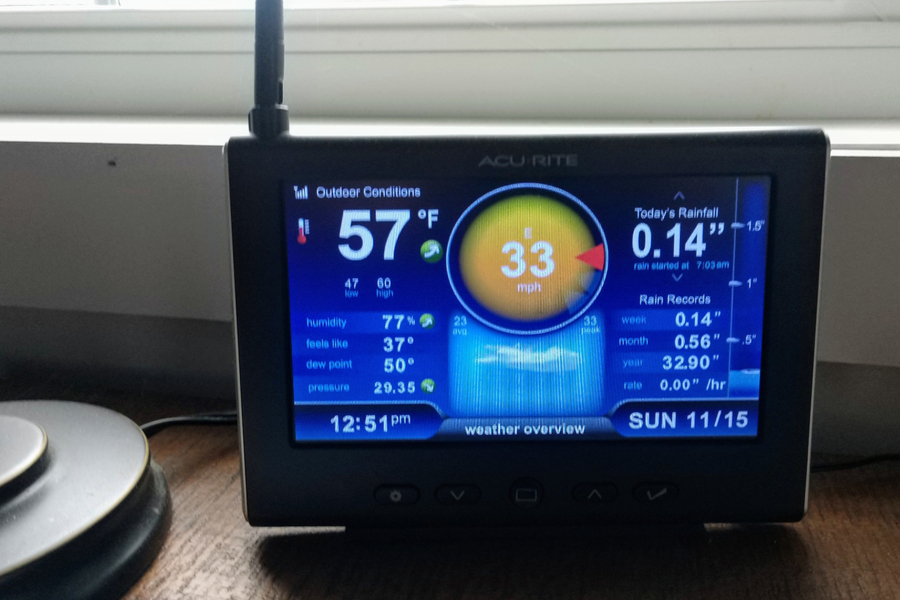
Integrating your weather station into your smart home goes beyond basic temperature and humidity readings. Advanced techniques unlock powerful capabilities, enabling you to seamlessly control various aspects of your home and even manage external activities based on weather forecasts. This section delves into sophisticated integration methods, providing practical examples and detailed procedures.
Integrating Weather Data with Other Smart Home Devices
Weather data, when integrated with other smart home devices, creates a more responsive and intelligent environment. For instance, a smart thermostat can adjust heating and cooling based on predicted temperature changes, optimizing energy consumption. Similarly, smart lighting can automatically dim or brighten based on ambient light levels influenced by cloud cover. These combined actions result in a harmonious interplay between different devices, enhancing comfort and efficiency.
Controlling External Appliances or Devices
Weather information can effectively manage external appliances. A smart sprinkler system can be programmed to water the lawn only when needed, based on rainfall forecasts. Similarly, an automated garage door opener can be configured to close automatically when heavy rain is anticipated. These actions prevent unnecessary water waste, energy expenditure, and potential damage to property.
Using Weather Forecasts for Scheduling Outdoor Activities
Weather forecasts empower users to proactively schedule outdoor activities. A smart calendar integrated with weather data can automatically block off dates for outdoor events when inclement weather is predicted. Alternatively, the calendar can suggest alternative indoor activities when the weather forecast predicts unfavorable conditions. This proactive approach prevents wasted time and effort associated with unexpected weather changes.
Using Weather Data for Gardening or Agricultural Applications
Weather data plays a crucial role in managing gardens and agricultural activities. Smart gardening systems can adjust watering schedules based on real-time or predicted rainfall. Furthermore, soil moisture sensors can work in conjunction with weather forecasts to prevent over-watering or under-watering, maximizing plant growth. Similarly, in agricultural settings, weather forecasts can guide the timing of planting and harvesting, leading to improved crop yields.
Creating a Custom Smart Home Automation Rule Based on Weather Data
A custom smart home automation rule based on weather data can be developed using specific programming languages or dedicated automation platforms. For example, a rule could trigger the activation of a smart fan when the temperature exceeds a certain threshold, and simultaneously activate a humidifier when humidity drops below a set point. Furthermore, these rules can be triggered based on a combination of weather conditions, such as high winds and heavy rain, to activate specific actions like shutting off outdoor appliances or closing windows.
Such custom rules enhance the adaptability and efficiency of the smart home ecosystem.
Troubleshooting and Maintenance
Integrating a weather station into your smart home system can enhance your daily life, but occasional issues may arise. Proactive troubleshooting and maintenance are key to ensuring accurate and reliable data, optimizing the performance of your system. This section details common problems, solutions, and preventative measures.Troubleshooting connectivity problems is crucial for maintaining a smooth flow of data from your weather station to your smart home platform.
Addressing these issues early on can save time and effort in the long run.
Common Integration Problems and Solutions
Troubleshooting integration problems is an essential part of maintaining a smooth smart home experience. This involves identifying and resolving issues related to communication, data accuracy, and sensor performance.
| Problem | Possible Cause | Solution |
|---|---|---|
| Weather station not connecting to the smart home platform. | Incorrect network configuration, device compatibility issues, or a network outage. | Verify the network connection for the weather station. Ensure the weather station and the smart home hub are on the same network. Check for any firewall restrictions that might be blocking communication. If the problem persists, review the device manuals for specific troubleshooting steps. |
| Inaccurate temperature readings. | Malfunctioning temperature sensor, incorrect sensor placement, or interference from external sources. | Verify the sensor placement to ensure it’s not obstructed by objects or in direct sunlight. Check for any potential interference sources. If the problem persists, replace the sensor or contact the manufacturer for assistance. |
| Erratic wind speed or direction readings. | Sensor malfunction, obstruction of the wind sensor, or sensor placement in a location with high turbulence. | Ensure the wind sensor is not obstructed by nearby structures or vegetation. Evaluate the sensor placement, and if necessary, reposition it. If the problem persists, consider replacing the wind sensor or consulting the manufacturer’s recommendations. |
| Missing or delayed data updates. | Network connectivity issues, high data traffic, or software glitches on the weather station or smart home platform. | Check the internet connection and troubleshoot network congestion. Ensure your weather station and smart home platform have sufficient bandwidth. Review the logs on the weather station and the smart home platform for error messages. |
Maintaining Your Weather Station
Regular maintenance ensures the longevity and accuracy of your weather station. Consistent upkeep prevents costly repairs and maintains the integrity of the data collected.
- Sensor Cleaning: Regularly clean the sensors, particularly those exposed to the elements (e.g., rain, dust, debris). This is essential to prevent clogs or blockages that could affect data accuracy. Use a soft-bristled brush or a gentle stream of water for cleaning, avoiding harsh chemicals. Wipe down the sensor casing with a slightly damp cloth.
- Physical Inspection: Periodically inspect the weather station for any signs of damage or wear and tear. Look for loose connections, cracks in the housing, or broken components. Address any damage immediately to prevent further issues.
- Firmware Updates: Keep the weather station’s firmware up-to-date. Firmware updates often include bug fixes and performance enhancements that can improve data accuracy and reliability. Check the manufacturer’s website for updates.
Preventing Data Inaccuracies
Accurate weather data is essential for various applications. Understanding potential sources of inaccuracies is vital for data reliability.
- Sensor Calibration: Regularly calibrate the sensors to ensure they are providing accurate readings. Follow the manufacturer’s instructions for calibration procedures. This is crucial for long-term accuracy.
- Environmental Factors: Be mindful of environmental factors that can affect sensor readings. Proximity to buildings, trees, or other obstructions can impact wind speed and direction measurements. The placement of the sensors should account for these potential influences.
- Data Validation: Review and validate the data received from the weather station to ensure its accuracy. Identify patterns or anomalies that might indicate sensor malfunctions or data transmission errors. This requires careful analysis of the data over time.
Final Wrap-Up
In conclusion, integrating a weather station into your smart home provides a powerful means to automate tasks, enhance energy efficiency, and improve overall comfort. By following the steps Artikeld in this guide, you can seamlessly incorporate weather data into your daily routines and create a truly intelligent and responsive home environment. From choosing the right station to troubleshooting potential issues, this guide equips you with the knowledge and resources needed for a successful installation and long-term enjoyment.