Unlocking the potential of energy efficiency is easier than ever with smart thermostats. This guide provides a comprehensive overview of the installation process, helping you choose the right model and maximize savings. From understanding the various types of smart thermostats to optimizing your energy usage, we’ll walk you through each step, ensuring a seamless transition to a more sustainable home.
Choosing the correct smart thermostat depends on factors such as your home’s layout, existing automation systems, and desired level of control. We’ll explore these considerations, helping you make an informed decision and avoid costly mistakes. This guide also delves into the intricate process of installation, connecting the thermostat to your home’s heating and cooling system and Wi-Fi network.
Detailed steps and essential tools are provided for a hassle-free experience.
Introduction to Smart Thermostats
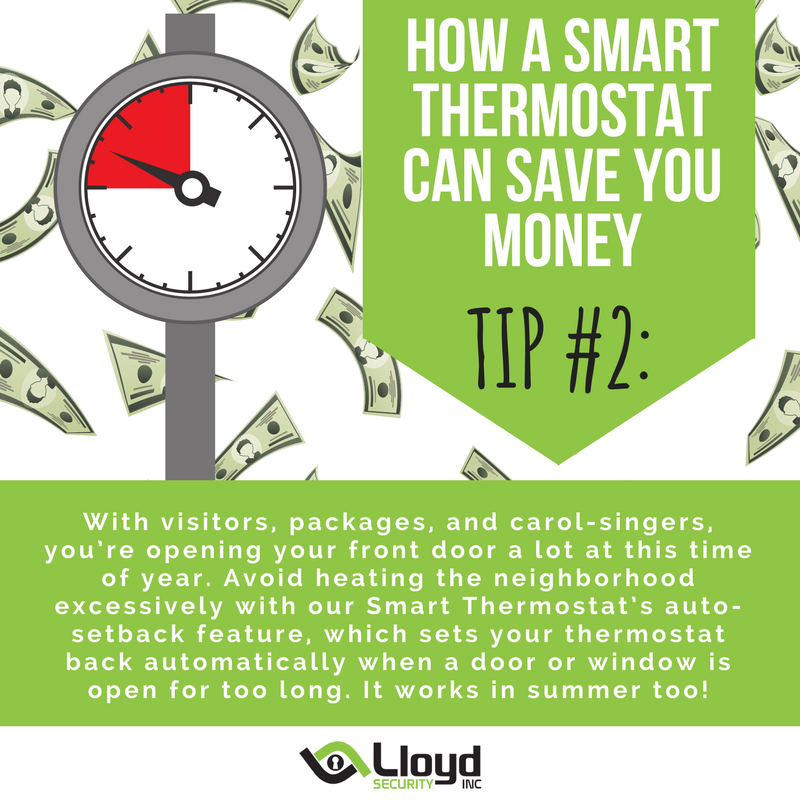
Smart thermostats are sophisticated temperature control systems that learn your preferences and adjust the heating or cooling automatically to optimize energy usage. They utilize connected technology, often incorporating Wi-Fi or other wireless protocols, to communicate with a central hub or app, allowing for remote control and customization. This connectivity facilitates various features, such as scheduling and adjusting the temperature based on your presence or absence from home.These devices represent a significant advancement over traditional thermostats, offering a more personalized and energy-efficient approach to regulating indoor temperature.
By adapting to your routine and external conditions, smart thermostats can contribute to substantial savings on energy bills, ultimately lowering your environmental impact.
Benefits of Smart Thermostats for Energy Efficiency
Smart thermostats excel in energy efficiency by dynamically adjusting the temperature based on your schedule, location, and even weather forecasts. By automatically raising or lowering the temperature when you’re away or asleep, they prevent energy waste. This proactive approach leads to substantial savings compared to traditional thermostats that maintain a constant temperature regardless of occupancy. Studies have shown that smart thermostats can reduce energy consumption by 10-30% in typical households.
Comparison of Smart Thermostat Functionality
Smart thermostats differ from traditional models in their capability to learn user habits and adjust settings automatically. Traditional thermostats rely on a fixed schedule or manual adjustments, while smart thermostats leverage data analysis and algorithms to provide a more personalized and optimized experience. They can also adapt to external factors like weather changes, providing greater energy savings potential.
Comparison of Smart Thermostat Brands and Models
The market offers a diverse range of smart thermostat brands and models, each with unique features and price points. Some popular brands include Nest, Ecobee, Honeywell, and others. Key differences lie in features like temperature adjustment precision, remote access capabilities, compatibility with various home automation systems, and the level of customization they offer. Different models might offer varying degrees of integration with voice assistants or other smart home devices.
Smart Thermostat Features and Prices (Example Comparison)
| Feature | Brand A (Example: Nest Learning Thermostat) | Brand B (Example: Ecobee SmartThermostat) | Brand C (Example: Honeywell Lyric T5) |
|---|---|---|---|
| Temperature Adjustment | Highly accurate, learns user preferences, customizable schedules. | Precise temperature control, adjustable schedules, detailed reporting. | Adjustable schedules, basic temperature adjustments. |
| Remote Access | Excellent remote control via app, integration with Google Assistant and Apple HomeKit. | Reliable remote access, integration with various smart home platforms. | Limited remote access, basic app functionality. |
| Energy Savings | Proven energy savings, learns to optimize heating and cooling. | Significant energy savings, data-driven insights to improve efficiency. | Moderate energy savings, basic scheduling features. |
| Price | $250-$350 | $200-$300 | $150-$250 |
Note: Prices are estimates and may vary depending on retailer and specific model. Brand A often leads in energy-saving capabilities due to its advanced learning algorithms.
Choosing the Right Smart Thermostat
Selecting the ideal smart thermostat for your home hinges on careful consideration of various factors. A well-chosen thermostat can significantly reduce energy consumption and improve comfort, ultimately translating to substantial cost savings over time. Understanding the available options and their features is key to making an informed decision.
Factors to Consider When Selecting a Smart Thermostat
Several key factors influence the optimal choice of a smart thermostat. These include the desired level of control, the size and layout of the home, and the specific needs and preferences of the occupants. A thorough evaluation of these factors will ensure a thermostat that meets the requirements of the household.
- Control Preferences: Different smart thermostats offer varying levels of control. Some provide simple adjustments through a mobile app, while others offer advanced scheduling, geofencing, and integration with other smart home devices. Consider how much control you desire and how intricate the automation features need to be. For example, a family with young children might benefit from a thermostat that allows for easy temperature adjustments during specific times of the day, while a single person might prefer a more basic setup.
- Home Size and Layout: The size and layout of your home affect the thermostat’s performance. Larger homes or homes with uneven layouts might require multiple thermostats to effectively manage temperature throughout the house. Consider whether a single thermostat will suffice or if a multi-zone setup is necessary.
- Occupant Preferences: Individual preferences regarding temperature settings and schedules are critical. Consider the needs of all household members, including any sensitivities to temperature changes. This will help determine the appropriate thermostat settings for optimal comfort.
- Budget: Smart thermostats come in a wide range of prices. Consider your budget and prioritize features that align with your needs and comfort levels.
Types of Smart Thermostats
Smart thermostats utilize various technologies for connectivity and functionality. Understanding these technologies will help in choosing the right thermostat.
- Wi-Fi Thermostats: These thermostats rely on Wi-Fi for connectivity to your home network. They typically offer a wide range of features and compatibility with many smart home platforms. Their connectivity to the internet enables easy control and remote adjustments via mobile applications.
- Z-Wave Thermostats: Z-Wave thermostats communicate using a proprietary wireless network protocol. They are known for their reliability and ability to integrate with other Z-Wave smart home devices. They offer robust functionality for complex home automation scenarios.
- Other Technologies: Some thermostats employ other technologies like Thread or Bluetooth. These provide alternative connectivity options, sometimes offering benefits such as enhanced energy efficiency or reduced reliance on Wi-Fi networks.
Compatibility with Home Automation Systems
Compatibility with existing home automation systems is a significant factor in choosing a smart thermostat.
- Integration: A thermostat that seamlessly integrates with your existing smart home system, such as Google Home or Amazon Alexa, allows for a unified control experience. This means you can control your thermostat using voice commands or through a central hub.
- Interoperability: Consider the compatibility of the thermostat with other smart devices in your home. For example, if you have smart lights, a compatible thermostat can be part of a coordinated lighting and temperature control system.
Factors Influencing Price Range
The price of a smart thermostat is influenced by several factors.
- Features: The number and complexity of features directly affect the price. Advanced features like multi-zone control, advanced scheduling, and integration with various platforms generally command higher prices.
- Brand Reputation: Established brands with a reputation for quality and reliability tend to have higher price points.
- Technology: The underlying technology employed, including Wi-Fi, Z-Wave, or others, can influence the cost of the thermostat.
Decision-Making Flowchart for Selecting a Thermostat
The following flowchart provides a structured approach to choosing the right smart thermostat.
| Question | Action |
|---|---|
| What is your budget? | Determine your price range. |
| What level of control do you desire? | Identify your desired automation features. |
| What is the size and layout of your home? | Evaluate if single or multi-zone control is necessary. |
| Do you have an existing home automation system? | Check compatibility with your current system. |
| What is your preference for connectivity technology? | Choose Wi-Fi, Z-Wave, or other options. |
| Based on the above, select the most suitable thermostat. | Compare options within your budget and desired features. |
Installation Process
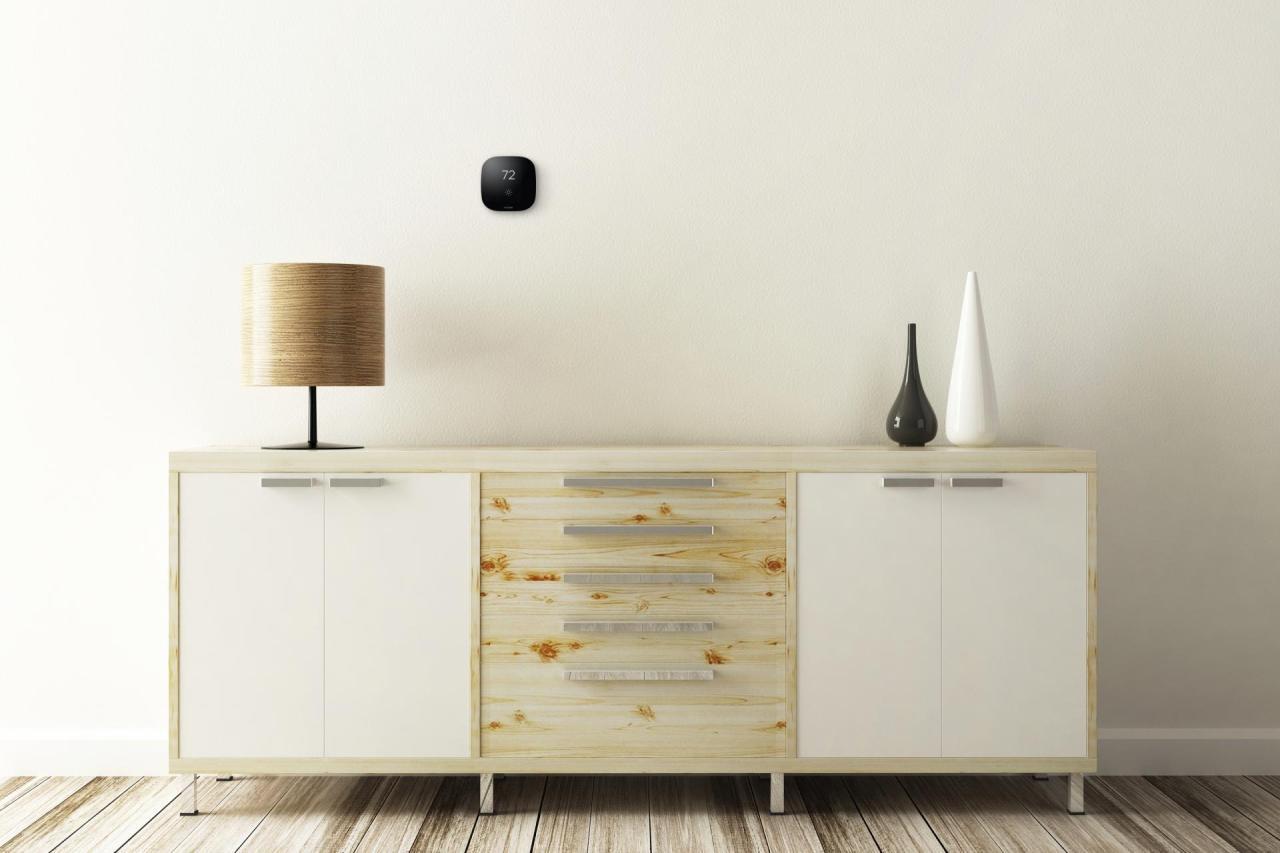
Installing a smart thermostat involves several steps, but the process is generally straightforward. Proper installation ensures optimal functionality and maximizes energy savings. Carefully following the manufacturer’s instructions is crucial for successful setup.
Preparation and System Connections
Before commencing installation, gather all necessary tools and components. This includes the thermostat itself, mounting hardware (screws, anchors, etc.), and any required adapters for connecting to your existing HVAC system. Consult the thermostat’s instruction manual for a comprehensive list of necessary components and tools.
- Review the thermostat’s instruction manual. Thoroughly examine the manual to ensure a complete understanding of the installation steps, including the specific requirements for your home’s HVAC system.
- Disconnect power to the existing thermostat. This prevents any electrical hazards during installation. Ensure the power is completely disconnected from the electrical panel.
- Locate the existing HVAC system components. Identify the wiring connections for the heating and cooling system. Understanding the wiring configuration is vital for successful connection.
Connecting to the Heating and Cooling System
This section details the procedure for connecting the smart thermostat to your home’s HVAC system. Accurate wiring is essential for the thermostat to control the system correctly.
- Carefully examine the wiring diagram provided in the thermostat’s instruction manual. This diagram will help you identify the correct connections for your specific HVAC system.
- Match the wires from the old thermostat to the corresponding terminals on the new smart thermostat. Ensure you understand the color-coding and the specific function of each wire.
- Reconnect the power to the HVAC system. Verify all connections are secure and correctly aligned before turning the power back on.
Connecting to Wi-Fi
This section describes the steps for connecting the smart thermostat to your home’s Wi-Fi network. A stable Wi-Fi connection is necessary for the thermostat to communicate with the cloud platform.
- Ensure your home’s Wi-Fi network is available and functional. Test the connection strength to ensure reliable communication.
- Access the thermostat’s setup menu. Follow the on-screen instructions provided by the thermostat’s interface to connect to your Wi-Fi network.
- Enter your Wi-Fi network password. Correctly input the password to establish a secure connection between the thermostat and your network.
Installation Scenarios
The following table Artikels the installation steps for different mounting scenarios.
| Scenario | Steps | Tools Required |
|---|---|---|
| Wall-mounted |
|
Drill, level, screwdriver, mounting bracket, anchors |
| Ceiling-mounted |
|
Drill, level, screwdriver, mounting bracket, anchors, ladder (if necessary) |
Smart Thermostat Setup
Setting up your smart thermostat is a crucial step in maximizing its energy-saving potential and ensuring a comfortable home environment. This process involves configuring the user interface, scheduling, remote access, smart home app integration, and security measures. A well-configured thermostat can significantly reduce energy bills and improve the overall user experience.This section details the various aspects of setting up your smart thermostat, from navigating the display to ensuring secure access.
Following these steps will allow you to fully utilize the thermostat’s features and enjoy the benefits of smart home technology.
User Interface Setup
The user interface (UI) of a smart thermostat typically features a touchscreen or buttons for navigation. Understanding the layout and functions is key to efficient operation. Initial setup often involves selecting language preferences, time zone adjustments, and establishing communication with the smart home network.
Schedule and Settings Configuration
Smart thermostats allow for detailed scheduling to optimize energy use and personalize comfort levels. You can create custom schedules based on daily routines, work hours, or even specific events. This involves setting different temperatures for various times of day or week, accommodating activities like work or sleep schedules.
Remote Access and Control
Remote access and control empower users to adjust thermostat settings from anywhere with internet connectivity. This feature is particularly useful for managing the temperature of a home when away, or when adjusting the temperature from a different location, or when a member of the family is traveling. Many smart thermostats integrate with mobile apps, allowing for real-time monitoring and adjustments via a smartphone or tablet.
Smart Home App Integration
Integrating the thermostat with your preferred smart home app provides seamless control and automation. Many smart thermostats offer compatibility with popular platforms like Apple HomeKit, Google Assistant, or Amazon Alexa. This integration allows you to adjust the thermostat using voice commands or through automated actions triggered by other smart home devices.
Security Measures
Securing your smart thermostat is essential to prevent unauthorized access and maintain privacy. This typically involves setting strong passwords, enabling two-factor authentication, and configuring access permissions. Consider enabling two-factor authentication for an extra layer of security. Regularly review and update your security settings to protect your account.
Optimizing Energy Savings
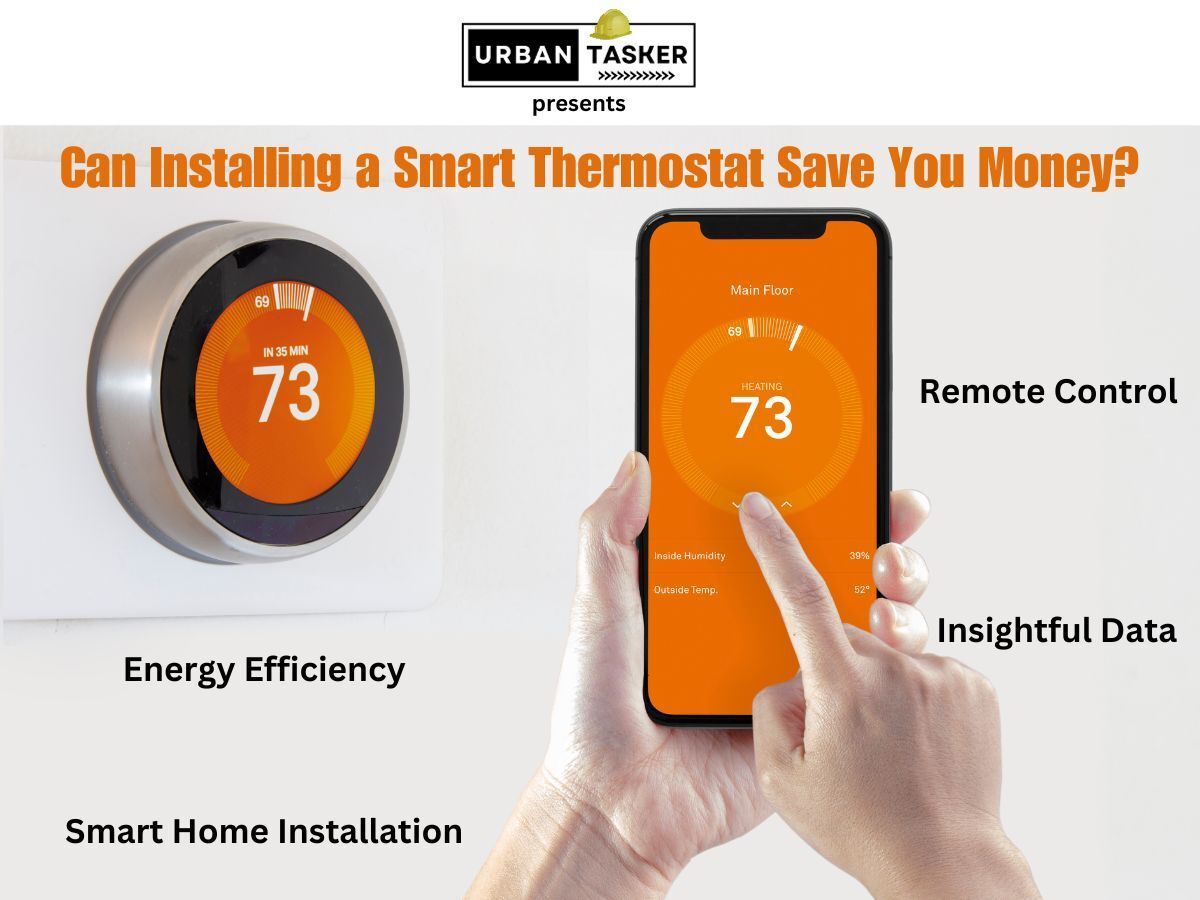
Maximizing energy savings with a smart thermostat goes beyond simple temperature adjustments. It involves strategic scheduling, understanding occupancy patterns, and leveraging the thermostat’s built-in learning capabilities. This section details effective strategies for achieving substantial energy savings through smart thermostat functionality.Smart thermostats, by their nature, are designed to adapt to your schedule and preferences. Proper configuration allows the system to learn your routines and adjust accordingly, resulting in optimized energy use and reduced utility bills.
Energy-Efficient Schedules
Establishing energy-efficient schedules is fundamental to maximizing smart thermostat benefits. These schedules should reflect typical daily and weekly routines.
- Daily Schedules: Create distinct temperature settings for different times of the day. For example, a cooler temperature during the workday and a warmer temperature during evenings and sleep hours. This accounts for periods of occupancy and inactivity, allowing the thermostat to adjust automatically.
- Weekly Schedules: Extend the daily schedule to encompass the entire week. Consider varying temperature settings based on the day of the week. For instance, a slightly higher temperature on weekends to reflect reduced activity. This can further optimize energy usage.
Leveraging Geofencing and Presence Detection
Geofencing and presence detection capabilities in smart thermostats offer significant energy-saving opportunities. These features allow the thermostat to adjust settings based on your location.
- Geofencing: When you leave your home, the thermostat automatically adjusts the temperature to a more energy-efficient setting. Conversely, when you return, it reverts to your preferred temperature. This dynamic adjustment ensures the thermostat is optimally set for both periods of occupancy and absence.
- Presence Detection: The thermostat can recognize your presence or absence in the home. This enables it to adjust temperatures in response to your physical location, minimizing energy waste when you’re not home and maintaining comfort when you are.
Examples of Different Schedules
Different lifestyles require different schedules. Adjusting the thermostat’s settings to match your routine is crucial for achieving optimal savings.
| Lifestyle | Example Schedule |
|---|---|
| Working Professional | Cooler temperature during work hours, warmer temperature in the evening and during sleep. |
| Student | Cooler temperature during study hours, warmer temperature in the evening and during sleep. Adjustments can be made for weekends. |
| Family with Children | Varying temperatures based on school schedules and activity times. Consider a warmer temperature during family time and a cooler temperature during sleep hours. |
Benefits of Learning Capabilities
Smart thermostats’ learning capabilities provide further opportunities for optimization. These capabilities allow the thermostat to adapt to your preferences and routines over time.
- Adaptive Temperature Adjustments: The thermostat learns your preferred temperatures at different times, allowing it to anticipate and adjust automatically for optimal comfort and energy efficiency.
- Improved Accuracy: Over time, the thermostat learns your preferences and patterns, leading to more accurate temperature adjustments and greater energy savings.
Troubleshooting and Maintenance
Maintaining your smart thermostat ensures optimal performance and energy savings. Proper troubleshooting and regular maintenance can prevent costly repairs and unexpected disruptions in temperature control. Addressing potential issues promptly can help maintain a comfortable indoor environment while optimizing energy efficiency.
Common Smart Thermostat Problems and Troubleshooting
Smart thermostats, like any electronic device, can encounter various issues. Understanding common problems and their solutions is crucial for effective maintenance.
- Connectivity Issues: Intermittent or lost connections to the Wi-Fi network are a frequent concern. This can stem from weak signals, network interference, or outdated firmware. Restarting the thermostat and router, checking the Wi-Fi signal strength, and ensuring the thermostat is within range of the router are common solutions. If the problem persists, contacting the manufacturer’s support or updating the thermostat’s firmware can resolve the issue.
Consider using a wired connection as a backup, if possible.
- Temperature Fluctuations: Unexpected temperature variations can indicate a malfunctioning thermostat. Factors such as faulty sensors, incorrect calibration, or issues with the heating or cooling system itself need investigation. Checking the sensor placement for obstructions or interference, recalibrating the thermostat’s settings, and ensuring the HVAC system is functioning correctly are crucial steps in resolving temperature inconsistencies. If these measures fail, consulting a qualified technician is recommended.
- Display Issues: Problems with the thermostat’s display, such as blank screens or distorted information, can arise due to software glitches, low battery levels, or physical damage. Restarting the thermostat, checking the battery level (if applicable), and examining the unit for any visible damage can help diagnose the issue. If the problem persists, updating the firmware or contacting the manufacturer’s support is advised.
- Malfunctioning Sensors: Faulty sensors can lead to inaccurate readings and poor control over the temperature. Obstructions near the sensor, or a sensor that has become damaged or dirty, can affect the readings. Inspecting the sensor placement, cleaning the sensor if applicable, or replacing the sensor are essential steps to address sensor malfunctions. In cases of repeated sensor issues, replacing the thermostat could be necessary.
Maintaining Optimal Thermostat Performance
Regular maintenance extends the life of your smart thermostat and ensures its continued efficiency.
- Cleaning the Thermostat: Regular cleaning, including dusting the unit and wiping down the exterior surfaces, helps maintain optimal performance and prevents the accumulation of debris, which could affect functionality. Using a soft, lint-free cloth and a mild cleaning solution is recommended. Avoid using harsh chemicals or abrasive materials, as they may damage the thermostat.
- Firmware Updates: Staying updated with the latest firmware ensures that the thermostat operates with the most recent features and bug fixes. Checking for and installing updates regularly enhances security and functionality. Consult the manufacturer’s website or app for instructions on how to update the firmware.
- Troubleshooting Routine: Regularly checking the thermostat’s functionality, including verifying its connection to the network and checking the displayed temperature against the actual room temperature, can prevent major issues from developing. This can involve running diagnostics through the thermostat’s app.
- Calibration: Recalibrating the thermostat periodically ensures accurate readings and optimal performance. This involves checking the thermostat’s settings against the actual temperature to maintain the accuracy of the system.
Potential Causes of Connectivity Issues
Several factors can disrupt the connection between the smart thermostat and the network.
- Network Interference: Other electronic devices or appliances operating in the vicinity of the thermostat can create interference with the Wi-Fi signal, affecting the connection stability. Using a different Wi-Fi channel or ensuring a clear line of sight between the thermostat and the router may resolve the issue.
- Obstructions: Physical obstructions such as walls, furniture, or other devices can weaken the Wi-Fi signal, resulting in connection problems. Moving the thermostat closer to the router or removing any obstacles can enhance connectivity.
- Router Issues: Problems with the router’s configuration or performance can affect the thermostat’s connection. Restarting the router, checking the router’s settings, and ensuring the router is functioning correctly are necessary steps.
Addressing Thermostat Malfunctions
Addressing thermostat malfunctions effectively requires a systematic approach.
- Checking the User Manual: Consulting the user manual for the specific thermostat model can provide valuable insights into troubleshooting steps for malfunctions. This can offer solutions for various potential issues.
- Contacting Support: If the problem persists after attempting troubleshooting steps, contacting the manufacturer’s support or a qualified technician is crucial. Technical support can guide users through further diagnostics and resolve the issue.
- Replacing the Thermostat: In cases of extensive damage or repeated malfunctions, replacing the thermostat might be the most effective solution. This involves carefully considering the compatibility of the replacement unit with the existing HVAC system and consulting a professional for installation.
Common User Errors and Prevention
Understanding common user errors can help prevent problems and maintain optimal performance.
- Incorrect Installation: Improper installation can lead to various malfunctions. Following the manufacturer’s installation instructions carefully is crucial to ensure the thermostat is correctly installed and connected. Checking the wiring diagrams and ensuring all connections are secure are essential steps.
- Inaccurate Settings: Using inaccurate or inappropriate settings can lead to discomfort and wasted energy. Understanding the thermostat’s features and setting appropriate parameters for the desired temperature and energy savings is crucial.
- Ignoring Maintenance: Neglecting regular maintenance, such as cleaning and firmware updates, can lead to decreased performance and increased issues. Regular maintenance helps prolong the thermostat’s life and maintain its efficiency.
Closure
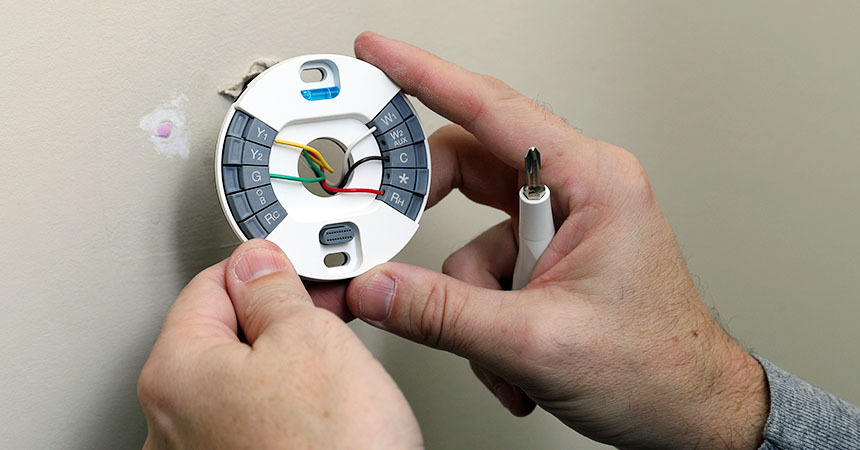
In conclusion, installing a smart thermostat is a worthwhile investment for homeowners seeking to reduce energy costs and enhance home comfort. This guide has provided a detailed roadmap, encompassing everything from selecting the perfect thermostat to optimizing energy savings and troubleshooting potential issues. By following the steps Artikeld here, you can confidently integrate a smart thermostat into your home, achieving significant energy savings and a more efficient living environment.