Smart door locks are rapidly transforming how we secure our homes. This guide provides a comprehensive overview of the installation and programming process, covering everything from hardware requirements to software configuration. Whether you’re a seasoned tech enthusiast or a novice looking to upgrade your home security, this resource will equip you with the knowledge to confidently install and program your smart door lock.
From selecting the right hardware to ensuring a secure software setup, this guide walks you through each step with clarity and detail. Understanding the different types of smart locks and their functionalities is essential for a seamless integration into your home’s security system.
Introduction to Smart Door Locks
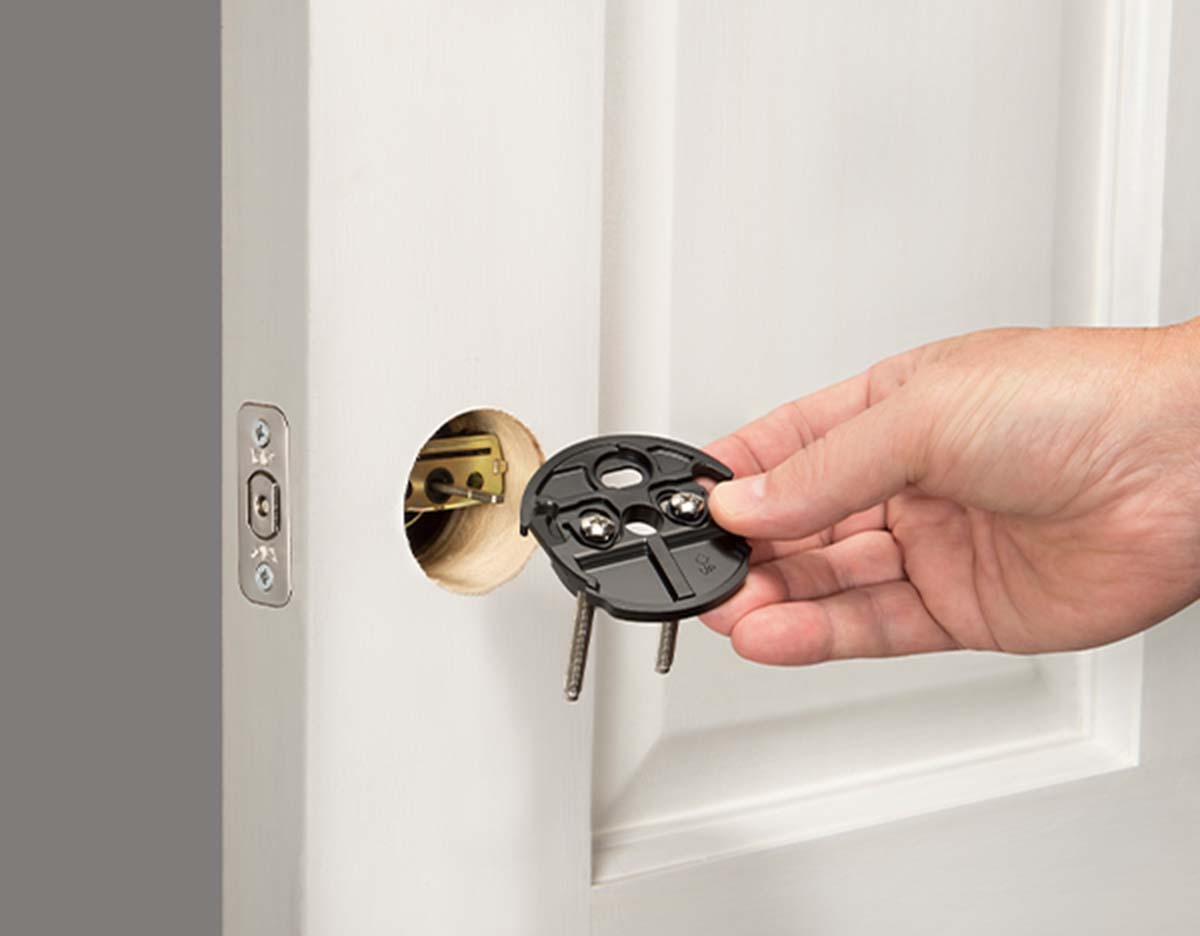
Smart door locks are rapidly transforming how we secure our homes and businesses. These electronic devices offer a range of advanced features beyond traditional mechanical locks, enhancing convenience, security, and control. Their integration with technology provides unprecedented levels of accessibility and management, enabling users to manage their doors remotely and securely.These systems use various technologies to achieve enhanced security and user experience, ranging from simple keypad entry to sophisticated fingerprint and facial recognition.
This increased sophistication and flexibility is driving the adoption of smart door locks across diverse settings, from residential homes to commercial buildings.
Types of Smart Door Locks
Smart door locks come in various forms, each with its unique strengths and weaknesses. Understanding these distinctions is key to selecting the right lock for individual needs. Different models cater to different security and convenience priorities.
- Keypad Locks: These locks employ a numerical keypad for entry, offering a simple yet secure method of access. The user enters a code to unlock the door, providing a straightforward way to manage entry for guests or family members. Keypad locks often include features such as customizable codes, temporary guest access, and automatic lock settings.
- Fingerprint Locks: These locks utilize fingerprint recognition technology to identify authorized users. The system authenticates access based on unique biometric data, enhancing security compared to traditional keypads or physical keys. This approach is particularly useful for high-security environments, reducing the risk of unauthorized access.
- App-Controlled Locks: These locks integrate with smartphone applications, enabling remote access and control. Users can unlock doors remotely, grant temporary access to guests, and monitor door activity through the app. These locks often provide advanced features such as geofencing, allowing automatic locking or unlocking based on the user’s location. This is a convenient feature for both personal and commercial use, allowing for greater flexibility in managing access to premises.
Installation Process
The installation process for a smart door lock varies depending on the specific model, but generally follows a similar pattern. A typical installation process involves several steps, from preparing the existing door to finalizing the connection to the power source. Thorough understanding of the manufacturer’s instructions is crucial for a successful installation.
- Preparation: Carefully examine the existing door lock mechanism and the surrounding area to identify any potential issues. Make sure the chosen smart lock is compatible with the existing door type and lock mechanism. This step ensures the proper functioning and safety of the lock.
- Component Installation: Follow the manufacturer’s instructions to install the various components of the smart lock. This may include attaching the lock mechanism to the door, mounting the keypad, or connecting the necessary wiring and power supply. Precise and careful installation ensures that the lock functions as expected.
- Configuration: Configure the smart lock according to the manufacturer’s instructions, including setting up user accounts, defining access codes, and connecting the lock to a smartphone application (if applicable). This process ensures that the lock is correctly set up and that access is properly managed.
- Testing and Finalization: Thoroughly test the functionality of the smart lock to confirm that all features operate correctly. Address any issues or problems that may arise during testing. Ensure that the lock is secure and meets all safety requirements before finalizing the installation.
Comparison of Smart Door Lock Brands
A comparison table highlighting key features of different smart door lock brands can aid in selecting the appropriate product.
This comparison helps in understanding the strengths and weaknesses of different brands, facilitating a more informed purchasing decision.
| Brand | Key Feature 1 | Key Feature 2 | Key Feature 3 |
|---|---|---|---|
| Brand A | Biometric Authentication (Fingerprint) | Remote Access Control | Advanced Security Protocols |
| Brand B | User-Friendly Interface | Customizable Access Levels | Affordable Pricing |
| Brand C | Robust Build Quality | Smart Home Integration | 24/7 Customer Support |
Hardware Requirements
Proper hardware selection is crucial for a successful smart door lock installation. A well-chosen setup ensures compatibility, reliable operation, and a seamless user experience. Careful consideration of each component’s specifications and potential compatibility issues is vital to avoid costly replacements or installation failures.
Essential Hardware Components
A successful smart door lock installation hinges on selecting compatible components. This involves the lock mechanism itself, the power supply, mounting hardware, and potentially a communication module. These elements must function harmoniously to ensure the lock operates correctly and reliably.
- Lock Mechanism: The core component, this includes the smart lock body, the internal mechanisms, and the locking and unlocking functionalities. Different types of smart locks have varying design features, which must be evaluated for compatibility with the door frame.
- Power Supply: The power supply is essential for powering the smart lock. Specifications include voltage, amperage, and the connector type. Incorrect voltage can damage the lock, while insufficient amperage may result in intermittent operation. The power supply must be chosen to match the lock’s requirements.
- Mounting Hardware: Mounting hardware is crucial for securing the lock to the door. This includes screws, anchors, and any other mounting accessories. Incorrect mounting hardware can compromise the lock’s security and stability, leading to potential damage to the door or lock itself.
- Communication Module (if applicable): Some smart locks require a communication module for connectivity to the app or network. This module may be integrated into the lock or a separate device. Ensure the module’s specifications align with your network infrastructure to avoid compatibility issues.
Hardware Compatibility Issues
Identifying potential compatibility problems is a proactive measure. Several factors influence the compatibility of hardware components, including the lock type, door type, and power supply requirements.
- Door Type Compatibility: The smart lock must be compatible with the door’s material and structure. Different door types, such as solid wood, hollow core, or metal, may require varying mounting hardware and lock mechanisms. This ensures a secure and stable installation.
- Power Supply Mismatch: A mismatch in voltage or amperage between the lock and the power supply can lead to damage or improper functioning of the lock. Using an inappropriate power supply can compromise the lock’s lifespan and cause operational difficulties. Consult the lock’s documentation for the specific power requirements.
- Mounting Hardware Inconsistencies: Using the incorrect mounting hardware can lead to a weak or unstable installation. The wrong size or type of screws or anchors can damage the door or lock, potentially compromising the system’s security. Thoroughly check the compatibility of the mounting hardware with both the lock and the door.
- Communication Module Issues: Compatibility issues with the communication module can lead to connectivity problems, hindering the lock’s functionality. This could result from incompatibility with the network or the type of module used. Confirm the communication module’s compatibility with your home network.
Checking Hardware Compatibility
Verifying compatibility before installation is essential. This minimizes the risk of costly replacements or installation failures. Carefully review the specifications of each component.
- Consult the Lock Manufacturer’s Documentation: The manufacturer’s documentation provides detailed information about the lock’s specifications, including power requirements, mounting hardware, and compatibility guidelines. This information is essential for choosing compatible components.
- Check Door Specifications: Determine the door’s material, thickness, and structure to ensure compatibility with the chosen lock. This step is crucial for selecting the correct mounting hardware.
- Review Power Supply Specifications: Ensure the power supply’s voltage and amperage match the lock’s requirements. A mismatch can damage the lock.
- Test Communication Module (if applicable): If the lock requires a communication module, test its compatibility with your network infrastructure to avoid connectivity problems.
Measuring for Proper Installation
Accurate door measurements are essential for a proper fit. Incorrect measurements can lead to misalignment or difficulty in installation. Thorough measurements are a crucial step to ensuring a secure and effective installation.
- Measure Door Thickness: Measure the door’s thickness at multiple points to ensure the lock mechanism and mounting hardware will fit correctly.
- Measure Door Height and Width: Precise measurements of the door’s height and width are necessary to determine the correct position for the lock.
- Mark Mounting Points: Mark the mounting points on the door to ensure precise alignment during installation. Using a level ensures the lock is mounted straight.
Choosing the Right Hardware
Selecting the appropriate hardware for your door type is crucial for a successful installation. This step ensures compatibility and long-term reliability.
- Solid Core Doors: Solid core doors typically require mounting hardware with strong anchors to ensure stability. A more robust lock mechanism is also beneficial.
- Hollow Core Doors: Hollow core doors might require specialized mounting hardware that is suitable for their thinner structure. A lock mechanism that minimizes impact on the door’s structure is recommended.
- Metal Doors: Metal doors may require different mounting hardware or anchors depending on the metal’s thickness and type. A more secure mounting system should be selected for metal doors.
Installation Procedures
Installing a smart door lock correctly is crucial for its functionality and security. Proper installation ensures the lock operates reliably and integrates seamlessly with the chosen smart home system. Adhering to the manufacturer’s instructions is paramount for a successful installation.Careful adherence to the installation guidelines and safety precautions Artikeld below will contribute to a secure and effective installation.
Mounting the Lock
The mounting process determines the lock’s stability and alignment with the door frame. Correct placement is vital for a smooth user experience and to prevent potential issues with the lock mechanism.
- Selection of Mounting Method: Different mounting methods are available depending on the door material and lock type. Drilling is suitable for solid doors, while adhesive mounting is often preferred for hollow or thinner doors. Ensure the chosen method aligns with the lock’s specifications and the door’s structural integrity.
- Preparation of the Door: Thoroughly clean the area where the lock will be mounted. Remove any debris or dust that could interfere with the adhesive or drilling process. Marking the appropriate positions for screws or adhesive application will aid in precise installation.
- Alignment and Security: Precise alignment is critical. Misalignment can affect the lock’s operation and its security. Use a level to ensure the lock is properly aligned vertically and horizontally. Securing the lock with appropriate hardware (e.g., screws) is vital to maintain its stability and prevent tampering.
Wiring the Lock (if applicable)
Wiring the lock correctly ensures the power supply and communication between the lock and the control system are established. Incorrect wiring can lead to malfunction or damage to the lock or other components.
- Safety Precautions: Electrical work requires utmost caution. Always disconnect the power supply before handling any electrical components. Ensure proper insulation and grounding to prevent electrical hazards. Use appropriate tools and protective gear to prevent accidental injuries.
- Connecting Wires: Refer to the manufacturer’s wiring diagram. Carefully connect the wires according to the diagram, ensuring that the correct wires are connected to the corresponding terminals. Label the wires for easy identification if needed.
- Testing the Connection: After connecting the wires, test the lock’s functionality. Ensure the lock operates correctly and responds to the control system commands. This step helps to identify any potential wiring issues early on.
Software Setup and Configuration
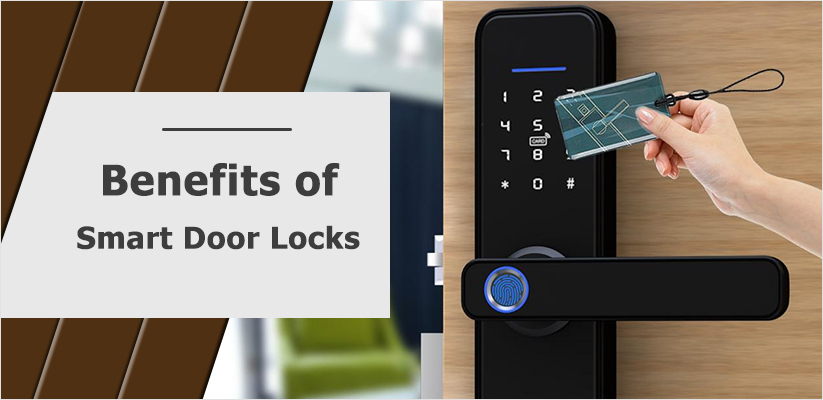
Setting up the software for your smart door lock is a crucial step to fully utilize its functionalities. This involves connecting the lock to your home Wi-Fi network and configuring user access, ensuring security and ease of use. Proper configuration allows seamless integration into your existing home security system.Configuring the software involves several key steps. The user interface (UI) of the mobile application, or the provided web portal, will guide you through the process.
The UI is designed to be intuitive and user-friendly, minimizing any potential confusion.
Connecting to Your Home Wi-Fi Network
Proper Wi-Fi connectivity is essential for the smart lock to function correctly. The lock will need to be in range of your Wi-Fi router for stable communication. Follow the on-screen instructions within the mobile application. This usually involves selecting the appropriate Wi-Fi network from a list and entering the password. For enhanced security, the application might require a specific password generated by the lock itself.
Ensuring a strong, unique password for your Wi-Fi network further bolsters the security of your smart lock.
Managing User Access and Permissions
Defining user access and permissions is a critical aspect of smart lock security. This process allows you to control who can access your home. Different users can be assigned varying levels of access, from granting temporary access to specific individuals to permanent access for family members.
Importance of Strong Passwords and Security Protocols
Robust passwords and security protocols are paramount to protecting your smart lock and home. A strong password, ideally, should be a combination of uppercase and lowercase letters, numbers, and symbols. Avoid using easily guessable passwords, like your birthday or name. Consider using a password manager for secure password storage. Regularly updating your passwords further enhances security.
Creating User Profiles and Assigning Access Levels
Creating user profiles allows you to customize access permissions for each individual. This could include assigning temporary access for houseguests or granting permanent access for family members. The application usually provides an option to set access levels, such as granting access only during specific hours or restricting access to specific doors. This feature allows for a tailored level of security and control for each user.
Mobile Application Features and Functionalities
The mobile application offers a variety of functionalities to control and manage your smart door lock. These functionalities typically include remote lock and unlock capabilities, access history logs, and automated lock scheduling. You can remotely control the lock from anywhere, enabling you to grant temporary access to delivery personnel or grant entry to trusted friends or family. Real-time notifications about lock activity further enhance security and provide a sense of peace of mind.
The mobile app also often includes advanced features, such as integrating with other smart home devices. This allows you to create a more interconnected and automated home security system.
Programming the Lock
Programming your smart door lock allows you to tailor its access controls to your specific needs. This includes defining user permissions, creating custom access schedules, and configuring various responses to different events. Proper programming ensures the security and convenience of your smart home.
Adding Users and Setting Access Privileges
Defining user access is crucial for managing who can enter your home. Each user is assigned a unique identifier, typically a PIN or a unique code. The lock allows you to specify the access level for each user. This could include granting access during specific times, or allowing access only for a certain number of attempts.
Creating Custom Access Schedules
Custom access schedules enable you to grant or deny access based on time and date. This is beneficial for managing visitor access or allowing specific personnel access only during work hours. You can create separate schedules for different users, defining precise entry windows for each. For example, you could program a schedule to allow a housekeeper access between 9 AM and 5 PM, Monday to Friday.
Programming the Lock to Respond to Different Events
The lock can be programmed to respond to various events. This includes automatic locking after a certain period of inactivity, or triggering a lock/unlock action based on the presence or absence of connected devices or sensors. For instance, the lock can automatically unlock when a designated smartphone is detected near the door. Another example is linking the lock to a smart home system to respond to specific commands.
Remote Lock/Unlock Capabilities
Remote lock/unlock capabilities are essential for managing access when you are away from home. These features are typically accessed through a dedicated mobile application. You can lock or unlock the door from anywhere in the world, ensuring security and convenience. This can be particularly useful for letting in guests or family members when you are not physically present.
Setting Up Emergency Access Codes
Emergency access codes are critical for situations where immediate entry is necessary, such as in case of an emergency. These codes are typically kept secure and shared only with trusted individuals or emergency contacts. This ensures quick access in case of emergencies. The codes should be easily remembered, but difficult to guess.
Configuring Notifications and Alerts
Notifications and alerts are essential for staying informed about lock activity. This allows you to receive notifications about lock unlocking, attempts to enter, or any unusual activity. These alerts can be configured to send notifications via email, SMS, or through the mobile application. These features help you stay informed about who has entered and exited your home.
Troubleshooting and Maintenance

Proper maintenance and troubleshooting are crucial for ensuring the longevity and reliable operation of your smart door lock. Addressing potential issues promptly can prevent more significant problems and maintain security. This section details common problems, solutions, and maintenance procedures.
Potential Installation Issues
Several factors can impact the successful installation of a smart door lock. Incorrect hardware alignment, insufficient power, or compatibility problems with existing door structures are potential causes for installation failures. Careful adherence to the manufacturer’s instructions and verification of the lock’s compatibility with your door are essential steps to avoid these problems.
Troubleshooting Common Problems
A variety of issues can arise during the operation of a smart door lock. Addressing these problems efficiently is crucial for maintaining security and convenience.
- Lock Not Responding: A lock that fails to respond to commands or user inputs may indicate a power issue, software glitch, or communication problem. First, ensure the lock is receiving power. If the power source is correct, check the app’s connection status and restart the device. If the problem persists, consult the manufacturer’s troubleshooting guide.
- Battery Issues: Low or depleted battery power can significantly impact the lock’s functionality. Regular battery monitoring and timely replacements are critical. If the battery is low, the lock will likely provide a warning message, prompting a timely battery replacement.
- Connectivity Problems: Interruptions in the Wi-Fi or Bluetooth connection can cause problems with remote access and lock operation. Ensuring a stable connection is paramount to reliable functionality. Verify the Wi-Fi signal strength and the lock’s proximity to the router, and ensure no obstacles are present between the device and the signal source.
- App Errors: Malfunctions in the accompanying mobile application can disrupt the lock’s operation. Restarting the application or device, clearing cache, and updating the app to the latest version can resolve many app-related issues.
Basic Maintenance Tasks
Regular maintenance is essential for the longevity and performance of a smart door lock. These routine tasks help prevent premature wear and tear, and ensure the system’s reliability.
- Cleaning: Regularly cleaning the lock’s exterior and internal components can prevent dust and debris buildup, which can affect performance. Use a soft, dry cloth to wipe down the lock’s exterior. Avoid using harsh chemicals.
- Component Inspection: Periodically inspect the lock’s components for any visible damage or wear. Look for loose screws, damaged housings, or signs of corrosion. Promptly address any issues.
Battery Replacement Procedure
Replacing the batteries in a smart door lock is often a straightforward procedure. The exact steps vary depending on the specific lock model. Always refer to the manufacturer’s instructions for accurate guidance.
- Locate the Battery Compartment: The location of the battery compartment varies depending on the lock model. Refer to the lock’s user manual for specific instructions.
- Disconnect Power: Disconnect the lock’s power source before opening the battery compartment to avoid electrical hazards.
- Remove Old Batteries: Carefully remove the old batteries according to the battery polarity indicated in the compartment.
- Install New Batteries: Install new batteries observing the correct polarity as shown in the battery compartment.
- Close the Compartment: Carefully close the battery compartment.
- Reconnect Power: Reconnect the lock’s power source.
Manufacturer Support and Resources
In case of further assistance or issues, leveraging manufacturer support is crucial. Various resources are available for guidance.
- Support Website: Many manufacturers provide detailed support documentation on their websites, including troubleshooting guides, FAQs, and videos.
- Customer Service Contact Information: Direct contact with the manufacturer’s customer service team can provide tailored support and guidance.
- Online Forums: Online forums and communities dedicated to smart door locks can offer valuable insights from other users.
Security Considerations
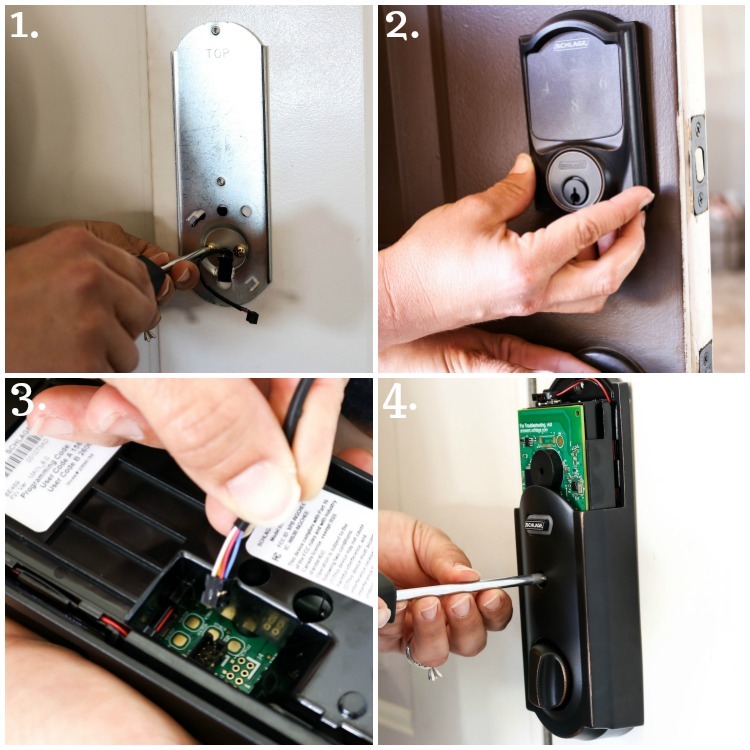
Securing your smart door lock is paramount to protecting your home and belongings. A robust security system goes beyond the lock itself and encompasses a multi-layered approach, incorporating both technological safeguards and physical security measures. This section details the critical aspects of securing your smart lock and its connection to your home’s overall security.Smart door locks, while offering convenience and advanced features, introduce potential vulnerabilities if not properly managed.
A comprehensive understanding of these vulnerabilities and proactive security measures is crucial to maintaining a secure home environment.
Security Features of the Smart Lock System
The security of a smart lock system is often determined by the implemented features. Modern smart locks typically incorporate encryption protocols to protect data transmitted between the lock and the associated app or system. These protocols, such as AES-256 encryption, help safeguard user data and prevent unauthorized access. Biometric authentication, including fingerprint scanning or facial recognition, adds an extra layer of security by requiring a unique biological characteristic for access.
Securing the Lock from Unauthorized Access
Robust password management and strong passwords are fundamental to safeguarding your smart lock. Strong passwords incorporate a combination of uppercase and lowercase letters, numbers, and symbols. Avoid using easily guessable passwords like “password123” or your birthdate. Regularly change your passwords to maintain security. Consider enabling two-factor authentication (2FA) for an extra layer of protection.
2FA requires a second verification step, such as a code sent to your phone, in addition to your password.
Potential Security Vulnerabilities
Smart locks, like any connected device, are susceptible to various security vulnerabilities. Compromised Wi-Fi networks can potentially expose the lock to unauthorized access. Poorly configured or outdated firmware can create security loopholes. Physical tampering, while less likely with a robust lock, should still be a consideration. A sophisticated intruder might try to bypass the lock’s mechanical components, such as picking the lock or manipulating the latch.
This underscores the importance of choosing a high-quality lock and adhering to recommended security protocols.
Importance of Password Management and Security Best Practices
Maintaining strong and unique passwords for your smart lock and associated accounts is essential. Consider using a password manager to securely store and generate complex passwords. Avoid reusing passwords across multiple accounts. Regular password audits and updates are crucial for long-term security. This practice significantly mitigates the risk of unauthorized access through compromised credentials.
Importance of Regularly Updating the Lock’s Firmware
Regularly updating the lock’s firmware is crucial. Firmware updates often include security patches that address vulnerabilities discovered after the lock’s initial release. Leaving the firmware outdated exposes the system to potential security breaches. Checking for firmware updates regularly and promptly installing them is vital to maintaining the lock’s security.
Importance of Physical Security Measures Alongside the Smart Lock
Physical security measures complement the digital security features of your smart lock. Ensure your home’s perimeter security, such as strong doors and windows, is up to par. A sturdy door frame and high-quality door hardware contribute to the overall security. Consider installing security cameras and motion sensors around the entrance to deter potential intruders. These additional security measures work in tandem with the smart lock to provide a comprehensive security solution.
End of Discussion
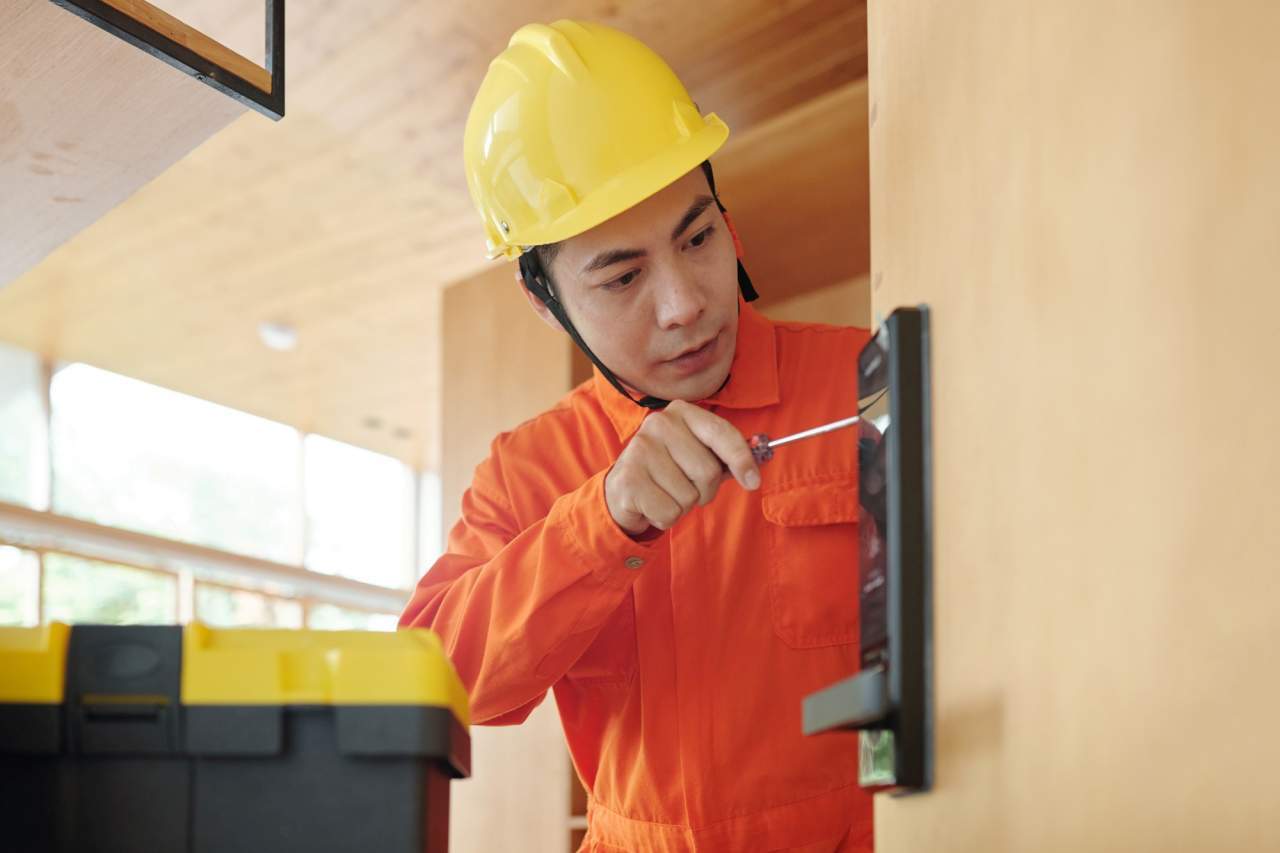
In conclusion, installing and programming a smart door lock involves careful consideration of hardware, installation procedures, and software configuration. This guide has provided a thorough roadmap to ensure a successful installation and maximize the security and convenience of your new smart lock system. By following the steps Artikeld here, you can enjoy enhanced security and a more streamlined entry experience.